What Is Entity Relationship Explained
What Is Entity Relationship Explained
Ever heard of an Entity-Relationship (ER) model? In simple terms, it's a conceptual blueprint for organising data. Think of it as the architectural plan you’d draw up before building a house, mapping out exactly how different pieces of information connect with one another. This model is the cornerstone of designing efficient and logical databases from the ground up.
Understanding the Blueprint for Your Data

Let's use a library's cataloguing system as an analogy. Imagine trying to find a specific book without any logical structure – it would be absolute chaos. The library organises everything into clear categories: Books, Authors, and Members. An ER model does the exact same thing for a database, defining the key components of a system and the logical ties between them.
This systematic approach isn’t just good practice; it's essential for modern businesses. In fact, a recent Experian study found that nearly three-quarters (74%) of UK businesses now consider data a top priority for improving performance and making smarter decisions. By modelling these complex data connections, companies can build powerful, reliable systems for everything from finance to customer management.
The Three Core Components
At its heart, any ER model is built from just three fundamental blocks. Getting your head around these is the first and most important step towards creating a clear, effective database structure.
To give you a quick overview, here are the three building blocks of any ER model.
| Core Components of an ER Model at a Glance | | :--- | :--- | :--- | | Component | What It Represents | Simple Example | | Entities | The main 'things' or objects you want to store information about. | In a library system, Book and Author would be entities. | | Attributes | The properties or characteristics that describe an entity. | For the Book entity, attributes could include its Title, ISBN, and Publication Year. | | Relationships | The associations or links between two or more entities. | An Author writes a Book, creating a direct relationship between them. |
Let's break them down a bit further.
- Entities: These are the nouns of your database—the distinct objects you need to track. In our library example, Book, Author, and Member are all entities.
- Attributes: These are the details that give entities their unique characteristics. For a Member entity, the attributes might be Name, Address, and Membership ID.
- Relationships: These are the verbs that connect your entities. An Author writes a Book. A Member borrows a Book. These connections are what bring the whole structure to life.
An ER model is all about simplifying complex data structures into an easy-to-understand visual format. It acts as a common language, allowing developers, database administrators, and business stakeholders to agree on how information should be organised before a single line of code is written.
Once you’ve mastered these core concepts, you can start building a logical framework for any data-driven project you can imagine. For a closer look at how these models are visualised, check out our essential guide to database blueprints.
Exploring the Building Blocks of ER Models
 To really get what an entity-relationship model is, you have to break it down into its core parts. These are the fundamental pieces that give the model its structure and logic, turning abstract data into an organised, understandable system.
Think of them as the building blocks of your database's story: the nouns, the descriptive details, and the unique identifiers that hold everything together.
First up, we have entities. These are simply the main "things" or concepts you want to keep track of. In a university registration system, for example, the obvious entities would be tangible concepts like Student and Course.
Each entity is then described by its attributes—the specific details that give it colour. For our Student entity, attributes would be things like StudentID, FirstName, LastName, and EmailAddress. A Course entity would have its own set of attributes, like CourseCode, CourseTitle, and Credits. These attributes are essentially the columns you’d find in a database table.
Understanding Keys: The Anchors of Your Data
To keep everything neat and stop duplicates from creeping in, entities rely on special attributes called keys. Keys are absolutely critical for uniquely identifying every single record and, just as importantly, for linking different entities together. Without them, you'd have no reliable way to connect a specific student to the courses they’re taking.
You'll mainly come across two types of keys:
- Primary Key: This is the unique identifier for each record within an entity. The StudentID is a perfect example because no two students can share the same ID number. It guarantees every student is a distinct entry in the system.
- Foreign Key: This is a primary key from one entity that gets placed into another to create a link between them. For instance, if we created an
Enrolmenttable, it would need to contain both a StudentID (a foreign key referencing theStudenttable) and a CourseCode (a foreign key referencing theCoursetable).
By using primary and foreign keys, an ER model creates a reliable and logical structure. This system ensures data integrity, which is just a fancy way of saying your information stays accurate and consistent as it grows and changes over time.
Connecting the Dots with Relationships and Cardinality
Alright, we’ve got our building blocks sorted: the entities and their attributes. But right now, they're just separate lists of data. The real magic happens when we start connecting them. This is where the ‘relationship’ part of the entity relationship model clicks into place, turning isolated data into a smart, logical system.
A relationship is just a fancy word for the association between two or more entities. Think back to our university example. A Lecturer entity is connected to a Course entity because a lecturer teaches a course. Simple as that. These connections are what transform individual data points into a powerful web of information.
But just knowing a connection exists isn't quite enough. We need to lay down the ground rules for that connection. This is where cardinality enters the picture. It sounds a bit technical, but all it really does is define the numbers behind the relationship—like how many instances of one entity can be linked to another.
Defining the Rules of Connection
Getting cardinality right is crucial if you want to design a database that actually works. It's what keeps your data clean, efficient, and free from messy duplicates. You'll mainly come across three types:
- One-to-One (1:1): This is the most straightforward relationship. One instance of an entity links to exactly one instance of another. A perfect example is a
Studentand their uniqueStudentID. One student can't have multiple IDs, and one ID can't belong to multiple students. It’s a perfect pair. - One-to-Many (1:N): This is a very common one. It’s where one instance of an entity can be linked to many instances of another. Our classic example is one
Lecturerteaching manyCourses. The lecturer is a single entity, but they can be associated with a whole list of different course records. - Many-to-Many (N:M): This happens when many instances of one entity can link to many instances of another. For instance, many
Studentscan enrol in manyCourses. A single student can sign up for several courses, and at the same time, a single course will have lots of students in it.
Nailing these relationships and their cardinality is the secret to building a database that's both robust and ready to grow. It’s all about ensuring data integrity—making sure your information stays accurate and consistent as your system expands. For any successful application, that's completely non-negotiable.
How to Visualise Data with ER Diagrams
Once you’ve got your head around the concepts, the next step is turning them into a picture. An Entity-Relationship Diagram (ERD) is the visual map of your ER model. Think of it as a clear blueprint that everyone, from developers to business leaders, can easily understand. It uses standard symbols to represent all the components, making even the most complex data structures digestible at a glance.
This blueprint is absolutely critical for communication. In the UK, with roughly 7,892,598 active businesses, mapping these relationships is essential. Sectors like banking, retail, and pharmaceuticals rely on these diagrams to manage their incredibly complex data networks. You can get a sense of how UK businesses are mapped by exploring this business entity relationship data.
Common Notations: Chen vs Crow's Foot
When you start creating ERDs, you'll mainly run into two visual styles, or notations. Each has its own way of drawing entities, relationships, and attributes, but they both share the same goal: to bring clarity to your data’s structure.
- Chen Notation: This is one of the originals and it’s very detailed. It uses rectangles for entities, diamonds for relationships, and ovals for attributes. Because it forces you to think through every little detail, it's fantastic for high-level conceptual modelling.
- Crow’s Foot Notation: This style is often the go-to for its simplicity and readability. It uses boxes for entities and connects them with lines to show relationships. The "crow's feet" on the ends of the lines show the cardinality, making it dead simple to see if a relationship is one-to-one or one-to-many.
An ERD acts as a universal language for database design. By visualising what is entity relationship, you make sure everyone on the project is on the same page about how the data is organised and connected.
The infographic below breaks down the different types of cardinality, showing how one-to-one, one-to-many, and many-to-many relationships are defined.
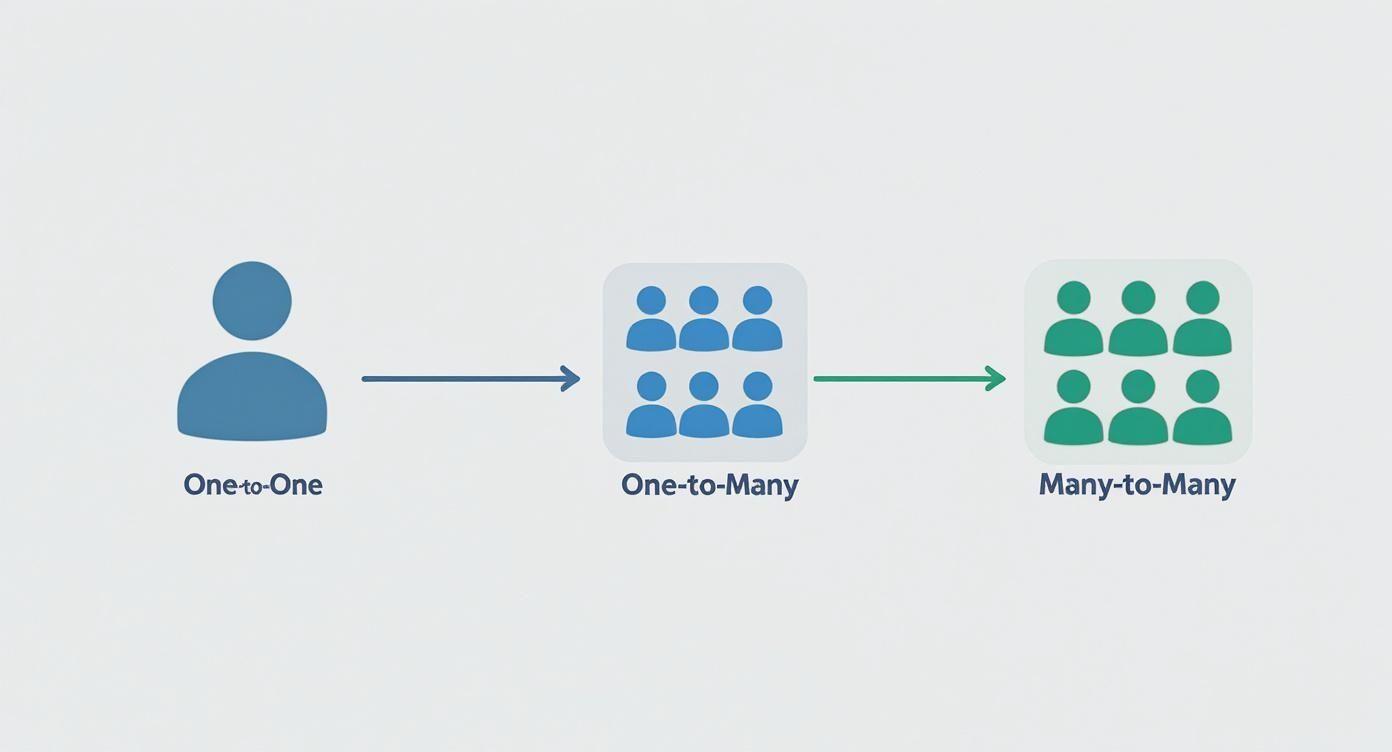
This kind of visual breakdown clearly separates singular and multiple connections, which is fundamental to building a logical, robust database. If you're ready to get hands-on, our dev's guide to creating ER diagram designs has the practical steps you need to start building these visuals yourself.
Real-World Applications of ER Models
The theory behind ER models is one thing, but their real power shines when you see them in action, solving genuine business problems. These models aren't just dry, academic exercises; they are the organisational backbone for countless systems we use every single day. They take messy, complex operations and translate them into structured, manageable data.
From the local corner shop to a massive corporation, these models are quietly working behind the scenes. Think about a retail company. It uses an ER model to manage the intricate dance between its Products, Suppliers, and Customer Orders. The model clearly defines how a specific Order links to multiple Products, which in turn are sourced from a single Supplier. This simple structure is what prevents stock errors and keeps the entire supply chain running smoothly.
From Patient Care to Business Intelligence
Now, let's switch gears to a completely different environment: a hospital. Here, a well-designed ER model is absolutely critical for managing the vital relationships between Patients, Doctors, and Treatments. It ensures a patient's medical history is accurately tied to their scheduled appointments and prescribed treatments, which has a direct and profound impact on the quality of care they receive.
A robust ER model transforms raw data into a strategic asset. By clearly mapping how different parts of a business connect, it enables more efficient processes, uncovers valuable insights, and supports smarter, data-driven decision-making across any industry.
This principle holds true right across the UK's business sector. At the beginning of 2025, there were around 5.7 million private sector businesses in the UK, with small and medium enterprises (SMEs) making up an incredible 99.9% of this total. You can find more details in the UK SME data and statistics on Merchant Savvy. ER models are fundamental for tracking the business dynamics and growth within this huge economic engine.
Ultimately, a deep understanding of these connections allows any business to get its information organised effectively. For a closer look at the data structures themselves, you might find our guide on what an entity database means for UK businesses useful.
Common Questions About ER Models
Once you start getting the hang of entity-relationship models, a few questions almost always pop up. Let's tackle them head-on, as clearing up these common points of confusion is the best way to make sure your new knowledge really sticks.
Think of it as sharpening your tools before you start building. We'll run through the most frequent queries to make sure you're ready to put these concepts into practice with confidence.
Logical vs Physical ER Models
One of the first hurdles people often face is telling the difference between a logical ER model and a physical ER model. It's simpler than it sounds. The logical model is your high-level, big-picture view. It’s all about the business logic—what are the key entities, what information do we need about them, and how do they relate to each other? You don't worry about the technical database stuff just yet.
The physical model, on the other hand, is the detailed blueprint for actually building the database. It takes that logical design and translates it for a specific database system (like MySQL or PostgreSQL), defining technical details like data types (e.g., VARCHAR, INT), indexes, and table constraints.
Simply put, the logical model is the what, and the physical model is the how.
Moving from a logical to a physical model is a crucial step in database design. It’s the bridge that ensures your business requirements are translated accurately into a database that’s both functional and efficient.
Common Mistakes to Avoid
When you're creating your first ER diagram, it’s really easy to fall into a few common traps. Knowing what they are ahead of time can save you a world of pain later.
- Getting Cardinality Wrong: If you don't correctly define how entities relate (one-to-one, one-to-many), you'll build a flawed database that allows for bad data. It's a foundational error that causes major issues down the line.
- Forgetting Key Attributes: Missing an important piece of information for an entity might seem small at first, but it often means the model can't capture everything the business needs, forcing you into a major redesign.
- Using Vague Names: Unclear or inconsistent naming for your entities and attributes is a recipe for confusion. It makes the diagram a nightmare for anyone else on your team to read and understand.
Best Tools for Creating ER Diagrams
The good news is you don't need to be sketching these out on the back of a napkin. There are some fantastic modern tools that make creating ERDs a breeze, ranging from simple diagramming apps to powerful, dedicated database modelling software.
Tools like Lucidchart, Creately, and dbdiagram.io offer really intuitive interfaces for creating, sharing, and collaborating on diagrams with your team. Even better, many of them can automatically generate the SQL code from your visual design, perfectly bridging that gap between the plan and the actual implementation.
At App Developer UK, we know that a solid backend is the true foundation of any great mobile app. Our expertise in Flutter development is backed by a deep understanding of robust database design, ensuring your app isn't just beautiful on the outside but also built on a scalable and reliable architecture. With benchmarks putting Flutter at the top for performance, it's the ideal choice for modern applications. If you're ready to build a high-performance app with a data model designed by experts, get in touch with us today.