A Practical Guide to the Development of AI in Modern Apps
A Practical Guide to the Development of AI in Modern Apps
So, what do we actually mean when we talk about AI development? At its core, it’s about building systems that can do things that usually require a bit of human brainpower—like learning from experience, spotting patterns, or making a judgement call. We’re not just writing lines of code with rigid rules; we're creating models that can actually adapt and get smarter over time. This is the real magic behind today's intelligent apps.
Demystifying AI and Machine Learning
You’ve probably heard "AI" and "Machine Learning" (ML) thrown around, often together. While they’re related, they aren’t the same thing. Think of Artificial Intelligence as the big, overarching goal: creating smart machines. Machine Learning is one of the most powerful ways we get there. It’s a specific technique for teaching a computer to learn from data, rather than just following instructions.
It’s a bit like teaching a toddler to spot a cat. You wouldn't give them a textbook definition with rules about fur length and tail position. You’d just show them lots of pictures: fluffy cats, ginger cats, skinny cats. Eventually, their brain just gets it and starts identifying the patterns on its own. That's exactly how AI development works.
We feed Machine Learning models huge amounts of data—images, text, numbers, you name it—and they figure out the underlying patterns for themselves. This ability to learn from experience is what makes AI so flexible and powerful for solving real business problems.
The UK as a Hub for AI Advancement
This isn't just theory anymore; it's a massive economic force, especially right here in the UK. The country’s AI scene has absolutely exploded, creating the perfect environment for businesses looking to build smarter applications.
The government's latest Artificial Intelligence Sector Study paints a clear picture. The number of UK AI companies has shot up to over 5,800, which is an 85% jump in just two years. These businesses are already generating £23.9 billion in revenue and adding £11.8 billion to the economy. This boom is putting UK app developers right at the heart of the action. You can dig into the numbers yourself in the government's 2024 AI Sector Study.
In this guide, we’ll walk you through the entire AI development journey, from that first spark of an idea to a fully functioning, intelligent feature inside a high-performance Flutter app. We'll break down every stage, giving UK business leaders the clarity needed to step into the world of AI with confidence.
The Core AI Development Lifecycle Explained
Building an AI solution can sound intimidating, but it's not some black magic conjured out of thin air. It's a structured, methodical process. Think of it like commissioning a bespoke suit from a master tailor. You don't just get a finished product instantly; you go through a series of precise steps, each one building on the last to create something perfectly fitted and functional.
This whole journey, what we call the AI development lifecycle, is a clear roadmap. It's how we turn a business need into an intelligent tool that works in the real world. It provides a disciplined, cyclical path from raw materials to the final fitting.
This flowchart gives a simple visual of how an AI learns. It starts with data, finds patterns within it, and then produces an intelligent decision.
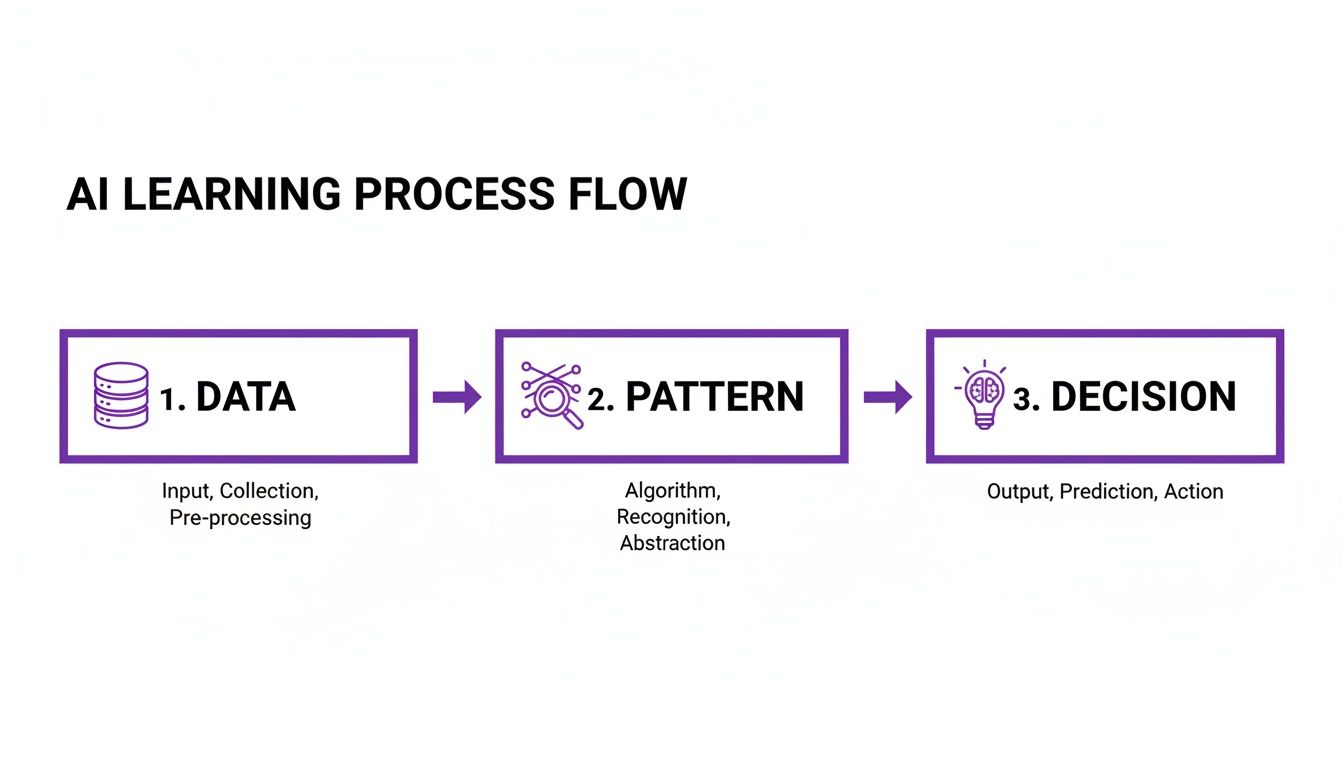
As you can see, everything starts with good data. It's the non-negotiable foundation that an algorithm uses to uncover insights. Let’s break down the five core stages of this lifecycle in a bit more detail.
Stage 1: Data Collection and Preparation
First up, and arguably the most important stage, is Data Collection and Preparation. A tailor can't make a quality suit from poor fabric, and an AI model can't learn from bad data. It's that simple. This is where we gather all the information the AI needs to learn from, whether that’s customer transaction histories, user engagement metrics, or sensor readings.
But raw data is almost always messy. It comes with errors, missing bits, and all sorts of inconsistencies that would just confuse the model. So, a huge part of this stage is cleaning, organising, and structuring that data into a clean, usable format. We're getting the "fabric" ready for the tailor.
Stage 2: Model Training
With our pristine data ready, we move on to Model Training. This is the real tailoring process. We're shaping the raw material into something intelligent. We feed the prepared data to machine learning algorithms, which then get to work identifying patterns, relationships, and hidden structures.
Imagine showing the algorithm thousands of examples of successful sales. It slowly starts to learn the specific sequence of actions or customer attributes that lead to a purchase. This is an iterative process of complex calculations and tiny adjustments, but it's where the "intelligence" of the AI model is truly forged.
Stage 3: Model Evaluation
Once the initial "suit" is stitched together, it’s time for a fitting. The Model Evaluation stage is where we test the model's performance against a completely new set of data it has never seen before. This is absolutely critical. We need to know if it can apply what it has learned to new, real-world scenarios.
We measure how well it does using key metrics like accuracy, precision, and recall. If the model predicts something—say, identifying a product in an image—evaluation tells us how often it gets it right. This step stops us from launching a model that looks great in training but fails miserably in practice.
If the performance isn't up to scratch, it's back to the training stage. We might tweak the algorithm or feed it more data until it meets the standards we've set.
Stage 4: Deployment
After passing its tests, the AI model is ready for the real world. Deployment is all about getting the model into a live environment where it can start doing its job and delivering value. For a mobile app, this could mean embedding it directly on the device for offline use, or hosting it in the cloud and letting the app talk to it through an API.
This is the moment your bespoke suit leaves the tailor's shop and becomes part of your wardrobe. It's now actively doing what it was designed for, whether that's providing personalised recommendations, powering a smart chatbot, or spotting fraudulent transactions.
Stage 5: Monitoring and Maintenance
But the journey doesn't end there. Monitoring and Maintenance is the final, ongoing stage that makes sure the AI model keeps performing well over time. The world changes, and a model trained on old data will slowly become less accurate as new trends and behaviours pop up. This is a well-known problem called "model drift."
By constantly monitoring the model, we can track its performance and spot any decline. When needed, we can retrain it with fresh data to keep it sharp and relevant. This ensures your AI solution remains a valuable asset long after its initial launch.
To help you visualise this process, here's a quick summary of each stage in the lifecycle.
AI Development Lifecycle at a Glance
| Stage | Primary Goal | Key Activities |
|---|---|---|
| 1. Data Collection & Preparation | Gather and clean high-quality data to serve as the foundation for learning. | Sourcing data, data cleansing, feature engineering, splitting data into training/testing sets. |
| 2. Model Training | "Teach" the algorithm by feeding it prepared data to identify patterns. | Selecting algorithms, running training jobs, tuning hyperparameters, iterative learning. |
| 3. Model Evaluation | Rigorously test the model's performance and accuracy on unseen data. | Testing with a validation dataset, measuring metrics (accuracy, precision, recall), debugging. |
| 4. Deployment | Integrate the validated model into a live production environment. | Setting up APIs, creating inference endpoints, integrating with front-end applications (e.g., mobile apps). |
| 5. Monitoring & Maintenance | Ensure the model's performance remains high and relevant over time. | Tracking performance metrics, detecting model drift, scheduling periodic retraining with new data. |
Each of these stages is essential for building a robust and effective AI system. Skipping or rushing any step is a recipe for a solution that simply won't deliver on its promise.
Essential Algorithms and Tools for AI Projects
Once we've mapped out the lifecycle, it's time to get into the engine room—the place where the real magic of AI development happens. This is where we bring together the algorithms (the recipes that tell the AI how to learn) and the software tools needed to build intelligent systems. Getting a handle on this landscape is crucial to understanding the technical skill that goes into creating a high-performing AI feature.
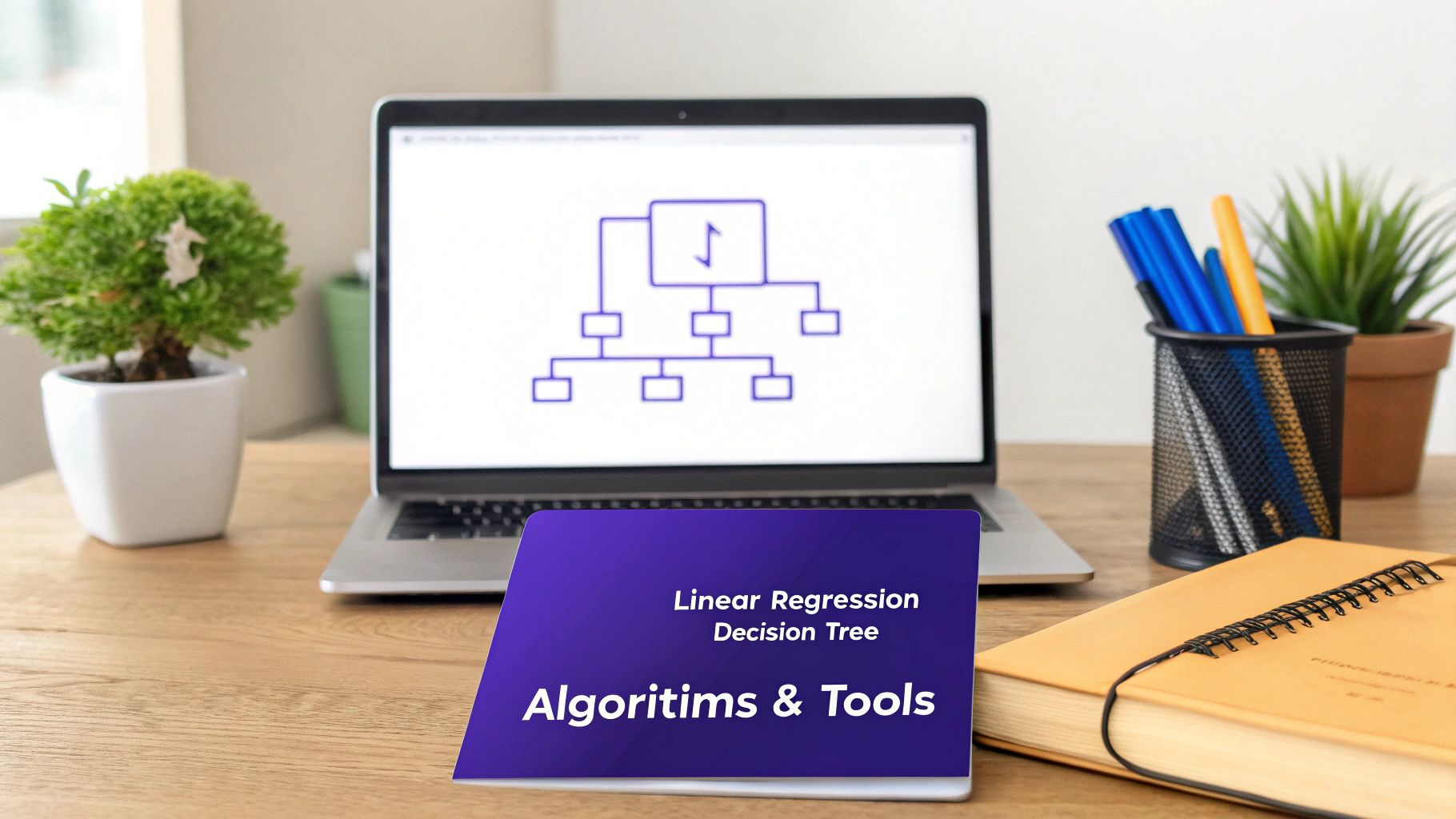
Think of algorithms like different specialists you'd hire for a job. You wouldn't ask a plumber to do an electrician's work, right? It's the same in AI. We pick a specific algorithm based on the job it needs to do. While there are hundreds out there, most fall into a few key families.
Common Machine Learning Algorithms
To make this feel less abstract, let's look at three foundational algorithms that solve a massive range of business problems. Each one has a completely different way of "thinking".
- Linear Regression: This is one of the simplest yet most effective algorithms out there. It’s perfect for predicting a continuous value, like forecasting next quarter's sales or estimating house prices based on their features. It essentially finds the most logical straight-line relationship between a set of inputs and an output.
- Decision Trees: Imagine playing a game of '20 Questions'. You ask a series of yes/no questions to narrow down the options and arrive at the right answer. A decision tree works in exactly the same way, making it brilliant for classification tasks like figuring out if an email is spam.
- Neural Networks: Inspired by the interconnected neurons in the human brain, these algorithms are far more complex and powerful. They excel at uncovering incredibly subtle patterns in huge datasets, which is why they're the go-to for things like image recognition or understanding natural language. Their layered structure lets them learn in a much more sophisticated, almost intuitive way.
As you look at different components for your project, exploring ready-made AI Powered Transcription Software Tools can offer a glimpse into how these types of algorithms are packaged into real-world solutions.
The Developer's Toolkit: Key Software and Platforms
Algorithms are just the blueprints; developers need the right tools and materials to actually build something with them. The software world for AI development is enormous, but a few key players really dominate the space. These tools are what allow developers to build, train, and deploy models without reinventing the wheel every time.
Python is, without a doubt, the language of choice for AI, mainly because of its incredible collection of powerful, easy-to-use libraries. Two frameworks, in particular, are the bedrock of the industry:
- TensorFlow: Developed by Google, this is a massive, end-to-end platform for machine learning. It gives developers a whole ecosystem of tools and libraries to build and launch ML-powered apps with relative ease.
- PyTorch: A favourite among researchers for its clean design and flexibility, PyTorch (from Meta) has exploded in popularity. It's particularly good for projects that need a lot of quick prototyping and experimentation.
Beyond these foundational libraries, developers almost always rely on powerful cloud platforms to do the heavy lifting. Services like Google AI Platform and Amazon SageMaker provide the immense, scalable computing power needed to train complex models. This means businesses don't have to sink huge sums into buying and maintaining their own expensive hardware.
This powerful combination of accessible algorithms and robust tools is being supercharged by major investment, especially here in the UK. The UK’s AI market is projected to hit USD 20.5 billion by 2033, fuelled partly by government funding aimed at rolling out AI across public services. This kind of investment creates a rich environment full of accessible tools, making it a brilliant place for businesses to innovate. You can read more analysis of the UK's growing AI market from IMARC Group.
Integrating AI into Your Flutter Mobile App
This is where the theory of AI development hits the road. You’ve got a trained, validated model ready to go—but how do you actually get that intelligence into a mobile app? For Flutter developers, this means choosing between two powerful strategies to bring AI to your users' fingertips. The path you take will fundamentally shape your app's performance, user experience, and overall capabilities.
There are two main routes: running the AI directly on the user's device or having it operate from the cloud. Each has its own strengths and is suited for different kinds of tasks. Getting this choice right is the first step toward building a successful AI-powered feature.

On-Device AI: The Speed and Privacy Champion
On-device inference means the AI model lives and breathes directly on the user's smartphone or tablet. Think of it like having a skilled expert right there in the room with you, ready to give an instant answer without needing to phone a colleague. This approach is gaining huge traction for a few very good reasons.
First and foremost is speed. Because all the calculations happen locally, the results are nearly instantaneous. This is non-negotiable for features that need real-time feedback, like live camera filters, instant text recognition, or augmented reality overlays. There’s zero lag waiting for data to travel to a server and back.
Another massive win is offline capability. An app with on-device AI can deliver its smart features even without an internet connection, making it dependable in any situation. This also brings a huge privacy advantage, as sensitive user data never leaves the device—a major selling point for anyone concerned about their personal information.
Cloud-Based AI: The Powerhouse for Complex Tasks
On the other side of the coin, you have cloud-based inference. Here, the app sends data to powerful remote servers where a much larger, more complex AI model does the heavy lifting. The result is then sent back to the app. This is like consulting a world-renowned specialist who has access to limitless resources and knowledge.
The main advantage here is raw computational power. Cloud servers can run colossal AI models that would be impossible to squeeze onto a mobile device. This makes it the go-to choice for tasks that require immense processing, such as analysing large video files, training sophisticated recommendation engines, or running intricate natural language processing.
This method also offers greater scalability and flexibility. We can update and improve the AI model on the server without forcing users to download a new version of the app. This allows for continuous improvement and the deployment of the latest AI advancements on the fly. You can learn more about how this works in our practical guide to AI development in Flutter.
The choice isn't always one or the other. Many of the most effective apps use a hybrid approach, running simpler, time-sensitive tasks on the device while sending more complex jobs to the cloud. This gives users the best of both worlds.
Choosing between on-device and cloud-based AI is a crucial decision that depends on your app's specific needs. Let's break down the key differences to help you decide which path, or combination of paths, is right for you.
On-Device vs Cloud AI for Flutter Apps
| Feature | On-Device AI Inference | Cloud-Based AI Inference |
|---|---|---|
| Speed & Latency | Extremely fast, near-instant results. Ideal for real-time applications. | Slower due to network latency; data must travel to and from the server. |
| Offline Functionality | Fully functional offline. Core features work without an internet connection. | Requires an internet connection. Useless without one. |
| Privacy & Security | Highly secure. Sensitive user data never leaves the device. | Data must be sent to a third-party server, raising privacy concerns. |
| Model Complexity | Limited by device hardware. Can only run smaller, optimised models. | Virtually unlimited. Can run massive, state-of-the-art models. |
| Cost | No ongoing server costs for inference. | Can be expensive due to server usage, API calls, and data transfer. |
| Updates & Maintenance | Model updates require an app update through the app stores. | Easy to update. Models can be improved on the server-side anytime. |
| App Size | Increases the app's download size as the model is bundled with it. | Keeps the app lightweight, as the heavy model is in the cloud. |
| Battery Consumption | Can be intensive, draining the battery faster during processing. | Lighter on the device's battery as the server does the work. |
Ultimately, the best strategy balances the user's need for speed and privacy with the computational demands of the AI feature you're building.
Why Flutter Is an Excellent Choice for AI Apps
This is where Flutter really shines, making the entire development of AI features a smoother and more effective process. As a framework, Flutter is engineered for performance. It compiles to native ARM code, which allows it to communicate directly with the device's hardware.
This direct line of communication is a game-changer for on-device AI. It means Flutter apps can run machine learning models incredibly efficiently, delivering the fast, fluid user experiences that are so critical for real-time applications. Performance benchmarks consistently place Flutter at the top of the pile, a crucial factor when running computationally heavy AI tasks.
Better still, Flutter's single codebase architecture simplifies the integration of both on-device and cloud-based AI. Developers can write the logic once and deploy a seamless, AI-powered experience across both iOS and Android, saving a huge amount of time and resources. This ability to handle both paradigms gracefully cements Flutter's position as a premier framework for building modern, intelligent mobile applications that just work beautifully.
Using MLOps to Ensure Long-Term AI Success
Getting an AI model built and deployed feels like crossing the finish line, but in reality, it’s just the starting gun. The real work is making sure that model stays sharp, accurate, and valuable weeks, months, and even years down the line. This is where a discipline called MLOps (Machine Learning Operations) comes in, acting as the crucial support system that keeps your AI performing at its peak.
Think of it this way: launching an AI model without MLOps is like building a Formula 1 car and then never taking it for a pit stop. It might fly off the line, but without maintenance, its performance will inevitably degrade. MLOps provides the structure and processes needed to keep that engine tuned, ensuring your AI feature remains a powerful asset, not a ticking liability.
Preventing Performance Decay with MLOps
One of the biggest silent killers of any AI system is ‘model drift’. This happens when the real-world data your model sees in production starts to look different from the data it was trained on. Customer behaviour evolves, market trends shift, and new patterns emerge that your original model simply doesn’t understand. When that gap widens, the model's predictions get less accurate, and its business value plummets.
MLOps tackles this head-on by creating a continuous loop of monitoring, retraining, and redeployment.
- Automated Monitoring: MLOps systems keep a constant eye on your model's live performance, tracking key metrics for any hint of decay.
- Automated Retraining: The moment performance dips below a set threshold, the system can automatically kick off a retraining process using fresh, relevant data.
- Streamlined Redeployment: Once the new-and-improved model is trained and tested, it can be seamlessly pushed back into production with minimal disruption.
This automated cycle ensures your AI adapts to a changing world, maintaining its accuracy and business impact over time.
Adopting CI/CD Principles for Machine Learning
A cornerstone of MLOps is borrowing a brilliant idea from traditional software development: Continuous Integration and Continuous Delivery (CI/CD). By adapting these principles for machine learning, the entire pipeline—from a data scientist tweaking an algorithm to deploying the new model—becomes automated, fast, and reliable. To get a better handle on this, you can learn more about what continuous integration means for Flutter apps in our dedicated article.
MLOps transforms AI development from a one-off, handcrafted project into a scalable, repeatable, industrial-grade process. It brings the discipline and automation needed to manage a model's entire lifecycle reliably.
This structured approach is no longer a "nice-to-have"; it's becoming essential, particularly in sectors where AI is maturing quickly. Take the UK financial services sector, where an impressive 75% of firms are already using AI. This rapid adoption in such a complex and regulated field highlights just how critical robust operational practices like MLOps are for managing risk and ensuring compliance. You can dig deeper into this trend by exploring the latest findings on AI in UK financial services.
Ultimately, investing in MLOps is about protecting your investment. It dramatically lowers the risk of model failure, allows your AI solutions to scale as your business grows, and guarantees you get a sustained, long-term return. It’s the operational backbone that turns a promising AI prototype into a dependable business tool that delivers value, month after month.
Planning Your AI Project Costs and Timelines
Embarking on any AI project means having a clear-eyed view of what you’re getting into, both in terms of budget and time. A realistic plan is your foundation for success, helping you put resources where they matter most and setting goals you can actually hit. Getting a handle on the key cost drivers from the very start is the best way to avoid nasty surprises down the line.
The final price tag for any AI solution is shaped by a few critical factors. It’s everything from how complex the machine learning model needs to be to the quality and availability of your data. A project that can use clean, structured data you already have will naturally cost less than one where you need to go out and find, clean, and label everything from scratch.
Key Factors Influencing AI Development Costs
The investment needed can swing wildly, so it’s important to know exactly where the money is going. This isn’t just about developer salaries; every stage of the AI lifecycle has costs attached.
- Data Acquisition and Preparation: This can easily become one of the most time-consuming and expensive parts of the project. Sourcing, cleaning, and labelling data is a huge job, especially if you need specialised or hard-to-find datasets.
- Talent and Expertise: Good data scientists and ML engineers don't come cheap, and their expertise is the engine that drives the whole project. You need their skills to build and fine-tune models that actually work.
- Infrastructure and Tools: This covers everything from the cloud computing power needed to train your models to licensing fees for specialised software and platforms. These costs can add up quickly.
- Model Complexity: There's a world of difference between a simple predictive model and a complex deep learning system for computer vision. The more sophisticated the model, the more it will cost to build and train.
To get a better sense of how these pieces fit into a broader project, take a look at our practical guide to UK app development costs.
Setting Realistic Timelines
Just like with costs, timelines aren't one-size-fits-all. A straightforward proof-of-concept might only take a few months to get off the ground. But a fully integrated, custom AI feature for a Flutter app? That could easily stretch from six months to over a year. Large-scale, highly complex systems will often take even longer. The key is to set milestones along the way to manage expectations and keep everyone on the same page.
An AI project is not a fire-and-forget mission. It's a strategic commitment that requires ongoing investment. Factoring in post-launch monitoring, maintenance, and retraining is essential for ensuring your AI delivers lasting value.
Upholding Security and Ethical Standards
Beyond the budget and schedule, responsible AI development is all about security and ethics. Building trust with your users is everything. That means protecting their data privacy, actively working to stamp out bias in your algorithms, and being transparent about how your AI works.
People need to feel confident that their data is safe and that the AI's decisions are fair and make sense. This commitment is what separates a merely powerful AI tool from a truly successful one.
Your AI Development Questions, Answered
Jumping into the world of AI development naturally brings up a lot of practical questions. We get it. To help clear things up, we’ve put together some straight-talking answers to the queries we hear most often from businesses thinking about building intelligent features.
Where Do You Even Start With AI Development?
It all begins with data collection and preparation. This isn't just the first step; it's the most critical one. Think of it like building a house – you need a solid foundation. Without high-quality, relevant data for your model to learn from, even the cleverest algorithms will fall flat.
This foundational stage is all about finding the right information, painstakingly cleaning it up to get rid of errors or weird inconsistencies, and then shaping it into a format the model can actually understand.
How Long Does It Take to Build an AI App?
This really depends on what you're trying to build. A simple proof-of-concept, maybe using some off-the-shelf models, could be up and running in 2-4 months.
But if you’re after a completely custom AI solution for a high-performance mobile app, you're realistically looking at a timeline of 6-12 months from the first conversation to the final launch. For massive, enterprise-level systems that need to be deeply woven into existing infrastructure, it's not uncommon for projects to stretch beyond a year.
The big takeaway here is that proper AI development isn’t an overnight job. It's a methodical process where each stage—from data wrangling to model testing and deployment—needs the right amount of time to get right.
For more detailed answers to common questions, you might find their Frequently Asked Questions page helpful.
What’s the Ballpark Cost for AI Development?
The investment can vary wildly. A basic prototype to test an idea could start from around £20,000. On the other end of the scale, a complex, custom-built AI system for a sophisticated Flutter app can easily go north of £250,000.
What drives that cost? It boils down to a few key things: the complexity of sourcing and preparing your data, how sophisticated the AI model needs to be, the server power required, and the level of expertise on the development team.
Can You Add AI to an App That Already Exists?
Absolutely, and it’s a brilliant way to breathe new life and value into your app. You can introduce powerful new features like personalised recommendations, smart chatbots that actually help, or image recognition to make things more interactive.
There are generally two ways to do this. You can either connect to a powerful AI service in the cloud via an API, or you can embed a smaller, optimised model right into the app itself for snappy, on-device processing.
Ready to explore how AI can elevate your mobile application? App Developer UK specialises in building high-performance, intelligent Flutter apps that deliver real business results. Contact us today to discuss your vision.