AI Development: AI Development in Flutter - A Practical Guide
AI Development: AI Development in Flutter - A Practical Guide
AI development isn't some far-off concept anymore; it's the engine room for creating intelligent systems that can learn, reason, and make decisions on their own. For businesses, this has shifted from a "nice-to-have" to a "must-have" to stay competitive, turning standard mobile apps into smart, adaptive partners for your users.
The New Standard in Mobile App Intelligence
Think of a standard mobile app like a simple calculator. It does exactly what you tell it to, reliably and efficiently, but it never learns anything new or offers insights beyond its programming. An AI-powered app, on the other hand, is more like a personal financial advisor. It doesn't just crunch numbers—it learns from your behaviour, starts to anticipate what you need, and offers personalised advice that gets smarter over time.
This is the new benchmark for AI development in the mobile world.
Users today expect more than just functional tools. They want apps that understand them, apps that make their lives easier and more efficient. We've moved past static functionality into an era of dynamic companionship. This is where intelligence becomes the key to unlocking real user engagement and creating value that lasts.

Why AI is a Game-Changer for UK Businesses
For companies here in the UK, jumping into AI isn't just about following a trend—it's a massive economic opportunity. The UK artificial intelligence market is exploding, set to hit USD 23,364.9 million in revenue in 2025 and projected to soar to an incredible USD 180,797.5 million by 2033.
That growth is fuelled by a compound annual growth rate of 28.2%, with services making up over half of that revenue. The message is loud and clear: businesses that get on board with AI now are setting themselves up for success down the road.
An AI-powered app gives you a serious competitive advantage:
- Superior Personalisation: Deliver content, product suggestions, and user experiences that feel like they were made just for that one person.
- Actionable Insights: Go beyond basic analytics. Start predicting what users will do, spotting new opportunities, and stopping customer churn before it happens.
- Operational Efficiency: Automate the mundane tasks, offer intelligent customer support with chatbots, and make your internal processes run smoother.
By integrating AI, you're not just building an app for today. You're future-proofing your business with an application that can evolve and grow right alongside your users.
The Flutter Advantage for AI Apps
Of course, to make these intelligent features a reality, you need a mobile framework that won't buckle under the pressure. It needs to handle the complexities of AI without sacrificing performance. This is exactly where Flutter shines.
As leading UK Flutter developers, we build apps that are fast, fluid, and look fantastic on both iOS and Android, all from a single codebase. Time and again, new benchmarks show Flutter leading the pack on performance, which is absolutely critical when you're running sophisticated AI models directly on the device.
This means your app's intelligent features feel instant and seamless, delivering a user experience that puts you head and shoulders above the competition.
Demystifying AI and Machine Learning Concepts
To get the most out of AI development, it helps to speak the language, but without getting bogged down in technical jargon. You’ll often hear the terms Artificial Intelligence (AI), Machine Learning (ML), and Deep Learning (DL) used interchangeably, but they actually represent distinct layers of capability.
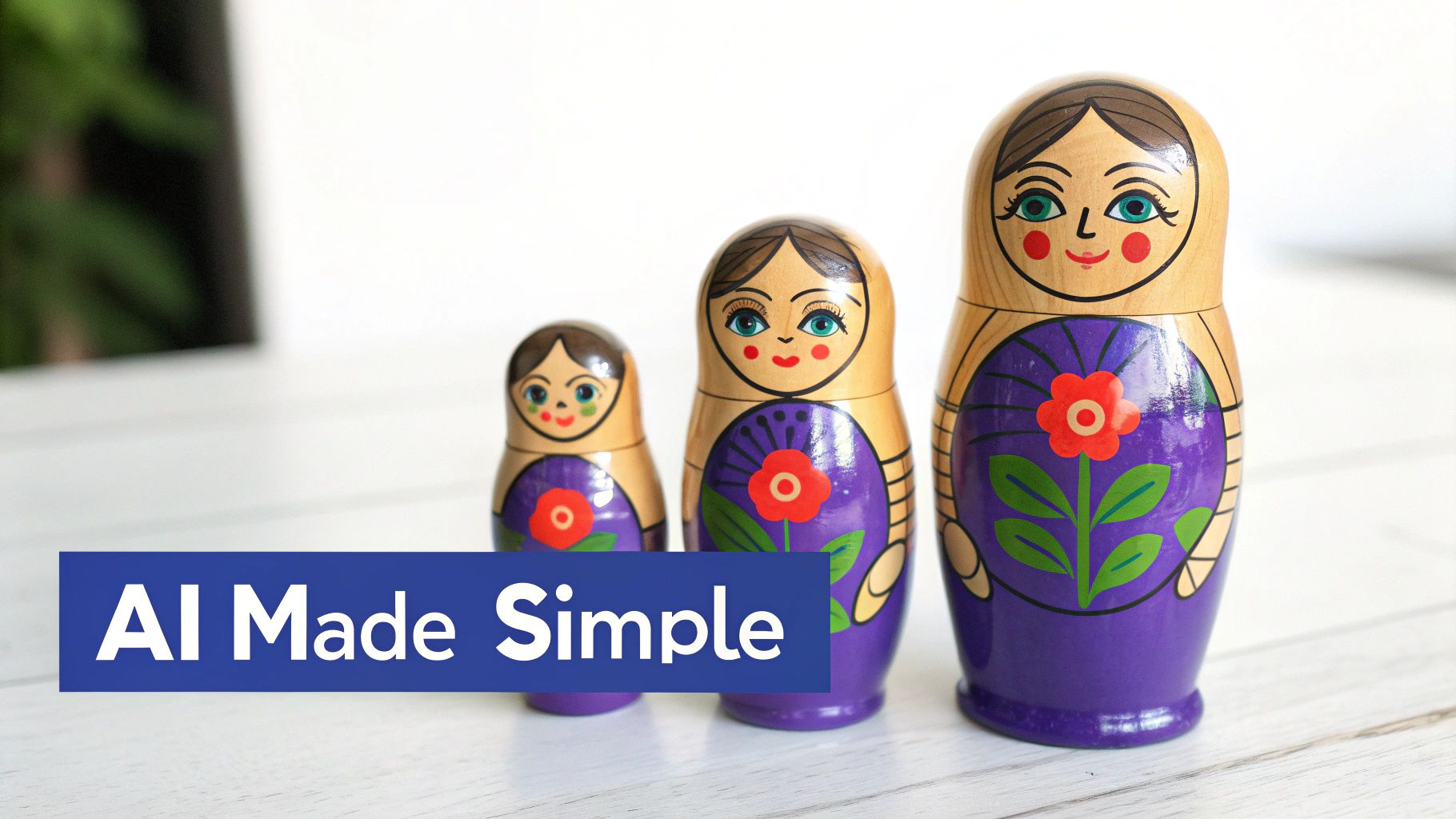
A great way to picture this is with a set of Matryoshka nesting dolls.
Artificial Intelligence (AI) is the largest, outermost doll. It's the big, overarching idea of creating machines that can think, reason, and learn like humans. This covers everything from simple "if-then" rules to the incredibly sophisticated models running today's smartest apps.
Unpacking Machine Learning and Deep Learning
Open up the AI doll, and you’ll find Machine Learning (ML) inside. This is where things get interesting. ML is a specific branch of AI where systems aren't just programmed with rigid instructions; they learn and improve on their own by consuming data. Instead of telling it exactly what to do, you feed an ML model information, and it figures out the patterns for itself.
Tucked inside the ML doll is the smallest, most specialised one: Deep Learning (DL). This is an advanced technique that uses complex structures called neural networks—inspired by the connections in the human brain—to identify incredibly subtle patterns in huge datasets. Deep learning is the magic behind features like real-time voice assistants and uncannily accurate image recognition.
In short: AI is the overall goal of creating intelligent machines. Machine Learning is the method of teaching them with data. Deep Learning is a powerful, state-of-the-art technique within machine learning for solving highly complex problems.
This layered approach means we can pick the right tool for the job. Not every problem needs a deep learning solution; sometimes, a simpler machine learning model is far more efficient and cost-effective for a mobile app. This is where having a crystal-clear understanding of your business goals is absolutely vital.
The Two Main Flavours of Machine Learning
When we talk about machine learning, it mostly breaks down into two main types. Each one is suited for different kinds of tasks within your app, and knowing the difference makes it much clearer what kind of intelligence you can build.
Supervised Learning: Learning with an Answer Key
Think of supervised learning as studying for an exam with flashcards. You show the model a question (an input) on one side and the correct answer (an output) on the other. Do this thousands of times, and the model starts to learn the relationship, eventually becoming smart enough to predict answers for new questions it has never seen before.
- How It Works: The model is trained on a dataset where every piece of information is already labelled. For instance, a folder of a million animal photos, with each one neatly tagged as either "cat" or "dog."
- Mobile App Example: A retail app could use this to predict if a user is likely to buy something based on their browsing history. The historical data (our "flashcards") would show past user behaviours and whether they led to a sale (the "answer").
This method is perfect for any task with a clear, predictable outcome, like classifying an email as spam or not spam. The quality of your labelled data is everything here—it directly determines how accurate your model will be.
Unsupervised Learning: Finding Patterns on Its Own
Now, imagine you're given a massive, jumbled pile of laundry and told to sort it. That’s unsupervised learning. There are no pre-existing labels or categories ("socks," "shirts"). The model's job is to look at all the items and create its own logical groupings based on inherent similarities like colour, fabric, and size.
- How It Works: The model is given completely unlabelled data and tasked with finding hidden structures, clusters, or oddities within it.
- Mobile App Example: A streaming app could use unsupervised learning to group users into segments based purely on their viewing habits. It might discover natural clusters like "weekend action movie fans" or "daily documentary bingers," allowing for hyper-targeted marketing without any prior assumptions.
This approach is incredibly powerful for uncovering insights you didn't even know you were looking for. These kinds of insights are fundamental to building a solid business strategy; you can see more on this in our UK guide to business analytics and intelligence.
By getting a handle on these core ideas, you’re in a much better position to spot the real opportunities for AI within your own app.
Putting AI to Work in Your Mobile App
Alright, enough with the theory. Let's get down to what AI actually does inside a mobile app and why it matters for your business. This isn't about adding gimmicks; it's about making your app smarter, more intuitive, and genuinely useful. We're talking about a shift from a static, one-size-fits-all experience to a dynamic tool that anticipates, personalises, and solves real problems for your users.
And it’s not just a nice-to-have. Integrating AI is a serious engine for growth. Across the UK, businesses are seeing a major productivity boost from AI, with reported increases averaging 11.5%. For some, that number is even higher. It's clear that adopting AI is becoming an economic necessity for any business that wants to stay competitive. You can dig into the numbers in this insightful report on UK AI productivity.
Creating Hyper-Personalised User Journeys
One of the most powerful and immediate ways to use AI is through personalisation. Think about how Amazon seems to read your mind, suggesting products you didn't even know you wanted. Or how Netflix just knows what you’ll want to binge-watch next. That's all thanks to recommendation engines working tirelessly behind the scenes.
These systems analyse everything from past purchases to browsing behaviour, and even the time of day, to serve up content that feels like it was chosen just for you. For an e-commerce app, this is gold. It means higher conversion rates and customers who feel understood, which is key to building long-term loyalty.
Enabling Smarter Communication with NLP
Natural Language Processing (NLP) is the magic that allows computers to understand and respond to human language. In the app world, this most often takes the form of an intelligent chatbot. Forget those clunky, script-following bots of the past. Today's AI-powered chatbots can understand nuance, handle complex questions, and provide genuinely useful support, 24/7.
This immediately takes a huge load off your human support teams, freeing them up to tackle the really tricky issues. It’s a win-win: your users get instant answers, and your operations become far more efficient. For a real-world example, platforms like supportGPT are already using advanced AI to deliver this kind of intelligent customer support.
AI allows your app to move beyond a one-size-fits-all model. It enables a one-to-one conversation with every single user, adapting in real time to their individual needs and preferences. This is the new standard for user engagement.
The Power of Computer Vision and Predictive Analytics
AI isn't limited to text and numbers; it can also make sense of the visual world. Computer Vision is what lets your app "see" using the phone's camera. This is the tech behind AR filters on Instagram, nifty in-app document scanners, or even retail apps that let you virtually try on a new pair of trainers. It creates fun, interactive experiences that really grab a user's attention.
At the same time, predictive analytics crunches historical data to make smart guesses about the future. For your app, this could look like:
- Predicting user churn: Flagging users who are likely to delete the app so you can step in with a special offer to win them back.
- Forecasting demand: Helping an e-commerce business know exactly how much stock to order by predicting sales trends.
- Optimising user journeys: Figuring out which users are on the verge of making a purchase and giving them a gentle nudge.
Why Flutter is the Perfect Partner for AI
Delivering these kinds of sophisticated AI features demands a framework that is seriously powerful and efficient. That’s where Flutter really shines. Time and again, benchmarks show Flutter leading the pack on performance—which is critical for running complex AI models on a device without killing the battery or making the app lag.
And because Flutter uses a single codebase for both iOS and Android, we can design, build, and roll out your AI-powered features on all platforms at once. This gets your app to market faster and guarantees that every single user gets the same slick, high-quality experience, no matter what phone they’re using. To see what makes it so powerful, check out our guide on Flutter app development for building high-performance apps.
Choosing The Right AI Model Architecture
So, you’ve pinpointed the AI features you want in your app. The next big question is a technical one, but it has a massive impact on everything from performance to your running costs: where will the AI model actually live? This is a core architectural decision. Essentially, you have three paths to choose from: putting the model on the user's device, running it in the cloud, or blending the two with a hybrid approach.
On-Device AI
Think of on-device AI as giving your app its own self-contained brain. The machine learning model is bundled directly into the app itself, running entirely on the user’s phone. This makes it incredibly fast and responsive because there's no need to send data over the internet and wait for a reply.
This speed makes it the perfect choice for features that need to happen in real-time. We’re talking about things like live camera filters that react instantly, text recognition that scans a document in a flash, or augmented reality effects that feel seamless. A huge bonus here is privacy – since all the processing happens locally, sensitive user data never has to leave their device.
The decision tree below gives a simple sense of how you might start thinking about this. Are you building a feature that directly serves the user in the moment, or is it more for back-end business analysis?
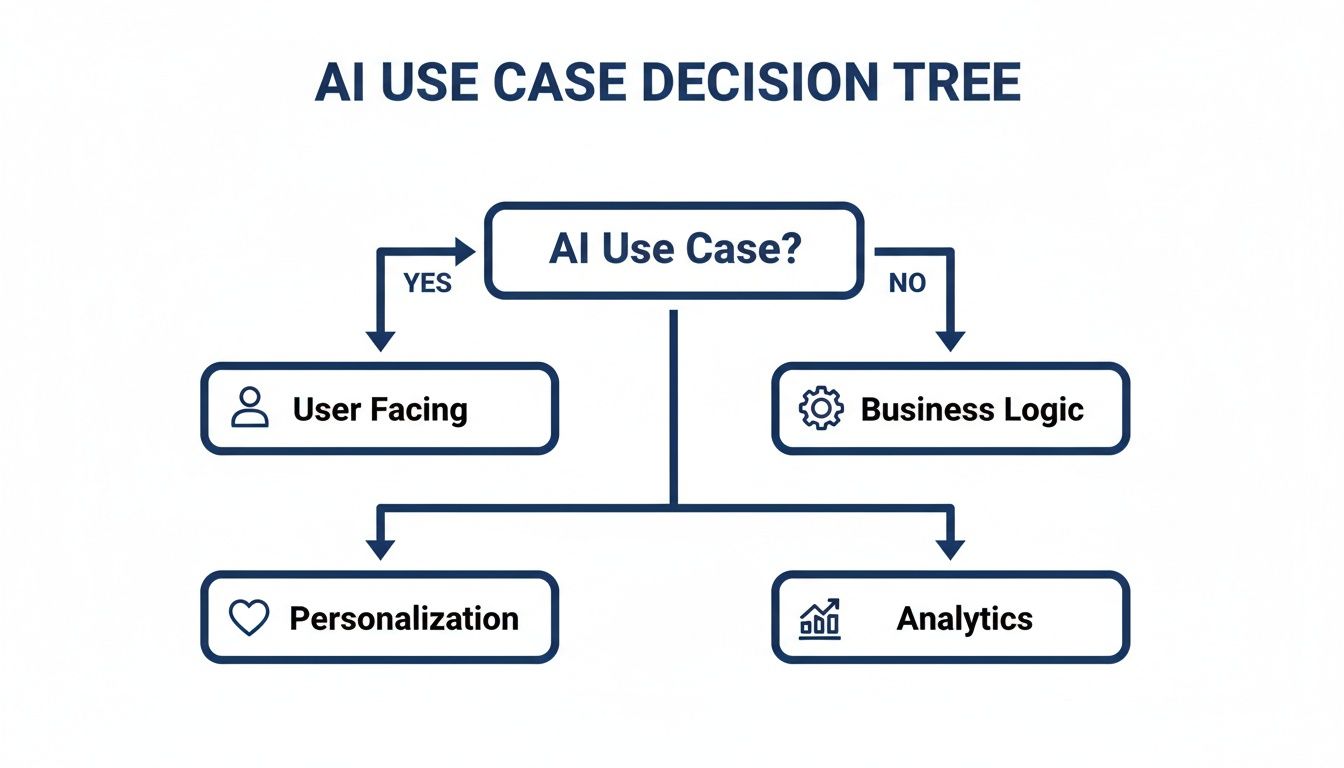
As you can see, the use case itself often points you in the right direction. Instant user-facing features lean towards on-device processing for personalisation, while data-heavy business tasks are better suited for analytics in the cloud.
Cloud-Based AI
In complete contrast, cloud-based AI is like connecting your app to a powerful supercomputer on demand. Your app simply sends the necessary data to remote servers, where enormous, complex models do all the heavy lifting before sending the results back. This is the only way to go when you need computational muscle that a smartphone just can’t offer.
It’s the ideal setup for training gigantic models on vast datasets or for running tasks that demand deep analysis, like sifting through user data to spot emerging trends. The key advantage is scalability. You can update and improve the model on your server anytime you want, and users get the benefit immediately without ever needing to update their app.
The Hybrid Model
For many modern apps, the best solution isn't a simple either/or choice. A hybrid model intelligently combines on-device processing with cloud power, giving you the best of both worlds. This approach lets the app handle simple, time-sensitive jobs locally while offloading the more demanding operations to the cloud.
A great example is a smart photo editor. It could use on-device AI for instant filter previews, giving the user a snappy, satisfying experience. But when they hit 'apply' for a major enhancement, the app could send the image to the cloud for a much more advanced, high-quality transformation. Here in the UK, our Flutter developers often find this flexibility is the secret to building a truly top-tier app. A solid plan is everything; you can learn more about what is software architecture is and why it matters in our detailed guide.
Choosing the right architecture is a critical balancing act. To help make the decision clearer, we’ve put together a table comparing these three approaches across the factors that matter most to your business.
AI Model Architecture Comparison On-Device vs Cloud vs Hybrid
| Factor | On-Device AI | Cloud-Based AI | Hybrid AI |
|---|---|---|---|
| Performance | Very fast with zero latency, ideal for real-time features. | Slower due to network latency, not suitable for instant tasks. | Balanced; uses on-device for speed and cloud for power. |
| Cost | No ongoing server costs for inference, but higher initial development. | Ongoing costs for cloud computing, storage, and API calls. | A mix of both; can be optimised to manage server expenses. |
| Data Privacy | Highest level of privacy as user data never leaves the device. | Data must be sent to a server, raising privacy considerations. | Data is managed flexibly; sensitive info stays on-device. |
| Scalability | Model updates require a full app update for all users. | Models can be updated centrally on the server at any time. | Offers flexibility; core models can be updated via the cloud. |
| Offline Use | Fully functional without an internet connection. | Requires a constant and stable internet connection to work. | Core features work offline, with advanced capabilities online. |
Ultimately, the right choice comes down to your specific use case, budget, and user experience goals. By weighing these trade-offs carefully, you can build an AI-powered app that is not just clever, but also efficient, secure, and delightful to use.
Our Proven AI Development Process for Flutter
Turning a great idea into a smart, functional Flutter app isn’t magic. It takes a clear, structured, and collaborative approach. We’ve honed our process to manage expectations, minimise risks, and deliver an end product that genuinely hits your business goals.
Think of this journey as a partnership. We’re with you at every stage, from the first sketch to the final launch, ensuring every decision aligns with your vision. It all breaks down into a few manageable phases.
Phase 1: Discovery and Strategy
Before we even think about code, we need to get to the heart of your vision. This first phase is all about the "what" and the "why." What specific user problem is AI going to solve? And why is that important for your business?
We’ll work closely with you to:
- Pinpoint Business Goals: We’ll define the exact key performance indicators (KPIs) you want to move the needle on. Is it about boosting user retention, improving conversion rates, or making an internal process more efficient?
- Frame the Problem: We translate broad business needs into a specific machine learning problem. For example, "we want to increase sales" becomes "let's build a model to predict which products a user is most likely to buy next."
- Check Feasibility: We take a hard look at the technical and data requirements to make sure the idea is viable, setting a realistic scope from the get-go.
Phase 2: Data Collection and Preparation
Data is the fuel for any AI model. The quality of its training data directly dictates how well it performs. This phase can be one of the most time-consuming parts of the project, but getting it right is non-negotiable.
Our data scientists get to work sourcing, cleaning, and organising all the information the model needs. This means tackling everything from missing values and inconsistencies to formatting the data so it’s ready for training. Critically, we ensure this entire process is compliant with UK data privacy standards like GDPR, so you can be confident that user information is handled securely and ethically.
A well-prepared dataset is the foundation of an accurate and reliable AI model. Rushing this stage is a false economy that almost always leads to poor performance and costly rework down the line.
Phase 3: Model Selection and Training
With a pristine dataset ready, the exciting part can begin. We start selecting the right machine learning algorithms and training the model. This is a highly iterative process of experimentation, where we test different approaches to find the one that delivers the most accurate results for your specific problem.
For on-device AI in Flutter, we often use tools like TensorFlow Lite to build lightweight, speedy models that run directly on a user’s phone. But for more complex tasks that need serious number-crunching, we can connect to powerful cloud services like Google Cloud AI. This flexible, hybrid approach means we always pick the right tool for the job.
This is also where we can tap into the UK's expanding digital infrastructure. With nearly 100 new data centres planned, the country is gearing up for a 20% increase in capacity by 2030. This is creating national-scale AI factories that provide the raw computing power needed for sophisticated, real-time AI features in mobile apps. The growth of sovereign AI providers also means data can be kept local and secure—a huge plus for businesses handling sensitive user information. You can read more about how Britain is building AI factories at a national scale.
Phase 4: Integration and Testing
Once the model is trained and performing well, it’s time to bring it into your Flutter app. Our deep expertise in Flutter development ensures this is a smooth and seamless process. We build the necessary APIs and embed the model so that the AI features feel like a natural, fully integrated part of the user experience.
Of course, we then test everything rigorously. We hunt down performance bottlenecks, validate the model's accuracy with real-world scenarios, and make sure the app remains stable and responsive. The goal is a smart app that feels quick, fluid, and utterly reliable on both iOS and Android.
Your AI Development Questions Answered
Venturing into any new technology brings a host of questions. The world of AI development is no different, with practical things to consider like cost, timelines, data needs, and the right tech to use.
This final section gives you clear, straightforward answers to the most common queries we hear from businesses, helping you get a real feel for the process and what to expect.
How Much Does AI App Development Cost in the UK?
There’s no one-size-fits-all price tag for an AI-powered app. The cost really depends on how complex you need it to be.
For a more straightforward project, like plugging in a pre-trained API to analyse text, you could be looking at something in the low five figures. These kinds of solutions are quicker to get up and running because the heavy lifting—the model training—has already been done by someone else.
But a truly custom solution is a different beast altogether. If your app needs to solve a problem unique to your business, it will require bespoke data collection, training a model from scratch, and carefully weaving it into your existing systems. For that kind of work, the investment can range anywhere from £50,000 to well over £200,000.
What drives these costs? A few key things:
- Data Sourcing and Prep: The quality of your data is everything. Finding, cleaning, and labelling that data can be a huge chunk of the project and the budget.
- Model Complexity: A simple model that classifies things is far cheaper to build than a deep learning network that needs to understand images in real-time.
- Integration Effort: How deeply the AI needs to be wired into your app’s architecture and back-end systems will directly affect the development effort.
- Ongoing Maintenance: AI models aren’t a ‘set it and forget it’ deal. They need to be monitored and sometimes retrained to stay sharp, which is an ongoing operational cost.
We believe in being completely upfront. That’s why we always kick off with a thorough discovery phase to map everything out and give you a detailed, itemised quote that fits your budget.
How Long Does It Take to Develop an AI-Powered App?
Just like the cost, the timeline is tied directly to how complex the project is. On average, you should realistically plan for anywhere from 4 to 12 months, and sometimes longer for really ambitious projects.
A project using existing, off-the-shelf AI APIs will naturally be on the shorter end of that scale, probably taking around 4-6 months. This is simply because we can integrate proven technology without the long process of building and training a model from the ground up.
On the other hand, developing a custom machine learning model is a much more involved journey. These projects often take 9-12 months or even longer. That extended timeline covers the crucial phases of gathering enough data, the intense process of training and testing the model, and then integrating it carefully into the app. The final timeline always comes down to the sophistication of the AI and the quality of the data we have to start with.
The single biggest factor influencing both cost and timeline is whether you can use a pre-built model or need to create a custom one. A detailed strategy session at the project's outset is the best way to determine the most efficient path forward.
Do I Need My Own Data to Build an AI App?
Not always, but if you want a solution that gives you a real competitive edge, it’s a massive advantage.
For many common AI tasks, like language translation or recognising general objects in photos, we can tap into powerful, pre-trained models from giants like Google AI. The groundwork has already been laid.
However, when you need your app to understand the specific patterns and quirks of your business, your own data becomes gold. A model trained on your unique data will always outshine a generic one for tasks like:
- Predicting which of your specific customers are about to leave.
- Recommending products from your unique catalogue.
- Spotting fraud patterns that are specific to your industry.
If you don't have a dataset ready to go, don't panic. Our process always includes a data strategy phase. We can explore ethical ways to collect it, find valuable public datasets, or map out a plan to start gathering the information you’ll need for the future. Since AI development often involves sensitive information, getting to grips with regulations like GDPR is non-negotiable. It's well worth reading a practical AI GDPR compliance guide to understand your responsibilities here.
Why Is Flutter the Best Choice for AI App Development?
When it comes to building intelligent mobile apps that perform brilliantly, we’re convinced Flutter is the best tool for the job. It’s not just a preference; it’s a strategic choice backed by real-world performance. Recent benchmarks consistently show Flutter leading the pack, which is absolutely vital for AI applications.
There are three big reasons why Flutter is our go-to for AI apps.
First, its high-performance rendering engine is simply unmatched. This means that even demanding on-device AI tasks, like real-time image processing, run buttery smooth without lagging or killing the user’s battery. A seamless user experience is everything, and Flutter delivers.
Second, its single codebase is a massive efficiency boost. We build your sophisticated AI app once, and it runs natively on both iOS and Android. This drastically cuts down development time and cost compared to building two separate apps, getting your product to market much faster without cutting corners.
Finally, Flutter is brilliant for integration. It plays nicely with native device features and has fantastic libraries for connecting to powerful AI tools like TensorFlow Lite. This flexibility makes it the most efficient and capable framework for building modern, intelligent apps that truly stand out.
Ready to explore how AI can transform your mobile app? At App Developer UK, we specialise in building high-performance Flutter applications with intelligent features that drive real business results. Contact us today to discuss your vision.