Iphone Applications Development: iphone applications development for iOS success
Iphone Applications Development: iphone applications development for iOS success
Diving into iPhone applications development is a serious business move, not just a tech project. For any UK business, getting your brand onto the Apple App Store means connecting with a valuable, loyal user base that's ready to spend. This guide is your roadmap, showing you how to turn a simple idea into a powerful business asset.
Your Strategic Guide to App Development in the UK
Across the UK, a mobile app has stopped being a "nice-to-have" and become a core part of any real growth strategy. An iPhone app, specifically, opens a direct line to customers known for their brand loyalty and higher-than-average spending. It's about creating a permanent, accessible touchpoint for your customers, right in their pocket.
But this isn't just about shrinking your website down to a smaller screen. A well-designed iPhone app deepens customer engagement, can streamline your operations, and unlocks entirely new ways to make money. Think of it as your most dedicated employee—one that works 24/7 to serve clients, gather insights, and drive sales.
Understanding the UK App Market Opportunity
The mobile app market in the UK isn't just growing; it's exploding. The total market was valued at around £28.3 billion in 2025, with an impressive annual growth rate of 12.9% over the last five years. This incredible expansion is fuelled by massive smartphone adoption and high user engagement, with UK app revenues jumping from £2.46 billion in 2021 to nearly £4 billion in 2024. For a deeper dive into these numbers, you can explore the market growth insights from Netguru.
This trend points to a clear opportunity. A smart investment in iPhone application development positions your business to grab a healthy slice of this expanding market.
A successful app is more than just clever code; it’s a genuine solution to a customer's problem. Whether it simplifies a daily chore, provides a bit of fun, or creates a seamless shopping experience, your app has to deliver real value to earn its spot on someone's home screen.
Mapping Your Journey from Concept to Launch
The road from a back-of-the-napkin idea to a live app on the App Store has several crucial stages. Knowing what these are helps you manage your budget, set realistic deadlines, and make better decisions along the way. We’ll walk through each step in this guide, giving you a clear roadmap from start to finish.
Here are the key phases we will cover:
- Choosing Your Technology: We'll stack up native iOS development against modern frameworks like Flutter, breaking down the pros and cons of each so you can pick the right tool for the job.
- Project Lifecycle Breakdown: From the initial strategy and UI/UX design sessions to the nuts and bolts of development, testing, and launch, we’ll demystify the entire process.
- Budgeting and Timelines: You'll get realistic cost estimates and project timelines geared specifically for the UK market, helping you plan your investment with confidence.
- App Store Submission: We will provide a practical checklist to help you navigate Apple’s submission rules for a smooth and successful launch day.
Choosing Your Development Path: Native iOS vs. Flutter
One of the first, and most important, decisions you'll make on your app development journey is choosing the right technology. This isn't just a technical choice; it impacts your budget, your timeline, and what your app can ultimately do. Think of it like deciding how to build a house: do you commission an architect for a completely custom design, or do you work with a high-end firm that uses a master blueprint to build beautifully and efficiently?
The custom route is native iOS development, which means using Apple’s own languages, Swift or its older sibling, Objective-C. This approach is tailored from the ground up exclusively for the iOS ecosystem. It promises the tightest possible integration with the iPhone's hardware and software, delivering that flawless "Apple experience" users expect.
The master blueprint is a modern cross-platform framework like Flutter. This approach is engineered for excellence and adaptability. With Flutter, your team builds the app from a single set of code that runs beautifully on both iOS and Android. This offers huge advantages in speed and cost, without the performance issues that plagued older cross-platform tools.
The Case for Native iOS Development
Building an app natively means it's constructed using the very tools and languages Apple created for its devices. This gives you unparalleled access to iOS features like the Camera, GPS, and Face ID, which often translates into the smoothest, most responsive user experience you can get.
If your app needs to push the limits of performance—like a graphics-heavy game or a complex augmented reality tool—native is often the default choice. It guarantees you can use the very latest iOS features the moment Apple releases them, keeping your app on the bleeding edge.
But that custom quality comes with a catch. If you decide later that you want an Android version, you have to start all over again, building a completely separate app. That means double the development time, a much bigger budget, and two different codebases to maintain forever.
Why Flutter is the Modern Choice for Businesses
For most businesses, the main goal is to reach the widest audience possible without breaking the bank or sacrificing quality. This is exactly where Flutter shines. Developed by Google, it has quickly become the go-to framework for building high-performance, visually stunning apps from a single codebase.
Time and again, benchmarks show that Flutter apps perform so well they are virtually indistinguishable from their native counterparts. It manages this by compiling directly to native ARM code, sidestepping the performance bottlenecks that gave older cross-platform technologies a bad name.
Flutter bridges the gap between efficiency and quality. It allows businesses to develop a beautiful, high-performance iPhone application while simultaneously building for Android, effectively cutting development time and costs nearly in half.
This single-codebase advantage is a game-changer for startups and established companies alike. It means getting to market faster, simplifying maintenance, and ensuring your brand looks and feels the same on every device. For a deeper dive, our guide can show you how to develop an iOS application with Flutter step-by-step.
Of course, a huge part of this streamlined process is testing. To ensure your app is solid across platforms, you need the right tools. It's well worth exploring the various alternatives to Appium Flutter Driver for iOS and Android (Flutter) testing-testing) to find the best fit for your project.
Let's break down the key differences in a more direct comparison.
Development Approach Comparison: Native iOS vs. Flutter
| Factor | Native iOS (Swift/Objective-C) | Flutter (Cross-Platform) |
|---|---|---|
| Performance | Excellent. Direct access to native APIs and hardware for maximum speed. | Near-native. Compiles to native code, offering excellent performance. |
| Time-to-Market | Slower. Requires separate development for each platform (iOS and Android). | Faster. Single codebase for both iOS and Android cuts development time significantly. |
| Development Cost | Higher. Need separate teams or double the work for multiple platforms. | Lower. One codebase and one development team reduce overall project costs. |
| User Interface (UI) | Platform-specific UI, delivering the authentic iOS look and feel. | Highly customisable UI with a consistent look across both platforms. |
| Code Maintenance | Complex. Requires maintaining two separate codebases for iOS and Android. | Simpler. One codebase to update and maintain for both platforms. |
| Access to New Features | Immediate. Full access to new iOS features as soon as Apple releases them. | Slight delay. The community needs time to create plugins for new native features. |
Ultimately, the best path forward really depends on your specific goals. If your app is a highly specialised tool intended only for Apple devices, native development might be the right fit.
However, for the vast majority of businesses looking for efficient, scalable, and high-quality iPhone apps with an eye on future growth across platforms, Flutter presents a powerful and modern solution.
The App Development Lifecycle: From Idea to Launch
Turning a brilliant idea into a polished iPhone app isn’t a chaotic sprint; it's a structured journey. Successful iPhone applications development follows a clear, predictable lifecycle. Getting your head around this process is the best way to keep your vision, budget, and timeline perfectly aligned from start to finish.
Think of it as building a house. You wouldn't start hammering nails without a blueprint, and the same logic applies here. Each phase builds on the last, creating a solid foundation that transforms an abstract concept into a powerful business tool.
This diagram gives you a quick visual on how the development paths differ for Native iOS versus a cross-platform solution like Flutter.
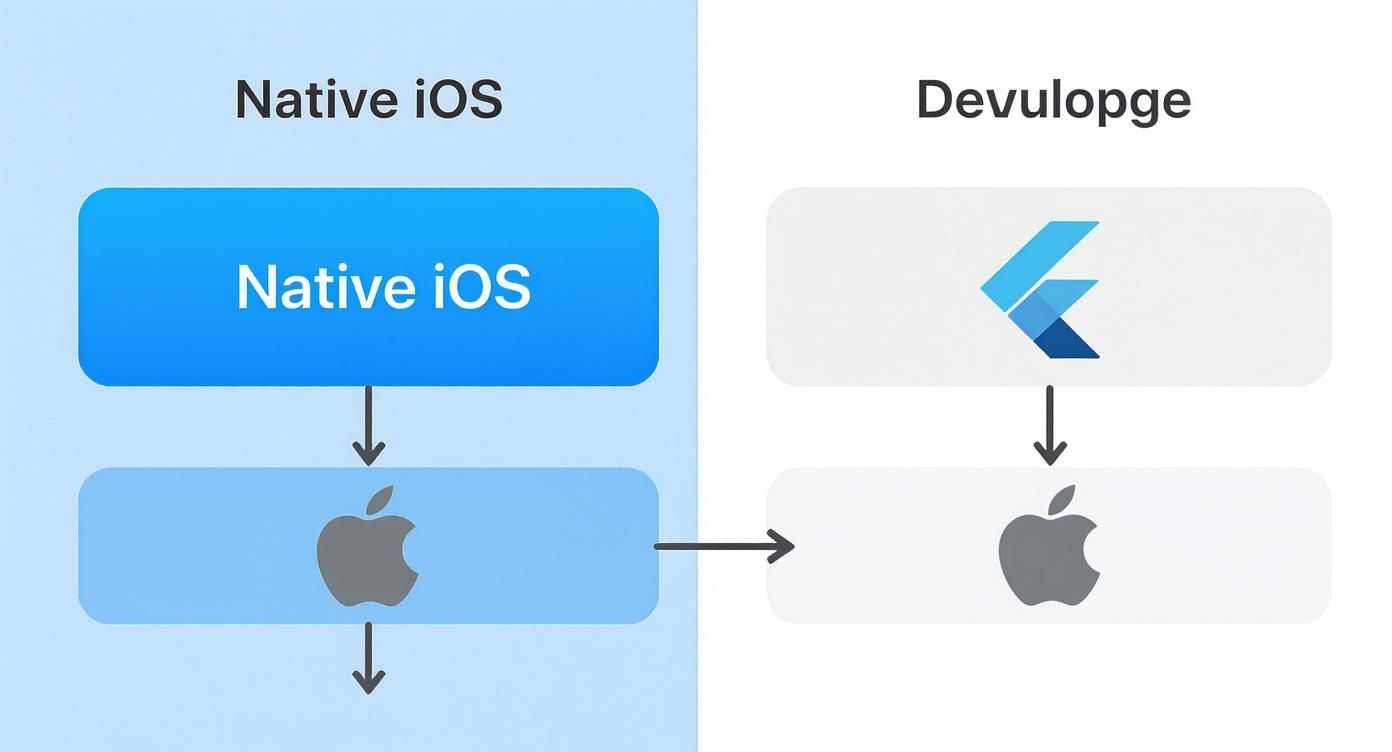
As you can see, Flutter consolidates the effort into a single stream of work, while the native path requires separate, parallel processes if you're also building for Android.
Phase 1: Discovery And Strategy
This is the foundation. Before a single line of code gets written, we need to define what success actually looks like. We'll dive deep into your business goals, figure out exactly who your target audience is, and size up the competition. The whole point is to validate the idea and create a rock-solid project roadmap.
Key activities in this phase include:
- Goal Definition: We nail down what the app must achieve for your business. Is it about boosting sales, making customer service smoother, or streamlining your internal operations?
- User Research: We create detailed user personas. This helps us understand who will be using the app and, crucially, what problems it’s going to solve for them.
- Feature Prioritisation: We list every feature you can dream of and then sort them into "must-haves" for the first version (the Minimum Viable Product, or MVP) and "nice-to-haves" for later.
The main takeaway from this phase is a comprehensive project brief. This document becomes our guide for the entire project.
Phase 2: UI And UX Design
With a solid strategy in hand, we shift our focus to how the app will look, feel, and function. User Experience (UX) design is like the architectural blueprint; it maps out user journeys to make sure the app is intuitive and dead simple to navigate.
User Interface (UI) design is the visual skin that goes on top. This is all about branding, colours, and fonts, creating an aesthetic that’s not just beautiful but also engaging. This stage involves creating wireframes (basic screen layouts) and then interactive prototypes that let you click through the app and get a real feel for its flow—all before development kicks off.
Phase 3: Development And Coding
This is where the magic happens. Our developers take all the designs and plans and bring them to life by writing the code. They'll build out the front-end (everything the user sees and interacts with) and the back-end (the server-side logic that makes it all work), connecting the app to any necessary databases or APIs.
A well-structured development phase is built on communication. Regular check-ins and progress updates ensure that the project stays on track and that the final product perfectly matches the agreed-upon design and functionality.
Whether we're using Flutter for cross-platform efficiency or native Swift for pure iOS power, this phase is the most intensive part of the process. It’s all about turning strategy and design into a functional, high-performance application.
Phase 4: Quality Assurance And Testing
Let’s be honest: no app is perfect on the first go. That’s what the Quality Assurance (QA) phase is for. Our testers become professional bug hunters, rigorously checking every feature on different iPhone models and iOS versions to guarantee a smooth, reliable user experience.
This isn't just about finding crashes. QA also tests for usability issues, design inconsistencies, and performance bottlenecks, like slow loading times or excessive battery drain. A thorough QA process is absolutely critical for earning those five-star reviews on the App Store.
Phase 5: Deployment And Maintenance
Once the app has been tested from top to bottom and gets the green light, it’s time for launch. This involves preparing all the necessary assets—screenshots, an app description, privacy policies—and submitting the app to Apple for their review process. To get a full picture of what this involves, you can explore the UK mobile app development process explained in our detailed guide.
But the journey doesn't end at launch. Ongoing maintenance is essential. We'll be there to fix any new bugs that pop up, update the app for new versions of iOS, and add new features based on real user feedback. This final phase ensures your app remains a valuable asset for years to come.
Estimating Your App Development Costs and Timelines
When you're ready to build an iPhone app, two questions always jump to the front of the queue: "How much is this going to cost?" and "How long will it take?" There’s no simple, one-size-fits-all answer because every app idea is unique. But if you get a handle on the main cost drivers, you can build a realistic budget and set goals you can actually hit.
Think of it like getting a bespoke suit made. A simple, off-the-rack design is one thing, but a fully tailored three-piece with custom lining and intricate stitching is a different beast entirely. In the same way, an app’s complexity dictates the investment. This isn't just an expense; it's an investment in a durable business asset, not just a few lines of code.
Breaking Down the Cost Factors
A few key elements have a direct impact on the final bill and the project timeline. Understanding these variables is the first step towards a predictable and successful launch. Unsurprisingly, your project's scope is the single biggest factor.
Here’s what really moves the needle:
- Feature Set: This is the big one. The number and complexity of your features are paramount. A straightforward app with some static content and a contact form is worlds away from a full-blown e-commerce platform with payment gateways, user accounts, and a real-time inventory system.
- Design Complexity: A completely bespoke, highly animated user interface (UI) with custom graphics will chew up far more design and development hours than a clean, standard layout that uses native iOS components.
- Third-Party Integrations: Need to connect your app to other services? Things like social media logins, a payment processor like Stripe, or mapping with Google Maps all add layers of complexity and, therefore, cost.
Realistic UK Cost and Timeline Brackets
To give you a clearer picture, it helps to group apps into general categories. In the UK market, the cost for an iPhone app can start from around £11,000 for a basic concept and climb to over £125,000 for a highly complex, native application loaded with features.
An app's cost is a direct reflection of its value and the problems it solves. A simple informational app has a lower investment, while a complex app that forms the core of your business operations will naturally require a more significant budget.
Medium-complexity apps, like those for taxi services or local food delivery, typically fall somewhere between £21,000 and £52,000 and take roughly 4 to 6 months to build. For more involved projects, such as rental platforms or NFT marketplaces, you're often looking at the £53,000 to £75,000 range with a timeline of 6 to 9 months. If you want a more detailed breakdown, you can find out more about UK app development costs.
Planning Your Financial Investment
Armed with these estimates, you can start putting together a proper financial plan. It's so important to see this not as a cost, but as a strategic investment in a powerful tool that will engage your customers and grow your business. To get a precise quote, you’ll need to pull together a detailed project brief that outlines your features and goals.
For a comprehensive look at how these numbers apply to your specific needs, you can explore our UK app pricing guide and the cost of app development in the UK. This resource is designed to help you align your vision with a realistic budget, making sure your project starts on a solid financial footing.
Navigating the Apple App Store Submission Process
After months of hard work—strategy, design, and coding—you’ve finally reached the last hurdle: submitting your app to the Apple App Store. This isn't just a case of uploading a file. It’s a formal review where Apple scrutinises your app against its famously strict quality and safety standards. Getting this stage right is absolutely critical to launching on time.
Think of it like a pre-flight checklist for an aeroplane. Every single item needs to be meticulously checked off to guarantee a smooth take-off. This is where so many projects get held up. Rushing things or missing a small detail is the number one reason for delays, as a rejection from Apple can easily push your launch back by days or even weeks.
A methodical approach, therefore, isn't just recommended—it's essential. If you understand Apple's guidelines and get all your materials ready in advance, you can massively increase your chances of a first-time approval and get your app to your customers without any painful hold-ups.
Your Pre-Submission Checklist
Before you even dream of hitting that ‘submit’ button, you need to pull together all the required assets and information. This is where many businesses fall down, often providing incomplete details or fuzzy visuals. Good preparation is your best defence against a rejection notice.
Here’s what you absolutely must have ready:
- High-Quality Screenshots: You'll need a set of sharp, compelling screenshots for various iPhone and iPad screen sizes. These are your shop window, so they need to accurately show off what your app can do.
- App Icons: A beautifully designed app icon is vital for brand recognition. You’ll need to supply it in multiple sizes to meet Apple's specifications for use across iOS.
- Compelling App Description: Your description must clearly explain what your app does, who it’s for, and why they need it. This text is a crucial piece of your iPhone applications development marketing effort.
- Privacy Policy: A clear, easy-to-find privacy policy is completely non-negotiable. You have to spell out exactly what user data you collect and how you use it. Apple takes this very seriously.
Apple’s review team acts as the gatekeeper to a high-quality user experience. Their guidelines aren't there to create obstacles; they exist to ensure every app on the store is secure, functional, and respectful of user privacy.
Understanding Common Rejection Reasons
Knowing why other apps get rejected is the quickest way to make sure yours doesn't. The Apple review team is thorough, and they often flag the same predictable and avoidable mistakes. If you know what they’re looking for, you can double-check your submission and fix problems before they even see it.
Some of the most common reasons for rejection include:
- Crashes and Bugs: Submitting an app that’s unstable or buggy is a surefire way to get rejected. You have to test, test, and test again.
- Incomplete Metadata: Missing information in the submission form—like a vague description, inaccurate keywords, or a broken privacy policy link—will get you sent straight to the back of the queue.
- Misleading Users: Your app must do what you say it does. If there’s any difference between your screenshots and description and what the app actually delivers, that’s a major red flag for the reviewers.
- Poor User Interface: Apps that ignore Apple’s Human Interface Guidelines or just offer a confusing, badly designed experience are frequently turned away.
For the most detailed and up-to-date information, your best bet is to check the official Apple Store Connect documentation. It’s the definitive guide to making sure every part of your submission is perfect.
Future-Proofing Your App with Modern Technology
Launching an app is just the first step. To really go the distance, your app needs to be built not just for today's users, but for whatever tomorrow's technology throws at it. Thinking ahead during the iphone applications development process is what turns a one-hit wonder into a long-term, valuable asset.
This isn't about chasing every new trend. It's about looking past your launch features and considering the tech shifts already changing how people interact with their devices. Weaving in modern capabilities isn't a gimmick; it’s a strategic play to build a smarter, more responsive app that delivers real value for years to come.
Embracing Artificial Intelligence and Machine Learning
AI and machine learning aren't sci-fi concepts anymore—they're practical tools for creating incredibly personal and predictive user experiences. An app that learns from user behaviour can offer a level of value that a static, one-size-fits-all app simply can't. Think of an e-commerce app with an AI-powered recommendation engine that suggests products with uncanny accuracy. That’s not just a cool feature; it boosts sales and keeps customers happy.
Artificial intelligence has become a huge driver in iPhone application development here in the UK, pushing innovation and making apps far more engaging. By 2025, it's estimated that around 60% of UK-developed iPhone apps will use AI or machine learning in some way. We're already seeing it in action with predictive shopping in retail apps, fraud detection in fintech, and even adaptive learning in educational apps using augmented reality (AR). You can find more on this in these UK mobile app development trends from 5star-designers.co.uk.
Capitalising on High-Speed Connectivity
The rollout of 5G across the UK is a game-changer for mobile apps. This is about more than just faster downloads. It’s about enabling real-time, high-bandwidth experiences that were once impossible on a phone.
This leap in connectivity opens up a world of possibilities:
- Seamless HD Video: Apps can stream crystal-clear video without that frustrating buffering wheel, perfect for training, entertainment, or marketing.
- Augmented Reality (AR): Complex AR overlays and interactive 3D models can be rendered smoothly, creating seriously immersive experiences for retail, education, or property apps.
- Real-Time Collaboration: Features that need instant data sync between users, like collaborative design tools or multi-player games, become buttery smooth and reliable.
Building with 5G in mind means designing features that thrive on low latency and high speed. It’s about getting your app ready to deliver the rich, instantaneous experiences that users will soon see as the bare minimum.
Adopting Sustainable and Green Coding
Finally, a truly forward-thinking strategy has to consider an app's environmental footprint. "Green coding" is a growing practice focused on writing efficient code that sips, rather than gulps, energy. It might sound like a small detail, but when you multiply it by billions of devices, the collective energy saving is massive.
An app optimised for performance doesn't just feel better to the user; it also uses less battery. This lowers the device's carbon footprint, something environmentally-conscious users are really starting to notice and appreciate. Simple things, like optimising image sizes and cutting out unnecessary background processes, all contribute to a more sustainable and efficient app. This commitment to efficiency aligns your app with both performance best practices and a growing environmental awareness, making it truly future-proof.
Common Questions About App Development
Getting into iPhone app development can feel like stepping into a new world, and it's natural to have a few questions. Especially if this is your first time commissioning an app. Let's tackle some of the most common queries we hear from businesses, giving you clear, straightforward answers to help you move forward.
These aren't just technical questions; they touch on the practical, business side of things – from who really owns the app to what you should expect to pay long after it’s launched.
Who Owns the App's Intellectual Property?
This is a big one, and the answer should always be simple: you do. When you hire an agency to build your app, the final code, the designs, and every bit of intellectual property (IP) should belong to your company, period.
Your contract must state this clearly. A reputable agency will ensure a complete handover of the source code and all assets once the project is finished and paid for. This gives you total ownership and control of your investment. Be very cautious of any arrangement where the agency tries to retain ownership.
Once the final payment is made, you should have everything in your hands: all the source code, design files, and documentation. This is crucial because it means you're not tied to one provider forever and have the freedom to decide your app's future.
What Are the Ongoing Costs After Launch?
Hitting the 'launch' button is a huge milestone, but it's not the final step for your budget. Keeping your app secure, running smoothly, and relevant for your users means planning for ongoing maintenance and support.
These recurring costs generally fall into a few key areas:
- Essential Updates: Making sure your app works perfectly with new iOS versions and the latest iPhones.
- Bug Fixes: No app is perfect. Issues will pop up once real people start using it, and they'll need fixing.
- Server and Hosting Fees: These are the costs for the back-end infrastructure, databases, and APIs that power your app's features.
- Third-Party Service Subscriptions: You might be using services like payment gateways, analytics tools, or mapping APIs, which often have their own fees.
A good rule of thumb is to budget around 15-20% of the initial development cost for annual maintenance. This keeps everything ticking over nicely.
Why Is Flutter a Better Choice Than React Native?
While both frameworks are popular for building apps on both iOS and Android from a single codebase, recent industry benchmarks consistently show Flutter has a clear edge in performance. The reason is its architecture: Flutter compiles directly into native ARM code for both platforms. This results in incredibly fast, smooth animations and a snappy user experience that is indistinguishable from a native app.
React Native, on the other hand, relies on a JavaScript 'bridge' to communicate with native device components. This extra layer can sometimes introduce performance overhead, especially in more complex apps with heavy graphics or intensive data processing. For any business that prioritises a premium, high-performance feel without sacrificing the efficiency of building for multiple platforms at once, Flutter stands out as the superior technical choice.
Ready to turn your idea into a high-performance app that users will love? The expert team at App Developer UK specialises in building beautiful, fast, and reliable applications using Flutter. Contact us today to discuss your project.