Sw Quality Assurance: Master sw quality assurance for mobile apps
Sw Quality Assurance: Master sw quality assurance for mobile apps
Software quality assurance, or SQA, is all about being proactive. It's a process designed to weave quality into your app right from the very start, rather than just trying to hunt down bugs before you launch. It’s about making sure every single step in the software development lifecycle contributes to a final product that’s reliable, secure, and genuinely a pleasure to use. Get this right, and you build unbreakable trust with your users.
What SW Quality Assurance Really Means for Your App
Imagine you're building a world-class performance car. You wouldn't just slap all the parts together and hope for the best at the final inspection, would you? Of course not. You'd check every single component at every stage—from the first blueprint sketch to the final gleaming coat of paint. That’s exactly the philosophy SQA applies to software.
It’s a complete strategy that focuses on preventing defects, not just finding them after the fact. This forward-thinking approach is non-negotiable for any business, especially when you're building high-performance Flutter apps. It ensures quality is baked in from the initial concept and UI design right through to coding and deployment.
The True Cost of Neglecting Quality
For UK businesses, skimping on SQA isn't just a minor oversight; it's a costly mistake. The numbers are staggering: recent reports show that for over half of UK manufacturing firms, poor software quality is costing them somewhere between £390,000 and £773,000 every single year.
And it’s not just about the direct financial hit. It’s about a damaged brand reputation, frustrated users who churn, and the ever-increasing cost of patching up problems after your app is already live. A solid SQA framework is your best defence against these preventable disasters.
"Quality is not an act, it is a habit." – Aristotle
This ancient wisdom perfectly sums up modern SQA. It’s not a one-off task but an ongoing commitment to excellence that becomes part of your development culture, ensuring the experience you deliver is secure, reliable, and genuinely impressive.
A Mindset of Prevention Over Reaction
A fundamental part of great SQA is shifting your team’s mindset from reactive "bug hunting" to proactive "quality building." It’s a completely different way of working.
To highlight the difference, let’s compare the two approaches.
Proactive QA vs Reactive Testing: A Quick Comparison
| Aspect | Proactive Quality Assurance (QA) | Reactive Testing (Bug Hunting) |
|---|---|---|
| Goal | Prevent defects from ever occurring | Find and fix defects after they're created |
| Timing | Integrated throughout the entire development lifecycle | Primarily happens at the end of a development cycle |
| Focus | Processes, standards, and prevention | The final product and defect detection |
| Mindset | "How can we build this right from the start?" | "Let's see what's broken." |
| Cost Impact | Lowers overall cost by reducing rework | High cost due to late-stage fixes and delays |
As you can see, the proactive approach is about setting yourself up for success. This means focusing on a few key areas:
- Clear Requirements: Making sure everyone is on the same page about what needs to be built before a single line of code is written.
- Structured Processes: Following organised workflows that include things like code reviews and frequent check-ins.
- Early and Continuous Testing: Integrating automated tests that run constantly, catching any issues the moment they appear.
Adopting this mindset creates an environment where quality isn't an afterthought; it's the default outcome. If you're keen to go deeper, check out our guide to quality assurance for software development. And to stay ahead of the curve, it's worth understanding the future of quality assurance, which dives into manual, automated, and AI-based testing. This ensures your app doesn't just meet user expectations—it completely blows them away.
Building Quality Into Every Stage of Development
Great mobile apps don't just get a final polish of quality before they launch; quality is woven into their very fabric right from the initial idea. Think of software quality assurance (SQA) not as a final gate to pass through, but as a continuous thread running through the entire development lifecycle. This philosophy is the backbone of how we build exceptional Flutter apps.
Let’s walk through the journey of a typical app, from a rough sketch to a polished product on the app store. At every single step, quality isn't an afterthought—it's a core activity. This approach is all about being proactive, catching small hiccups before they have a chance to grow into massive, expensive headaches later on.
Adopting a Shift-Left Mentality
In the old days, testing was often a frantic, last-minute hunt for bugs right before the big release. The modern, and frankly much smarter, approach is called the ‘Shift-Left’ strategy. Picture your project timeline on a whiteboard, with the start on the left and the launch on the right. 'Shifting left' just means we start all our testing and quality activities much, much earlier in the process.
Instead of waiting for a feature to be fully coded, we start asking the tough questions right from the requirements and design phases. This is a complete game-changer.
By spotting potential flaws in the user journey, the technical plan, or the core logic before a single line of code gets written, we can fix them when it's cheapest and easiest to do so. This proactive mindset is the secret sauce of efficient, modern development.
This isn't just about finding bugs faster. It’s about creating a culture where everyone—developers, designers, project managers—shares the responsibility for quality from day one.
Integrating Quality Across the Lifecycle
So, what does this actually look like when we're building a Flutter app? It's a series of deliberate checks and balances woven into the process.
- Requirement Analysis: We kick things off by putting the app's goals under a microscope. Are the requirements clear? Can we actually test them? Are there any contradictions? This simple step stops us from perfectly building the wrong thing.
- Design and Prototyping: As we create wireframes and mockups, we run usability reviews. Does the navigation feel natural? Is the design accessible to everyone? Finding a design flaw here is infinitely cheaper than recoding a live app.
- Development: While the code is being written, developers are also writing unit and widget tests. This ensures that every individual button, screen, and function in the Flutter app works exactly as expected, creating a solid foundation.
- Integration and Testing: Once different pieces are ready, integration testing makes sure they all play nicely together. This is also where we unleash automated end-to-end tests that mimic real user journeys to catch any snags in the workflow.
- Deployment and Monitoring: Our job isn't done at launch. SQA continues as we monitor the app's performance and listen to user feedback. This helps us squash any real-world bugs and plan for future improvements.
Putting together a team that can pull this off takes careful planning. To learn more, check out our ultimate guide to hiring a quality assurance engineer for tips on finding the right people. If you want to really embed quality from the ground up, adopting these modern software testing best practices is a fantastic place to start.
The Core Testing Types Every Mobile App Needs
If you want to build a mobile app that’s genuinely solid and reliable, you can't just test it once at the end. You need a multi-layered testing strategy. This approach makes sure every single part of your app, from the tiniest bit of code to the full user journey, is properly checked. Think of it like building a house: you’d inspect the foundations, the frame, the plumbing, and the electrics individually before you check if the whole house works together as one.
Each layer of testing plays a specific role in the overall software quality assurance framework. By mixing these different types, we create a powerful safety net that catches problems early, guarantees performance, and delivers the kind of five-star experience users expect. For high-performance Flutter apps, this structured approach is a game-changer.
The flowchart below shows how quality isn't an afterthought but a central focus at every stage, from the initial idea right through to a successful launch.
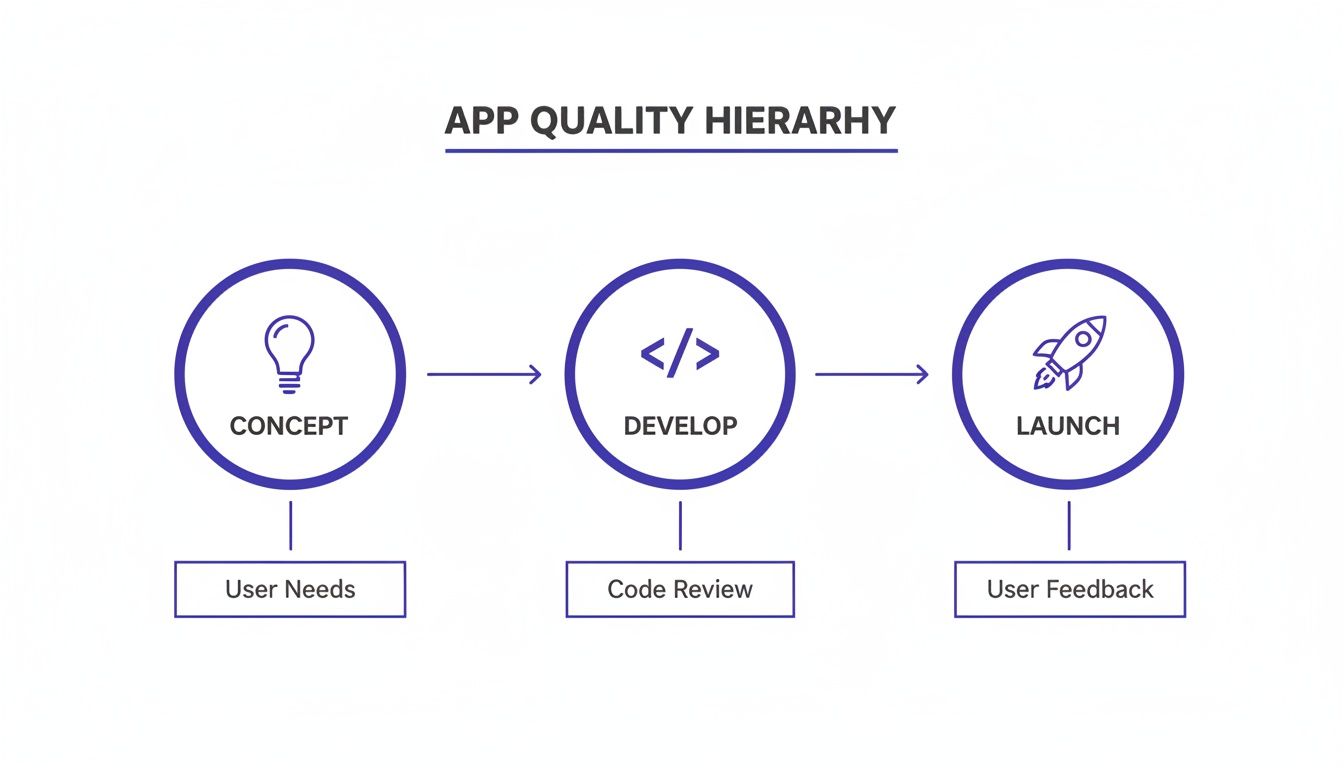
This visual drives home the point that a great app launch comes from a deliberate process. The development is guided by a clear concept and validated by real user feedback, ensuring the final product actually solves real-world problems.
Foundational Code Quality with Unit Testing
Right at the bottom, at the most granular level, we have Unit Testing. This is where we check the smallest, most isolated pieces of your app's code, like individual functions or methods. Imagine testing a single gear in a complex machine to make sure it spins correctly before you even think about assembling the whole engine.
In a Flutter app, a unit test might check if a function that calculates a shopping basket total returns the right number. These tests are incredibly fast to run, and you should have lots of them. They form the bedrock of your quality strategy, proving that the fundamental building blocks of your app are solid.
Ensuring Features Work Together with Integration Testing
Once we’re confident the individual units are working, we move up to Integration Testing. This type of testing is all about making sure different parts of your app can communicate and work together without a hitch. It’s about checking that when two or more components are combined, they behave as you’d expect.
For example, an integration test could verify that after a user logs in (the authentication part), their profile data is correctly fetched from the database and displayed on the home screen (the UI part). This step is absolutely vital for catching those tricky bugs that only show up when different features interact.
A strong integration testing suite stops the classic "it worked on my machine" problem in its tracks. It confirms that separate bits of code, often written by different developers, play nicely together in the bigger system.
Perfecting the User Interface with Widget Testing
One of the best things about Flutter is its incredible support for Widget Testing. Since pretty much everything in a Flutter app is a widget—from a simple button to an entire screen—this type of testing lets us check the user interface with amazing precision and speed.
Widget tests allow us to confirm that UI elements show up correctly, respond to user actions like taps and scrolls, and display the right information. This is a massive leap forward from older UI testing methods, allowing us to build and validate beautiful, responsive interfaces far more efficiently. It's a key reason why Flutter is a leader in performance and developer productivity.
The Flutter Testing Pyramid Explained
To visualise how these layers fit together, developers often refer to the "testing pyramid." It's a simple model that shows the ideal balance between different types of tests. You want a wide base of fast, simple unit tests, a smaller middle layer of integration tests, and just a few comprehensive end-to-end tests at the peak.
| Testing Layer | Purpose | Example | Recommended Volume |
|---|---|---|---|
| End-to-End (E2E) Tests | Simulates a full user journey from start to finish. | A script that signs up, adds an item to the cart, and checks out. | Few (Slow and expensive) |
| Widget/UI Tests | Verifies a single widget or screen behaves as expected. | Tapping a button and checking that a dialogue box appears. | Some (Medium speed) |
| Integration Tests | Checks that multiple units/services work together correctly. | Verifying the login UI communicates with the authentication service. | More (Faster than UI tests) |
| Unit Tests | Tests a single function, method, or class in isolation. | Checking a function that formats a date returns the correct string. | Lots (Very fast and cheap) |
Following this pyramid structure ensures you get the most bang for your buck, catching the vast majority of bugs quickly and cheaply with unit and integration tests, while saving the slower, more complex tests for critical user journeys.
Validating the Full User Journey
Finally, at the top of the pyramid, we have several crucial types of validation that look at the app as a whole:
- End-to-End (E2E) Testing: This simulates a complete user journey from start to finish. For an e-commerce app, an E2E test would automate the entire flow: a user searching for a product, adding it to the basket, and completing the checkout.
- Performance Testing: Here, we measure the app's speed, responsiveness, and how it uses resources like battery and memory. Benchmarks consistently put Flutter at the top for performance, and tough testing ensures your app stays fast and fluid under real-world pressure.
- Security Testing: This is a non-negotiable step to protect your users' data and your business's reputation. We actively look for vulnerabilities to make sure the app is sealed tight against potential threats.
By systematically applying these core testing types, we build a comprehensive quality assurance process. This process confirms not only that the code works correctly, but that the final app is secure, fast, and genuinely a pleasure to use.
How Automation Creates a Powerful QA Safety Net
In today's market, relying solely on manual testing is like trying to navigate a busy motorway without a satnav. It’s slow, stressful, and you’re almost guaranteed to miss your exit. Automation is the smart routing that guides your project, creating a crucial safety net that guards your app's quality 24/7.
This becomes especially powerful when you bake automation into a Continuous Integration and Continuous Deployment (CI/CD) pipeline. Just imagine an automated factory assembly line for your app. The second a developer commits a code change, the entire system springs into action.
It builds the app, runs a full suite of tests, and immediately hunts for any new bugs or regressions. If a problem pops up, the team gets an instant alert. This means issues are caught and fixed in minutes, not weeks, drastically cutting down the risk of human error. For a business owner, that translates directly into faster, more reliable releases and a much stronger product.
The Power of an Automated Pipeline
An automated CI/CD pipeline is the engine room of modern sw quality assurance. It works tirelessly behind the scenes, making sure every single update—no matter how small—is thoroughly vetted before it ever gets near your users.
As a leading UK Flutter development partner, we integrate CI/CD from day one. It’s standard practice for us. This proactive approach ensures our clients' apps are always stable, secure, and ready to deploy at a moment's notice. It’s a non-negotiable part of building high-performance apps that people can rely on. Our guide on smarter app QA with automated testing services dives deeper into these benefits.
Take a look at this screenshot from GitHub Actions. It’s a perfect visual of a CI/CD workflow in motion, showing automated jobs triggered by a simple code change.
Each green tick you see represents a successful automated step, like building the app or running tests. This gives immediate, crystal-clear feedback that the code is healthy and ready for what’s next.
Automation's Impact on Speed and Reliability
The biggest wins from an automated quality safety net are speed and consistency. Human testers are fantastic at creative and exploratory testing, but they simply can’t compete with a machine for repetitive, detailed checks.
An automated test suite can run thousands of checks in the time it takes a manual tester to get through a handful. This frees up your development team to focus on building new features, not endlessly re-testing old ones.
This efficiency is make-or-break in a competitive market. It allows you to release updates faster, respond to user feedback more quickly, and stay ahead of the curve, all while keeping your quality bar incredibly high.
The industry is already moving this way. In fact, UK manufacturers are betting big on automation to rescue their QA processes, with a massive 95% planning to expand AI use in quality assurance over the next year. This comes after widespread testing shortfalls, where 72% of companies admitted to releasing untested code. The main drivers for this shift? Achieving 31% better software quality and 30% quicker updates. You can learn more about these QA testing findings to get the full picture.
Key Components of an Automated Safety Net
Building a solid automated safety net means getting a few key components to work together in harmony. Here’s what a typical setup for a Flutter app looks like:
- Version Control System (e.g., Git): This is where all the code lives. Every change is tracked, creating a complete project history. The CI/CD pipeline kicks off whenever new code is pushed here.
- CI/CD Platform (e.g., GitHub Actions, Codemagic): This is the brain of the operation. It detects code changes, pulls the latest version, and runs the entire sequence of automated jobs you’ve set up.
- Automated Testing Suite: This is the heart of your safety net. It includes all the testing types we’ve already covered—unit, widget, integration, and end-to-end tests—that run automatically to validate the code.
- Build and Deployment Scripts: Think of these as automated recipes that compile the Flutter app for iOS and Android, then deploy it to testing environments or even straight to the app stores.
By connecting these pieces, you create a powerful, self-regulating system that enforces quality with every single commit. It’s the ultimate safety net, ensuring your app is always built on a solid, well-tested foundation.
Turning QA Data Into Business Insights
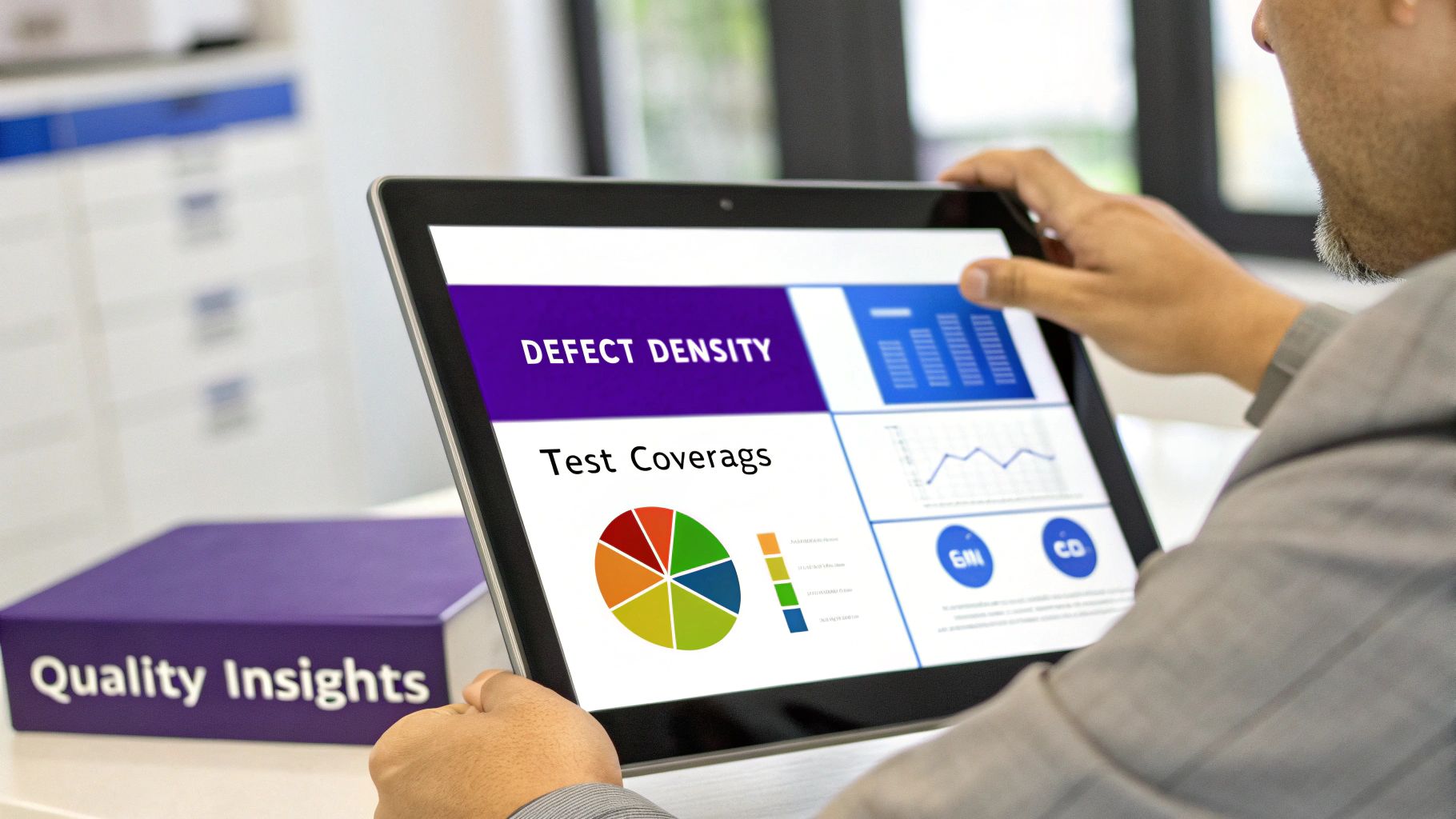
So, how do you know if all this investment in quality is actually paying off? The real magic happens when you translate the technical jargon from your sw quality assurance efforts into clear business intelligence. It’s about looking past the numbers and understanding what they really mean for your bottom line and your app's future.
This data lets you have much smarter, evidence-based conversations with your development team. Forget vague questions about "progress." Instead, you can pinpoint specific trends and discuss their direct impact on user happiness and business goals. This knowledge is your secret weapon for making better decisions about where to focus your time and money.
Key Metrics That Tell a Story
To get a proper health check on your app, you need to keep a close eye on a few core Key Performance Indicators (KPIs). Think of these not as developer-speak, but as the vital signs for your business. They reveal the true return on investment (ROI) of your SQA strategy.
Here are the essentials you should be watching:
- Defect Density: This tracks the number of confirmed bugs found in a specific feature or chunk of code. A high density in one area is a massive red flag, often pointing to messy code or "technical debt" that needs sorting before it snowballs into a major catastrophe.
- Test Coverage: This is a simple percentage showing how much of your app's code is actually checked by your automated tests. The higher the coverage, the more confident you can be that new updates won't accidentally break something important. It’s your safety net against releasing a buggy mess.
- Mean Time to Resolution (MTTR): This metric measures the average time it takes your team to fix a bug once it's been spotted. A low MTTR is a great sign of an efficient team and a well-structured codebase, meaning problems affecting your users get squashed quickly.
These KPIs create a direct, tangible link between the technical work happening behind the scenes and the stable, reliable experience your customers enjoy.
From Numbers to Business Decisions
The real value isn't just in collecting this data; it's in how you interpret it. For example, a steady rise in defect density could be the canary in the coal mine, warning you that user churn is just around the corner. It tells you that a critical part of your app is becoming unstable and needs immediate attention.
By monitoring these trends, you shift from just reacting to problems to actively preventing them. This strategic foresight helps you put resources where they’re needed most, protect your brand’s reputation, and ensure every pound spent on development builds a better, more dependable product.
Ultimately, getting to grips with these metrics helps you see quality not as a cost, but as a powerful driver of business success. It's the foundation for building a more stable app, slashing the number of support tickets, and keeping your users happy and loyal. This data-backed approach is how you build a product that lasts.
Your Hands-On QA Checklist and Recommended Tools
Putting a solid quality assurance strategy into practice isn’t about drowning in theory. It’s about having a clear, repeatable process and using the right tools for the job. This final section gives you a straightforward checklist and a handpicked list of tools that are a perfect fit for UK startups and small businesses building with Flutter.
The whole point is to give you everything you need to implement professional-grade QA from day one. By following these steps, you can build a culture of quality that supports your app's long-term success and keeps users happy. This approach helps you catch issues early, make development smoother, and ensure every release is a step up from the last.
An Essential QA Checklist for Startups
Getting started with QA is about taking deliberate, impactful steps. This checklist breaks down the core activities that will make the biggest difference to your app's quality.
- Define Clear Acceptance Criteria: Before a single line of code is written for a new feature, write down exactly what it needs to do to be considered "done." This simple step gets rid of guesswork and makes sure everyone is on the same page.
- Prioritise User Journeys: Map out the most critical paths users take in your app—think signing up, making a purchase, or booking a service. You'll want to focus your most intense testing here to protect your core business functions.
- Integrate Automated Tests Early: Get into the habit of writing unit and widget tests right from the beginning. Hook them up to a CI/CD pipeline, and you’ll create a safety net that automatically checks every single code change.
- Conduct Regular Code Reviews: Make peer reviews a standard part of your process. Having another developer look over all new code before it’s merged is an incredibly effective way to catch bugs and improve overall code quality.
- Perform Real-Device Testing: Don't just rely on simulators and emulators. You need to test on a range of actual iOS and Android devices to uncover those sneaky, platform-specific issues related to performance, UI quirks, and hardware.
- Gather and Act on Feedback: Use tools to collect user feedback and crash reports directly from within your app. This feedback is gold—treat it as a vital source of QA information to guide your next improvements.
The Right Tools for High-Performance Flutter Apps
A great process is only as good as the tools you use to support it. The UK software testing services market is booming, expected to hit £1.3 billion by 2025-26. This growth is partly down to a massive skills gap pushing businesses to find expert help, which really underlines the importance of equipping your team with an efficient, modern toolset. You can dig into the UK's growing software testing market trends to see what’s driving this.
Here’s a powerful but accessible stack that works brilliantly for Flutter development:
- Project Management: Jira or Trello are ideal for tracking tasks, logging bugs, and visualising your entire workflow. They’re fantastic for keeping everyone aligned on priorities.
- Version Control & CI/CD: You can’t go wrong with GitHub (using GitHub Actions) or GitLab. They are the industry standard, giving you a central hub for your code and powerful automation for building and testing your app continuously.
- Automated Testing: Flutter’s built-in testing framework is exceptional for unit, widget, and integration testing. When it comes to end-to-end testing, tools like Patrol offer a really developer-friendly way to automate real user journeys.
- Performance & Crash Reporting: Firebase is a must-have, especially its Crashlytics and Performance Monitoring tools. It gives you real-time insight into how your app is behaving out in the wild, helping you find and fix crashes in no time.
When you combine this practical checklist with a smart toolset, you’re not just testing code—you're building a powerful system for maintaining quality. This empowers your team to create better, more reliable apps that truly stand out in a crowded market.
Your Top SW Quality Assurance Questions Answered
When you're running a business and thinking about app development, questions about quality assurance (QA) are bound to come up. It can feel like a complex, costly part of the puzzle. Let’s cut through the noise and answer some of the most common queries we hear.
These aren't textbook definitions. They're straightforward, practical insights to show you how a smart approach to quality isn't an expense—it's one of your most powerful business assets.
How Much Should I Budget for SW Quality Assurance?
There’s no magic number that fits everyone, but a general rule of thumb is to set aside 15-25% of your total development budget for quality assurance. But honestly, it's better to stop thinking of QA as a separate line item. Instead, see it as a fundamental part of the development process itself.
When you invest in quality from day one—through things like automated tests and a solid CI/CD pipeline—you slash the eye-watering costs of fixing bugs after your app is already live. You’re not just spending money on testing; you’re making a strategic investment in long-term stability and saving a lot more down the road.
Can My Small Business Afford a Dedicated QA Team?
Most startups and small businesses absolutely do not need to hire a big, in-house QA team right from the start. That's a huge overhead. When you partner with a development agency like us, you get instant access to our battle-tested QA processes and expertise without adding a single person to your payroll.
We don't tack quality on at the end. We build it into the DNA of the development lifecycle with automated testing and developer-led checks. This integrated method keeps quality high without breaking the bank, making professional-grade QA a reality for businesses of any size.
Partnering with an expert team gives you the benefit of mature quality processes without the cost and complexity of building them from scratch. This is a huge advantage for startups and SMBs who need to move quickly without compromising on reliability.
Why Is Flutter a Good Choice for Building High-Quality Apps?
Flutter is exceptional for quality because the entire framework was built with testing at its core. It hands developers a complete toolkit for every level of testing—unit, widget, and integration—letting us prove that every tiny piece of the app works exactly as it should.
Better yet, Flutter’s single codebase for both iOS and Android massively cuts down the chances of platform-specific bugs cropping up, which makes the whole testing process simpler and faster. Combine that efficiency with recent benchmarks showing Flutter at the top for performance, and you have a framework that lets us build beautiful, reliable, and rigorously tested apps faster than almost anything else out there.
Ready to build a high-performance, thoroughly tested Flutter app for your business? At App Developer UK, we embed quality into every stage of development. Contact us today to discuss your project.