NFC Mobile Payments A Guide for UK Businesses
NFC Mobile Payments A Guide for UK Businesses
NFC mobile payments are exactly what they sound like: a way to pay for things quickly and securely just by tapping your smartphone on a card reader. You’ve definitely seen it in action with services like Apple Pay and Google Pay. This nifty bit of tech uses a short-range wireless signal to do the job of your physical bank card, making buying things much smoother for everyone involved.
The Tap-to-Pay Revolution in UK Commerce
Remember the screeching and hissing of a dial-up modem? The jump to broadband wasn’t just a speed boost; it completely changed how we used the internet. We're seeing a similar shift in UK commerce with the move from swiping cards to NFC mobile payments. It’s turning the checkout counter from a chore into a seamless, almost invisible, part of the shopping experience.
For years, the final step in any purchase has been a bit of a bottleneck. Customers digging through wallets, trying to find the right card, punching in a PIN number—all while the queue behind them gets longer. That whole process feels ancient now. Today's shoppers are used to getting what they want instantly, and they expect that same speed and simplicity when they pay.
A New Standard in Customer Convenience
This isn't just a fleeting trend; it’s become the expected way to pay. Let’s look at the numbers. In 2024, contactless payments, with NFC leading the charge, made up a massive 39% of all payments in the UK. We saw the total number of contactless transactions jump to 18.9 billion. And for the first time ever, half of all UK adults—that's roughly 27 million people—were using mobile contactless payments at least once a month. The full UK Finance Payment Markets Report 2025 has all the details if you fancy a deep dive.
This is a huge opportunity for UK businesses. By getting on board with NFC, you can:
- Speed Up Transactions: Cut down checkout times and get more customers through the till, faster.
- Enhance Customer Satisfaction: Give people the modern, easy payment method they actually prefer to use.
- Unlock New Revenue: Appeal to the growing number of shoppers who will choose a business based on convenience.
Adopting NFC payments isn’t about getting ahead of the curve anymore; it’s about meeting a fundamental customer expectation. Resisting it is like being a website that still needs a dial-up connection to work—you just look out of date.
To give you a quick overview, here's a simple breakdown of what NFC mobile payments are all about.
NFC Mobile Payments at a Glance
| Concept | How It Works | Key UK Statistic |
|---|---|---|
| Tap-to-Pay | A smartphone with an NFC chip communicates wirelessly with a payment terminal over a very short distance (a few centimetres). | 39% of all UK payments in 2024 were contactless, largely driven by NFC. |
| Tokenization | Your actual card details are replaced with a unique digital "token," so sensitive data is never shared during the transaction. | 27 million UK adults (half the population) used mobile contactless monthly in 2024. |
| Convenience | Eliminates the need for physical cards and PIN entry, turning a multi-step process into a single, quick tap. | Contactless payments surged to 18.9 billion transactions in the UK in 2024. |
Ultimately, the table highlights a clear trend: UK consumers have embraced the speed and security of tapping their phone to pay.
The Smartest Path to Implementation
So, if you're looking to build this kind of world-class payment solution into your business, your choice of technology really matters. This is where a framework like Flutter shines. It’s a high-performance toolkit that lets you build beautiful, natively compiled apps for both iOS and Android from a single codebase.
What does that mean for you? It means you can deliver a consistent, premium tap-to-pay experience for all your customers, without the headache and cost of building and maintaining two completely separate apps. If you want to dig deeper into the evolving world of payment solutions, it's always a good idea to see what the payments industry experts are saying.
How a Simple Tap Triggers a Secure Transaction
That little tap of your phone on a payment terminal feels almost like magic, doesn't it? But what's really happening is a clever, high-speed conversation between two devices. Think of it as a secret radio handshake that only works when they're incredibly close. This rapid, secure exchange is the heart of what makes NFC mobile payments so slick, turning a complex process into one simple action for the customer.
The star of the show is the Near Field Communication (NFC) chip – a tiny antenna that’s now standard in pretty much every modern smartphone. This chip lets your phone chat with a payment terminal when they’re brought within about four centimetres of each other. This short range isn't a limitation; it’s a deliberate security feature. It makes accidental payments impossible and stops a rogue device from trying to intercept the signal from across the room.
The Role of Card Emulation
For a payment to actually happen, your phone needs to do more than just send out a signal. It has to act exactly like your physical credit or debit card. This is where a technology called Host Card Emulation (HCE) comes in. HCE essentially lets an app on your phone, like Google Pay or Apple Pay, securely pretend to be a contactless payment card.
When you hold your phone near the terminal, the NFC chip wakes up and HCE mode kicks in. The terminal sends out a request, just like it would to a plastic card, and your phone’s digital wallet app fires back with the necessary payment information. This whole back-and-forth happens in less than a second, giving you that seamless tap-and-go feeling we all know.
You can see how we got here. The whole history of payments has been a steady march towards this kind of convenience, moving from fumbling with cash and cards to a simple, effortless tap.
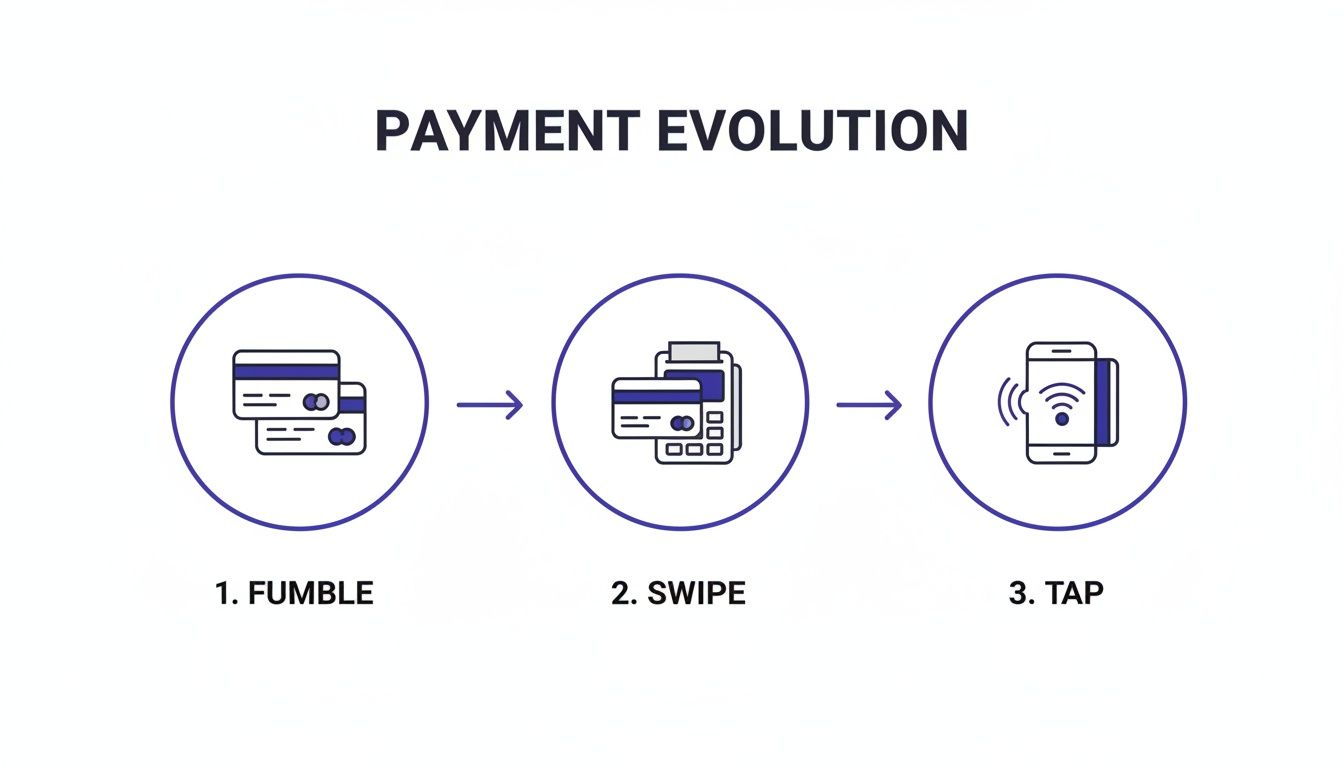
This journey really hammers home one point: the goal has always been to remove friction from the checkout. NFC is just the latest and greatest step in making payments faster and easier than ever.
Breaking Down the Transaction Process
So, what exactly is going on during that split-second handshake? While it looks simple from the outside, there’s a multi-step security dance happening in the background to keep everything locked down. Speed never comes at the cost of security.
Here’s a play-by-play of how an NFC mobile payment works:
- Authentication First: Before you even tap, you’ve already unlocked your phone. This simple action—whether it’s with your fingerprint, Face ID, or a passcode—is the first layer of security. It proves you’re the authorised user.
- The Tap and Signal: You bring your phone close to the NFC-ready terminal. The terminal’s radio field energises your phone's NFC chip, which opens up the secure communication link.
- The Secure Handshake: The terminal asks for payment details. But instead of sending your actual card number, the digital wallet app uses a process called tokenisation (we’ll dive into this more later) to generate a unique, one-time-use code just for this purchase.
- Authorisation and Confirmation: This secure token is zapped over to the payment processor, which passes it to your bank. Your bank checks the token, approves the charge, and sends a confirmation back to the terminal—all in the blink of an eye.
- Instant Feedback: The terminal beeps or shows a confirmation message, and your phone usually vibrates or displays a reassuring tick. You know instantly that it’s all gone through.
This entire sequence is built for maximum security with minimum effort from you. By blending device-level authentication with sophisticated data protection, NFC mobile payments offer a much safer way to pay than a traditional card swipe.
For any business, getting to grips with this process is key. It demystifies the technology and builds confidence that adopting NFC mobile payments isn’t just about convenience; it’s about offering customers a seriously secure payment method. This is especially true for app development, where a trustworthy payment flow is non-negotiable for user adoption. Frameworks like Flutter are brilliant for this, giving developers the tools to build fast, secure payment experiences that work flawlessly on any device.
Understanding the Security of NFC Payments
For many businesses, the biggest question around new payment technology is always security. When a customer taps their phone, how can you be sure their financial data is safe? The good news is that NFC mobile payments are one of the most secure payment methods available today, far surpassing the safety of a traditional card swipe or even Chip and PIN.
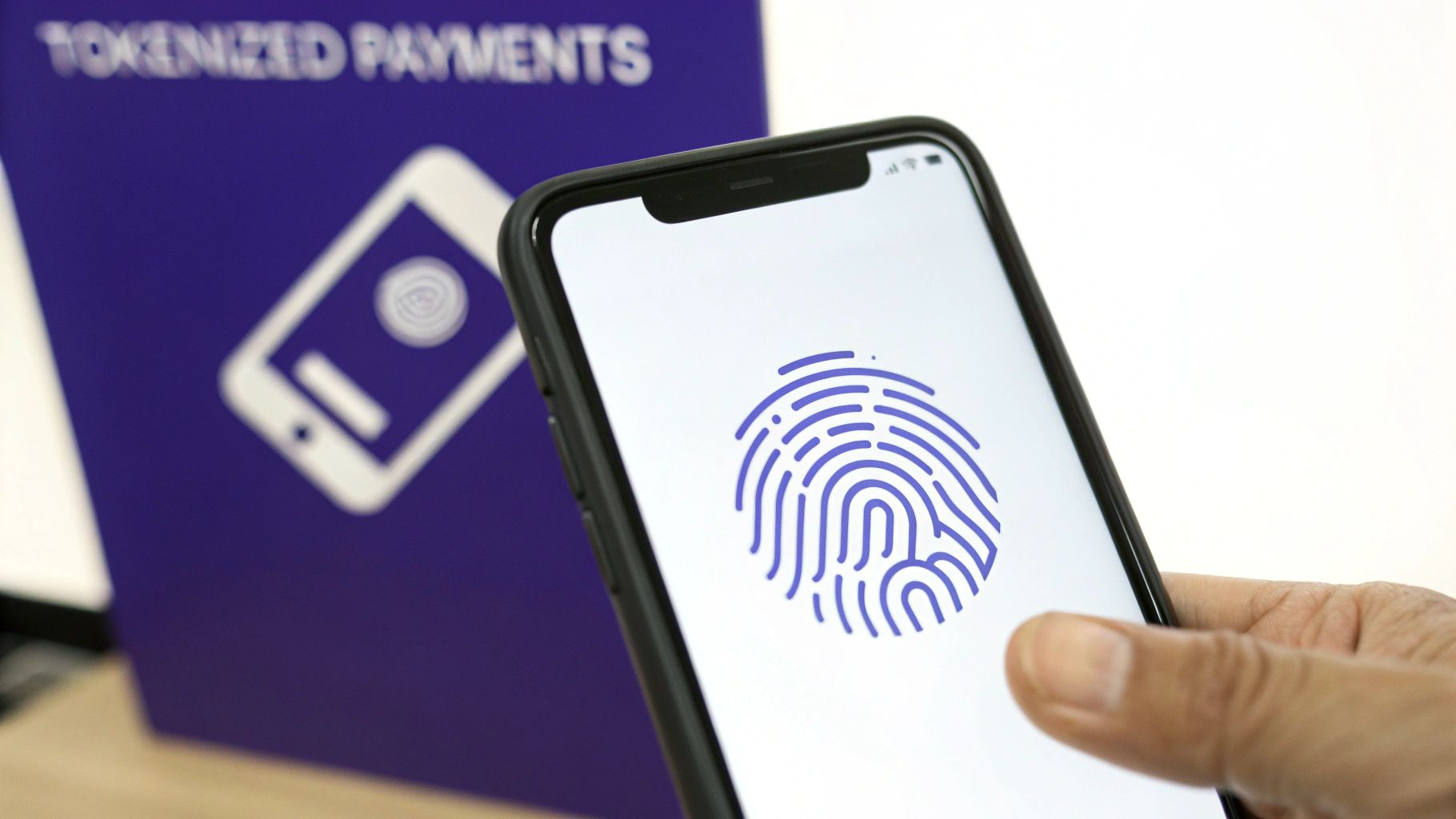
The security isn't just a single feature; it's a multi-layered defence system built to protect data at every step. This robust structure is why millions of people in the UK trust their phones for daily transactions. It combines physical proximity with advanced digital protection to create a fortress around sensitive information.
Unpacking the Magic of Tokenization
At the heart of this security is a process called tokenization. It’s a simple concept with powerful implications.
Think of it like a single-use valet key for your car. The valet gets a key that can only park the car; it can't open the glove box, unlock the boot, or be used to start the car again tomorrow. It has a specific, limited purpose.
Tokenization works in a very similar way for NFC mobile payments. Instead of sending your actual 16-digit card number during a transaction, your digital wallet generates a unique, one-time code—or "token"—for that specific purchase. This token is just a random string of numbers that stands in for your card details without actually revealing them.
This process delivers some critical security wins:
- Your Real Card Details Are Never Shared: The merchant’s point-of-sale system never sees or stores your actual card number, massively reducing the risk from data breaches.
- The Token is Single-Use: Even if a criminal managed to intercept the token, it would be completely useless. It's tied to that one transaction and expires immediately after, making it impossible to reuse.
- Data is Meaningless if Stolen: Since the token is just a placeholder, it holds no value to hackers. It can't be used to make online purchases or create a cloned card.
This fundamental security layer is a game-changer. It effectively removes the most valuable data from the transaction process, keeping the customer's real financial information safely tucked away.
Adding Layers of Biometric Security
Tokenization is the foundation, but what makes mobile payments truly secure is the addition of device-level authentication. A physical credit card can be stolen and used instantly for contactless payments up to the limit. Your phone, on the other hand, requires proof of identity before it will even consider making a payment.
This is where biometrics come into play. Before a transaction can be initiated, you must first verify that it's really you by using:
- Face ID
- Fingerprint Scan
- Device Passcode or Pattern
This step happens before any payment data is transmitted. It means that even if someone steals your phone, they can't go on a spending spree. The device is effectively a locked digital wallet that only you can open. For a broader perspective on securing digital transactions, which often complements the security of tap-to-pay, consider exploring what is 3-D Secure authentication.
By combining the cryptographic security of tokenization with the physical security of biometrics, NFC mobile payments create a two-factor authentication system that is fundamentally safer than carrying a piece of plastic.
This robust security framework gives both customers and businesses immense confidence. As a business, integrating this technology shows you prioritise your customers' safety. When developing an application, especially with a high-performance framework like Flutter, implementing these security protocols correctly is paramount. For a deeper look, check out our guide on 10 mobile app security best practices for Flutter developers.
Integrating NFC Payments into Your Flutter App
Ready to bring the speed and security of tap-to-pay to your customers? Adding NFC mobile payments to your app is one of the most direct ways to create a smoother, faster checkout experience. The first big decision, of course, is choosing the right technology, and this is exactly where Flutter shines. It's quickly become the go-to choice for building high-performance apps with sophisticated features like this.
The real magic of Flutter is its single codebase. You build your app once, and it runs beautifully—with a truly native feel—on both iOS and Android. For something like NFC mobile payments, this is a massive advantage. You sidestep the cost and headache of maintaining two separate apps, guaranteeing every customer gets the same seamless payment flow, no matter what phone is in their pocket. Performance is also key for that split-second responsiveness a payment transaction needs, and new benchmarks consistently put Flutter at the top of the pack for performance.
Choosing Your Payment Gateway
Before you even think about writing code, you need a payment gateway. Think of it as the secure bridge connecting your app to the complex world of financial networks. It does all the heavy lifting: authorising transactions, moving funds, and making sure every step is secure and compliant.
For Flutter apps with a UK audience, there are a couple of excellent gateways that fully support mobile wallets like Apple Pay and Google Pay. The main players are:
- Stripe: Famous for its developer-first approach, Stripe's APIs and documentation are second to none. Integrating mobile payments is incredibly straightforward, and its Flutter SDK is solid and well-maintained.
- Adyen: This is a powerful, all-in-one platform that's especially popular with larger, enterprise-level businesses. Adyen offers huge global payment coverage and robust tools for managing transactions across different sales channels.
Your choice here will really come down to things like transaction fees, how much you expect to scale, and the specific features your business needs. Both Stripe and Adyen provide all the necessary infrastructure to handle tokenized payments securely, which takes the burden of PCI compliance off your shoulders.
The Core Flutter Packages for Payments
With a gateway selected, it's time to bring the right tools into your Flutter app. The Flutter ecosystem has brilliant, dedicated packages that act as connectors to the native payment functions built into iOS and Android. These are essential for calling up the "payment sheet"—that familiar pop-up where users confirm a purchase with their fingerprint or Face ID.
The most common package for this job is pay, a plugin developed by Google that creates a single, unified way to talk to both Apple Pay and Google Pay. It simplifies the whole process, letting you manage both platforms from one consistent API in your Dart code.
By using a package like
pay, you neatly sidestep all the platform-specific complexities. Your app just needs to tell the package, "I need to request a payment for this amount," and the plugin does the rest, showing the user the correct native interface.
This approach doesn't just cut down on development time; it also ensures your app automatically follows the strict user interface rules set by Apple and Google—a non-negotiable requirement for using their payment services. The importance of getting this right is clear from the market data. While the NFC & Contactless Card Payments segment made up a huge 41.27% of the UK digital payments market revenue in 2025, it's mobile NFC that's pushing this growth. In fact, mobile apps were responsible for 38.42% of the market that year, becoming the main way people handle payments and loyalty, all within a digital payments market that topped USD 11.7 billion. You can dive deeper into the UK's digital payment trends in this detailed report.
Constructing a Payment Request
Let's walk through a practical example of how you'd put together a payment request using a Flutter package. The process involves setting up a configuration file and then building a list of payment items that the customer will see on the payment sheet.
First, you'd define your payment provider configurations. This is usually done in a JSON file that tells the app which gateways you support and how they should be set up for each platform.
Example Configuration (payment_profile.json):
{
"provider": "google_pay",
"data": {
"environment": "TEST",
"apiVersion": 2,
"apiVersionMinor": 0,
"allowedPaymentMethods":
{
"type": "CARD",
"parameters": {
"allowedAuthMethods": "PAN_ONLY", "CRYPTOGRAM_3DS",
"allowedCardNetworks": "AMEX", "VISA", "MASTERCARD"
},
"tokenizationSpecification": {
"type": "PAYMENT_GATEWAY",
"parameters": {
"gateway": "stripe",
"stripe:version": "2020-08-27",
"stripe:publishableKey": "pk_test_your_stripe_key_here"
}
}
}
,
"merchantInfo": {
"merchantName": "Example Merchant"
}
}
}
Once that's in place, you can create the payment items in your Dart code. These are what clearly break down the cost for the customer, showing the subtotal, tax, and the final amount.
Example Dart Code Snippet: // Define the payment items final _paymentItems = PaymentItem( label: 'Subtotal', amount: '99.99', status: PaymentItemStatus.final_price, ), PaymentItem( label: 'Tax', amount: '20.00', status: PaymentItemStatus.final_price, ), PaymentItem( label: 'Total', amount: '119.99', status: PaymentItemStatus.final_price, ) ;
// Create the payment client and show the payment sheet final paymentClient = Pay.withAssets('payment_profile.json'); final result = await paymentClient.showPaymentSelector( provider: PayProvider.googlePay, paymentItems: _paymentItems, );
// Handle the payment result
// Send the payment token to your server for processing
This snippet shows how you define the bill and then trigger the native payment UI. After the user authorises the payment, the result variable will hold a payment token. This token is what you send to your backend server, which then uses the payment gateway's API to securely complete the transaction. Partnering with an experienced team that understands the nuances of Flutter development is key to building a secure and seamless solution.
Designing a Flawless Payment Experience
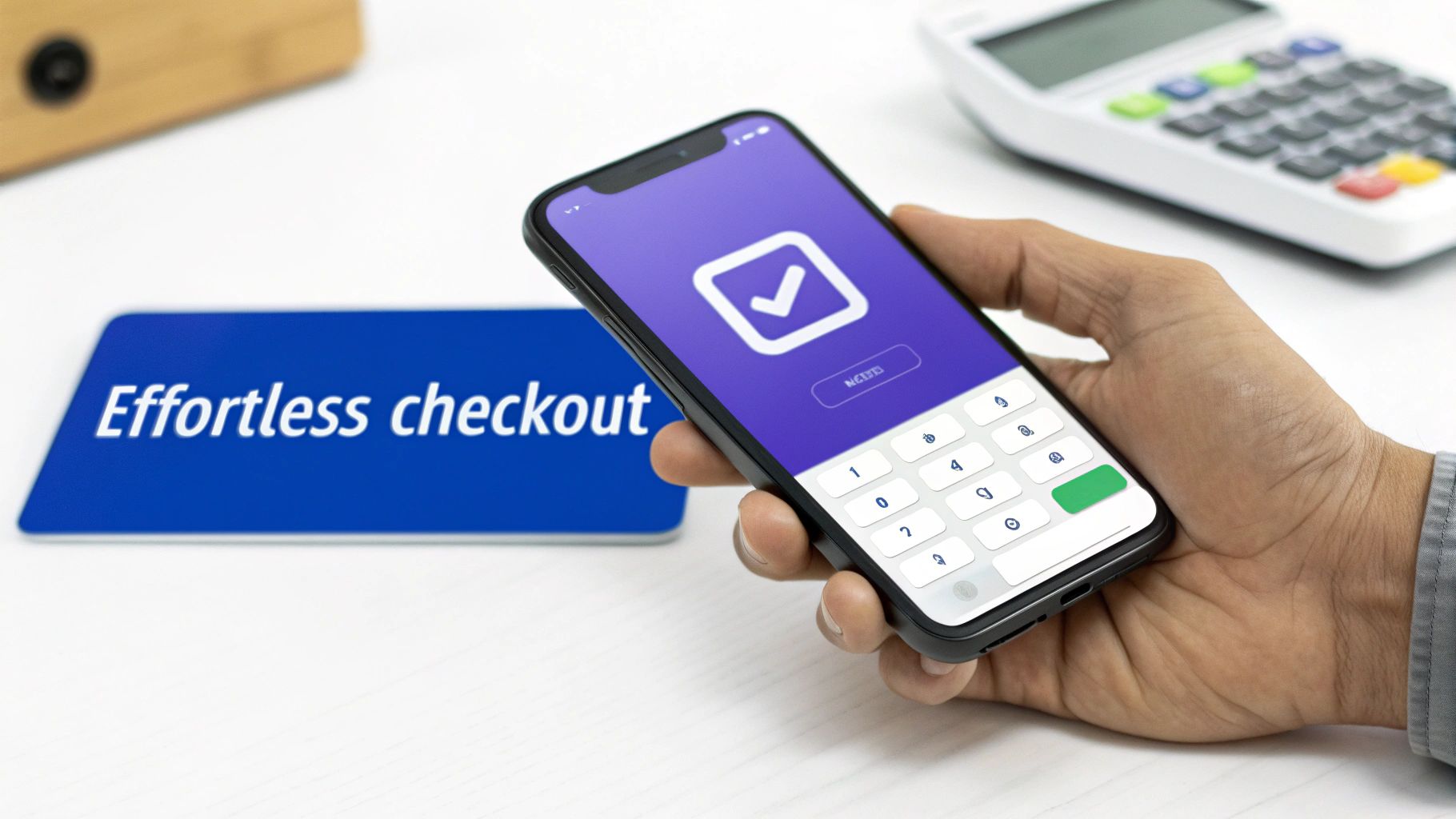
Getting the tech right for NFC mobile payments is only half the story. A truly brilliant payment system is one your customers barely even notice—it just works. This is where user experience (UX) design comes in, turning a purely functional process into something genuinely seamless.
The ultimate aim is a frictionless payment flow. From the moment a customer decides to buy, the path to paying should be obvious, simple, and lightning-fast. Any hesitation, extra steps, or confusion is a direct route to an abandoned basket. In fact, studies show that a complicated checkout is a key reason why nearly 70% of online shopping carts are left behind.
Building a Frictionless Payment Flow
Crafting this effortless experience means sweating the small stuff. It starts with a clear visual signal and ends with a reassuring confirmation.
First up, make the payment trigger impossible to miss. A well-placed, intuitive call-to-action (CTA) like "Pay with Google Pay" or "Checkout with Apple Pay" immediately signals the quickest way to complete the purchase. These buttons need to be instantly recognisable, using official branding to build trust from the get-go.
Next is the interaction itself. The app needs to guide the user to tap their phone with clear, simple prompts. A subtle animation or a straightforward on-screen instruction removes any guesswork, so the user knows exactly what to do.
The best payment UX is almost invisible. It shouldn’t feel like a separate, clunky step but rather a natural conclusion to the shopping experience. The goal is to make paying feel as easy as tapping a button.
Finally, you absolutely must provide immediate and clear feedback. A successful payment should instantly trigger a confirmation—a green tick, a satisfying animation, or a simple "Payment Successful" message. This little detail provides vital reassurance and leaves the customer feeling good about their purchase.
Common Design Pitfalls to Avoid
So many apps fall at the final hurdle because of small, frustrating design choices. Avoiding these common mistakes is crucial for keeping your conversion rates healthy.
Here are a few classic 'don'ts' of payment UX:
- Don't hide payment options: Making users hunt for their preferred mobile wallet is a surefire way to annoy them. Keep Apple Pay and Google Pay front and centre.
- Don't ask for repetitive information: The whole point of mobile wallets is convenience. They already store the user's shipping and billing info, so asking for it again completely defeats the purpose.
- Don't provide ambiguous feedback: Vague messages like "Processing..." or, even worse, no confirmation at all, leave users in limbo. Be explicit about whether the payment worked or if something went wrong.
Getting to grips with the fundamentals of interface design is key to building an app that not only functions perfectly but is also a genuine pleasure to use. You can dive deeper with our guide on user interface design principles to elevate your app's UX and performance.
Beyond the Transaction: Value-Added Features
A truly memorable payment experience doesn't just stop at the purchase. Integrating features that add real value can turn a one-off transaction into a long-term relationship.
Think about weaving in features like these:
- Digital Receipts: Automatically save receipts in the app, so they're always easy to find.
- Loyalty Point Collection: Seamlessly add loyalty points with every tap-to-pay purchase.
- One-Tap Reordering: Let customers repurchase their favourite items with a single tap.
These little touches create a brand experience that feels genuinely helpful and personal, giving customers a real reason to come back. When you partner with a UK-based Flutter specialist, you can build a payment system that isn't just fast and secure—it becomes a cornerstone of your customer retention strategy.
What's Next for Payments at Your UK Business?
The story of NFC mobile payments is far from finished. In fact, we're standing right at the edge of the next big leap forward. For UK businesses, getting in early on what’s coming next isn’t just about staying modern—it’s about securing a real competitive advantage, future-proofing your operations, and finding smarter ways to serve your customers. The next wave isn't just about paying with a phone; it's about paying to a phone.
This shift is being powered by game-changing technologies like Tap to Pay on iPhone and similar features popping up on Android devices. These innovations turn a regular smartphone into a fully capable payment terminal, completely getting rid of the need for any separate card-reading hardware.
Turning Every Phone into a Payment Terminal
Picture this: a freelance photographer getting paid on the spot after a shoot. A market stall holder taking contactless payments without a clunky card machine. A mobile beautician settling the bill right in a client's living room. This is the reality when everyday devices become payment points.
It's a huge step forward for small businesses, sole traders, and anyone providing mobile services. The barrier to accepting secure, NFC mobile payments has just been drastically lowered.
This opens up some incredible doors for apps built with high-performance frameworks like Flutter. As a UK-based Flutter specialist, we can build solutions that don't just track your sales and inventory, but also handle secure tap-to-pay transactions on the very same device. Flutter's performance means these transactions are lightning-fast and reliable, creating a perfect all-in-one tool for businesses on the move.
The next frontier for NFC is dissolving the line between the customer's device and the merchant's hardware. Soon, any phone will be able to securely accept a payment from another, simplifying commerce for millions of small UK businesses.
Looking even further down the road, NFC is weaving its way into the Internet of Things (IoT). We're already seeing it in EV chargers, smart kiosks, and vending machines for simple, automated payments. The trend is crystal clear: commerce is becoming more mobile-centric by the day.
To keep up, UK businesses have to adapt. Partnering with an expert Flutter development team is the straightest line to creating a forward-thinking, secure, and user-friendly payment solution that your customers will love.
Your NFC Payment Questions, Answered
Let's tackle some of the most common questions UK businesses have when they start thinking about adding NFC mobile payments to their app.
Is NFC Actually More Secure Than Chip and PIN?
Yes, in many ways, it's a big step up. The magic ingredient here is something called tokenization. Instead of sending your actual 16-digit card number to the merchant, the system creates a unique, single-use digital 'token' for that one purchase. Your real card details are never actually shared, which cuts out a huge amount of risk.
But there’s more to it than that. Mobile payments bring in that extra fortress wall of biometric security. Anyone who nabs a physical card could try to use it. With a mobile payment, the transaction won't go through without your fingerprint, face scan, or passcode. That personal authorisation makes it fundamentally more secure.
Do I Need to Build Separate Apps for Apple Pay and Google Pay?
Absolutely not, and that’s one of the best things about using Flutter. Its single codebase means you can build and manage the functionality for both Apple Pay and Google Pay inside one, unified application. It's not just about convenience, either—new performance benchmarks consistently show Flutter delivering a fast, responsive user experience.
This approach saves you from the headache and expense of developing and maintaining two completely separate native apps. You get to reach your entire UK customer base with a single, consistent, and efficient solution.
What Are the Main Costs to Integrate NFC Payments?
The costs generally break down into three key areas:
- Initial Development: This is the one-off cost for the professional work to design, build, and properly integrate the payment features into your Flutter app.
- Transaction Fees: Your chosen payment gateway, whether it's Stripe or Adyen, will take a small percentage or a fixed fee for every transaction they process for you. This is standard practice.
- Compliance: You'll have ongoing responsibilities to make sure you're meeting security standards like PCI DSS, which is all about protecting your customers' card data.
Working with an experienced development partner is the best way to get a clear picture of these costs. They can help you navigate the process to ensure you end up with a secure, compliant, and genuinely valuable addition to your business.
Ready to future-proof your business with a payment solution that's fast, secure, and built to perform? App Developer UK specialises in creating world-class mobile apps using Flutter. Contact us today to bring your vision to life.