A Guide to Development in AI for UK Businesses
A Guide to Development in AI for UK Businesses
Development in AI isn't about building science-fiction robots. It's the practical process of creating and launching software that can learn, reason, and act on its own to hit specific goals, effectively turning your raw data into one of your most powerful business assets.
For UK businesses, this usually means embedding intelligent tools right into your systems or mobile apps. These tools can automate tedious tasks, create genuinely personal customer experiences, and open up entirely new ways to make money.
Your Introduction to AI Development in Business

If you're a business leader in the UK, the phrase 'development in AI' can feel a bit remote and overly technical. But the reality is far more grounded and practical than you might think.
Don't picture a self-aware machine. Instead, think of it as training a highly specialised digital employee. You’re teaching it to perform a specific, value-driven task with incredible speed and pinpoint accuracy. This involves feeding a computer model data so it can learn to spot patterns, make sharp predictions, and take the right actions.
The goal here is to cut through the jargon. We want you to see AI for what it truly is: a strategic tool that can give your business a serious competitive edge.
Why AI is a Game Changer for UK SMEs
Artificial intelligence is no longer reserved for massive corporations with bottomless research budgets. In fact, it now represents one of the most significant growth opportunities for small and medium-sized enterprises (SMEs). The sheer financial scale of this shift is hard to ignore.
In 2025, the UK’s artificial intelligence market hit a staggering £23.4 billion in revenue. That figure is forecast to explode to over £180.8 billion by 2033, climbing at a compound annual growth rate of 28.2%.
This explosive growth signals a golden opportunity, especially for businesses looking to build AI features into mobile applications. For a bit more context on how this fits into the wider tech scene, have a look at our guide on what is an emerging technology.
AI gives businesses the power to convert their everyday operational data into actionable intelligence. From anticipating what a customer wants next to making a supply chain run smoother, the applications are real, practical, and have a direct impact on your bottom line.
To give you a clearer picture of where the real value lies, here are some of the key opportunities for businesses like yours.
Key AI Opportunities for UK Businesses
| Opportunity Area | Business Impact | Example Application |
|---|---|---|
| Personalisation | Boosts customer engagement and sales by delivering highly relevant experiences. | An e-commerce app suggesting products based on a user's browsing history and past purchases. |
| Process Automation | Frees up staff from repetitive tasks, reduces human error, and cuts operational costs. | An AI system that automatically categorises customer support tickets and routes them to the right team. |
| Predictive Analytics | Allows for smarter, data-driven decisions by forecasting future trends and outcomes. | A logistics company using AI to predict delivery delays and optimise routes in real-time. |
| Data Insights | Uncovers hidden patterns and opportunities in large datasets that would be impossible to find manually. | A marketing team analysing customer feedback to identify emerging product feature requests. |
| Enhanced Security | Proactively identifies and mitigates threats by learning normal behaviour and flagging anomalies. | A financial app that detects and blocks fraudulent transactions before they happen. |
These are just a few examples, but they show how versatile and impactful AI can be when applied correctly.
It’s also worth noting how AI is changing the very nature of building software itself through breakthroughs in AI-assisted software development.
This guide is all about giving you a clear, straightforward understanding of how to make AI work for your business. We’ll focus particularly on delivering these smart features through high-performance Flutter mobile apps—putting powerful tools directly into your customers' hands.
The AI Development Lifecycle Explained
Kicking off an AI project can feel like you've been handed a map to a labyrinth. It seems impossibly complex from the outside, but there’s a surprisingly logical and structured process to it all. By breaking it down into a clear, phased lifecycle, we can pull back the curtain on the journey from a simple business idea to a fully functional AI tool that actually adds value.
To make this real, let's imagine we're building an AI-powered recommendation engine for a new e-commerce app built with Flutter. The goal is easy to grasp but tricky to pull off: show customers products they're almost certain to buy, giving sales and engagement a healthy boost. This practical example will be our guide through each critical stage.
This flow shows how AI isn't just a tech project; it’s a strategic move to elevate, automate, and create new ways for your business to grow.
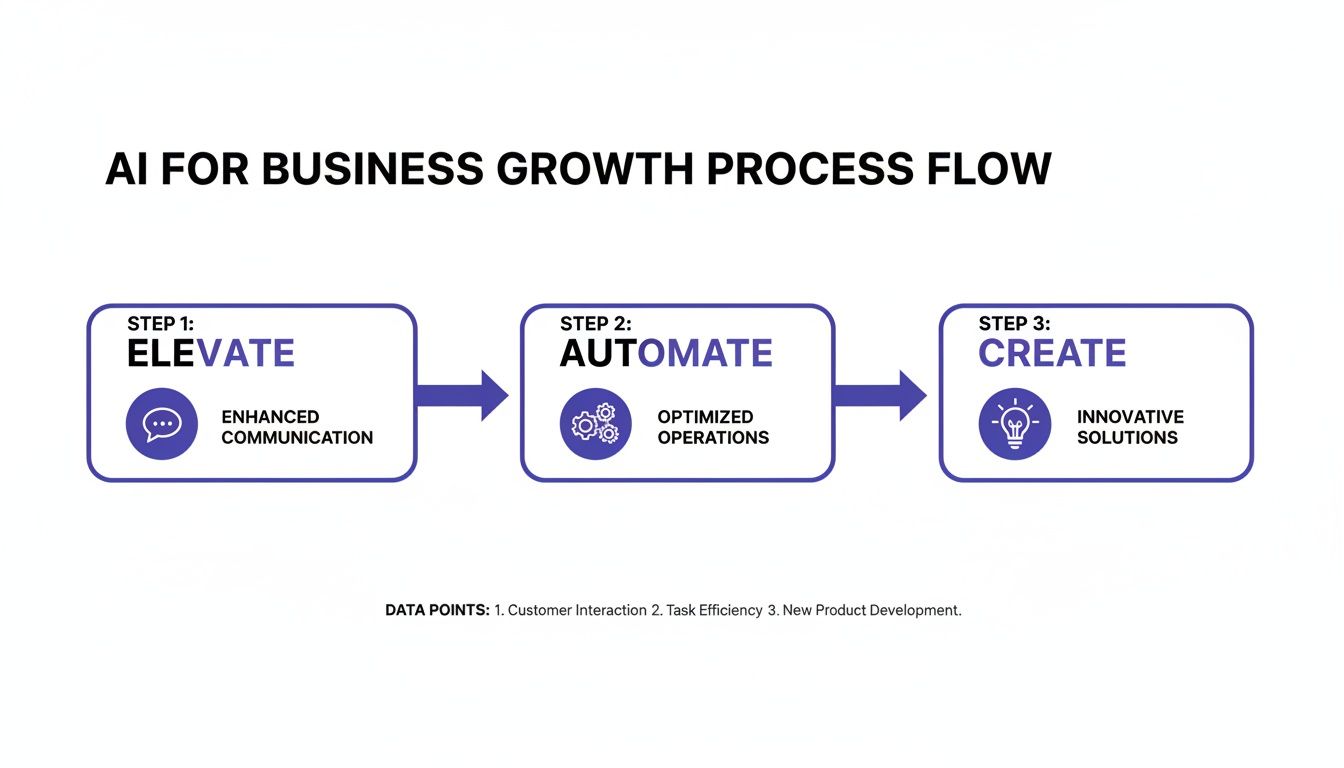
As you can see, successful AI isn't just about the tech—it's about weaving it into the core of your business operations to genuinely transform them.
Phase 1: Problem Definition and Data Collection
Before a single line of code gets written, the most important step is to pin down the exact business problem you’re trying to solve. For our e-commerce app, that problem is crystal clear: "how can we increase the average order value by showing customers more relevant products?" A sharp objective like this becomes the North Star for the entire project.
Once the goal is set, the spotlight turns to data. In the world of AI, data isn't just another resource; it's the raw clay from which intelligence is sculpted. This phase is all about finding, gathering, and preparing your business's most valuable asset.
For our recommendation engine, this means we need to collect data on:
- User Behaviour: What products are people looking at? What are they adding to their baskets, and what do they end up buying?
- Product Information: Details like categories, colours, prices, and sizes.
- Customer Demographics: General info like user locations or stated preferences.
This data has to be clean, organised, and relevant. If you feed the system poor-quality data at this stage, you'll inevitably get a poor-quality AI model, no matter how clever the technology is.
The success of any AI initiative is fundamentally tied to the quality and relevance of its data. Think of it as the foundation of a house—if it's weak or poorly laid, everything built on top of it will be unstable.
Phase 2: Model Development and Training
With a clear problem and a well-prepared dataset, it’s time to actually build and train the AI model. This is where data scientists and developers step in, selecting the right algorithms to hit that business goal. For our recommendation engine, a collaborative filtering model would be a great choice. It works by predicting what a user might like based on the tastes of similar users.
Training is basically the "teaching" part of the process. We feed our historical data into the model, letting it chew through the information to learn the complex patterns between what people do and what they buy. The model adjusts its internal settings again and again, refining its predictions until they're as accurate as possible. This isn't a one-shot deal; it's an iterative cycle of training, testing, and tweaking to get the performance just right.
Phase 3: Deployment and Monitoring
Once the model is trained and performing well in a test environment, it's ready for the real world. Deployment means plugging it into the live application—in our case, the Flutter e-commerce app—so it can start serving up real-time recommendations to actual users. This is the magic moment when the AI goes from being a development project to a live business tool.
But the job isn't done. The final, ongoing phase is all about MLOps (Machine Learning Operations), which boils down to continuous monitoring and refinement. We have to keep a close eye on the model's performance to make sure its predictions stay sharp and are delivering the business value we expected. Over time, customer behaviour will shift and new products will come and go, so the model will need retraining with fresh data to stay effective. This cycle ensures the AI remains a dynamic and powerful asset, not a static one that slowly loses its edge.
Choosing Your AI Models and Architecture

Once you’ve nailed down your business problem and have a feel for the development lifecycle, the next part of your development in AI journey is about picking the right tools. The world of AI models can feel like a maze, but it gets a lot simpler when you focus on what each type of model actually does for a business.
Think of AI models as specialist contractors. You wouldn't hire a plumber to do your wiring, right? Your job is to hire the right specialist for the task at hand. Some are experts at understanding language, others excel at interpreting images, and a few are masters of spotting hidden patterns in your sales data.
Let's cut through the jargon and break down the main categories you'll come across.
Understanding the Main Types of AI Models
Most business-focused AI applications are built on three main pillars: Machine Learning, Natural Language Processing, and Computer Vision. Each one is designed to solve a very different kind of challenge.
- Machine Learning (ML) is the bedrock. It’s the practice of teaching a system to make predictions or decisions by learning from data. An ML model could analyse your past sales figures to forecast future demand or flag which customers are about to cancel their subscriptions.
- Natural Language Processing (NLP) is all about language. This technology gives an app the ability to understand, interpret, and generate human speech and text. It’s the magic behind customer service chatbots, social media sentiment analysis, and voice-controlled assistants.
- Computer Vision deals with sight. It trains computers to “see” and make sense of the visual world. This is what allows an app to recognise a landmark in a photo, scan a QR code, or even identify a product using the phone's camera.
To make this crystal clear, let's see how they stack up against each other for a typical UK business.
Comparing AI Models for Business Applications
Choosing the right model is all about matching its core function to the specific business problem you need to solve. This table breaks down the essentials.
| AI Model Type | Core Function (What It Does) | Typical Business Use Case |
|---|---|---|
| Machine Learning (ML) | Learns from data to predict outcomes and identify patterns. | An e-commerce app predicting which products a user will buy next. |
| Natural Language Processing (NLP) | Understands and responds to human language (text and speech). | A mobile banking app with a chatbot that answers common customer queries. |
| Computer Vision | Interprets and understands visual information from images or videos. | A retail app allowing users to search for products by taking a picture. |
As you can see, the choice flows directly from your initial goal. If you want to automate customer service, NLP is your go-to. If you need to optimise your stock levels, a predictive ML model is the tool for the job.
Pre-Trained vs Custom Models: A Key Decision
Once you know which type of AI you need, you’ll face a major strategic choice: use a powerful, off-the-shelf, pre-trained model or invest in building a custom one from scratch? This decision will have a huge impact on your project's cost, timeline, and competitive edge.
Pre-trained models from giants like Google, OpenAI, or Microsoft are like hiring a world-class expert who is already 90% trained. They've been fed colossal amounts of data and can perform incredible feats right out of the box. Integrating them is often faster and cheaper, making them a brilliant choice for many standard business needs.
A custom model is your business’s secret sauce. It is trained exclusively on your proprietary data, learning the unique nuances of your operations and customers. This can create a powerful competitive advantage that is impossible for rivals to replicate.
Building a custom model, on the other hand, is a much bigger undertaking. It requires a lot of high-quality data, specialist expertise, and a longer development runway. But for core business functions where unique insights can give you a real edge, the investment can pay off handsomely. The choice really boils down to whether a generalist expert will do, or if you need a specialist trained exclusively on your company's unique DNA.
Integrating AI Into Your Mobile App with Flutter
Turning AI theory into a real feature that actually helps your customers is where the magic happens. It’s that moment when a clever idea becomes a tangible tool in someone's pocket. To get there, you need a tech framework that can handle intelligent features without killing the smooth, snappy user experience everyone now expects. This is exactly where Flutter shines.
For businesses here in the UK, picking the right platform is a massive decision. You need to be fast, efficient, and deliver top performance. Flutter ticks all three boxes, making it a seriously compelling choice for building modern, AI-powered mobile apps.
Why Flutter is the Ideal Choice for AI Apps
Flutter isn't just another tool in the box; it's a complete software development kit (SDK) built by Google. Its main purpose? To build beautiful, natively compiled applications for mobile, web, and desktop from a single codebase. That single-codebase approach is a game-changer, letting you launch your AI app on both iOS and Android at the same time, saving a huge amount of time and money.
But where it really flexes its muscles for AI integration is performance. Recent benchmarks consistently put Flutter at the top for raw performance, fluid animations, and maintaining high frame rates, even when crunching through complex tasks. This is absolutely critical for AI features, which can be pretty demanding on a device’s processor.
With Flutter, you don’t have to choose between a smart app and a fast app. You can build a rich, intelligent user experience without the lag or performance headaches that can plague other frameworks. It makes sure your AI features feel like a core part of the app, not something clumsily bolted on.
This blend of efficiency and raw power makes it the perfect vehicle for getting smart features into the hands of your users.
Practical Steps to AI Integration with Flutter
Bringing AI into a Flutter app doesn't have to be some monumental, complex undertaking. With the right partner, the journey is straightforward and can be broken down into clear, logical steps. The approach usually falls into one of two main camps.
- On-Device Machine Learning: This is all about running a lightweight, optimised machine learning model directly on the user's smartphone. Flutter’s rich ecosystem of packages, like TensorFlow Lite, makes this surprisingly accessible. Think of an app using the phone's camera for real-time image recognition to identify products in a shop—all without needing an internet connection.
- Cloud-Based AI via APIs: This method involves your Flutter app 'talking' to a powerful AI service hosted in the cloud (like Google AI Platform or OpenAI). The app sends data to the service, which does the heavy lifting, and then sends the intelligent result back. This is perfect for more demanding jobs like natural language processing for a customer support chatbot or running complex data analysis.
For many businesses, a hybrid approach actually offers the best of both worlds. You can use on-device models for speed and offline access, while calling on cloud APIs for the seriously heavy-duty processing. To get into the nitty-gritty, you can check out our full guide on AI development in Flutter.
The Shift to Revenue-Driving AI
The way businesses think about AI is changing, and fast. It's no longer just a background tool for cutting costs or making processes a bit more efficient. Instead, business leaders are starting to see it as a direct engine for growth and revenue.
This forward-thinking perspective is particularly strong in the UK. A striking 91% of UK respondents believe AI will move beyond being a simple efficiency tool to become a revenue-driving powerhouse this year—a view that’s ahead of their global peers. This shift is a perfect match for Flutter development, which is all about the rapid creation of secure, high-performance apps ready to slot in these exact kinds of money-making features. To read more on this trend, you can find more insights about UK tech investment priorities on consultancy.uk.
This mindset completely reframes AI. It's not just a back-end optimisation anymore; it's a front-and-centre feature that creates new value for customers and opens up new income streams for your business.
Navigating AI Risks and Responsible Development
Powerful technology demands a responsible hand on the tiller. As you get deeper into the world of development in AI, it’s vital to move beyond just what an AI can do and start asking what it should do. This isn't about ticking boxes on a compliance form; it's about building lasting customer trust, protecting your brand, and creating a strategy that stands the test of time.
Ignoring the ethical and practical risks isn't really an option. A biased algorithm can cause enormous reputational damage overnight, while a data breach can land you in serious legal and financial hot water. Tackling these issues head-on isn’t a barrier to progress—it’s the foundation for sustainable success.
Understanding Data Bias and Transparency
One of the biggest pitfalls in AI development is data bias. An AI model is only as good as the data it learns from. If that training data is skewed or incomplete, the model’s decisions will reflect—and often amplify—those flaws in harmful ways.
Imagine an AI designed to pre-screen job applications. If it was trained on historical data from a company that predominantly hired men for technical roles, the model might learn to unfairly penalise perfectly qualified female candidates. This isn't just unfair; it's a direct threat to your business's integrity and a potential legal minefield.
True transparency in AI means being able to explain, in simple terms, why a model made a particular decision. This principle, known as 'explainability', is becoming a cornerstone of trustworthy AI, helping to demystify the 'black box' and build user confidence.
This brings us to transparency. Users and regulators are, quite rightly, demanding to know how AI systems come to their conclusions. Building models whose decisions can be clearly explained is crucial for accountability and building that all-important trust.
Prioritising Data Privacy and GDPR
In the UK, data privacy isn't just good practice; it's the law. The General Data Protection Regulation (GDPR) sets strict rules for how businesses collect, process, and store personal data. When you’re developing an AI, especially one that handles customer information, compliance is completely non-negotiable.
Here are the core principles you absolutely must stick to:
- Lawful Basis for Processing: You must have a clear, legitimate reason to process personal data.
- Data Minimisation: Only collect the data that is absolutely necessary for the AI's function. No more, no less.
- Purpose Limitation: Use the data only for the specific purpose you told the user it was for.
- Security: Put robust measures in place to protect the data from breaches. Our article on cybersecurity consulting services offers some great insights here.
To make sure your AI projects comply with new and upcoming regulations, it's wise to consider your AI Act readiness right from the start of the development lifecycle.
AI's Impact on the Workforce
The conversation around AI and jobs often swings between wild extremes. The most sensible approach, however, is to view AI as a tool for augmentation, not just replacement. The real goal is to build tools that empower your employees, freeing them from repetitive tasks so they can focus on the creative, strategic work that drives real value.
While recent figures show that British companies using AI saw an average 11.5% productivity leap, this came with a net 8% job loss over the past year. This statistic highlights the importance of creating AI applications that enhance human capabilities rather than making them redundant—a core principle of responsible AI development. You can read the full report on the impact of AI on UK businesses on insurancejournal.com.
Your Roadmap for AI Development
Starting your AI development journey is a big step, but it’s one that can completely reshape how your business works and grows. The path forward might seem a bit daunting, but it really just boils down to a handful of clear, manageable actions. Think of this as your practical checklist, designed to turn all the ideas we’ve talked about into a solid plan.
Any ambitious UK business can get started with AI. You don't need a perfect, massive dataset from day one. What you do need is a clear vision for what you want to achieve and the willingness to take those first deliberate steps to get there.
Your Actionable Checklist
This step-by-step guide gives you a simple structure for kicking off your AI initiative. Following this process will keep your efforts focused, strategic, and tied directly to what your business actually needs.
- Identify a High-Impact Business Problem First things first: pinpoint a specific, measurable challenge or opportunity where AI can deliver real value. Is it about personalising the customer experience? Automating a mind-numbingly tedious internal process? Or maybe predicting future sales trends? A focused goal is your most important asset.
- Assess Your Data Readiness Take a good, hard look at the data you're already collecting. Is it relevant to the problem you’ve just identified? Is it clean, organised, and easy to get to? This assessment is critical—it’ll tell you whether you can build a custom model or if using pre-trained AI services is a smarter place to start.
- Define Your Success Metrics How will you know if your AI project has actually worked? You need to establish clear Key Performance Indicators (KPIs) before you even think about writing a line of code. This could be anything from a 15% boost in customer conversion rates to a 30% cut in manual data entry hours.
The most successful AI projects aren't just technical achievements; they are business solutions. They always begin with a sharp focus on a tangible problem and a clear definition of what a win looks like.
Consulting with an Expert Partner
Once you have a clear objective and a good handle on your data situation, it’s time to bring in the right expertise. Working with a specialist development partner is a game-changer. An experienced team can help you validate your idea, pick the right AI architecture, and navigate all the technical bits and pieces of implementation.
This is where we come in. We specialise in building high-performance, custom Flutter apps with deeply integrated AI capabilities. We can guide you through this entire roadmap, making sure your vision becomes a powerful, market-ready tool.
Your journey into AI development starts now. Contact us today to discuss how a custom Flutter app can help you hit your specific business goals and give you a decisive competitive edge.
Common Questions About AI Development
When business leaders start exploring AI development, a few practical questions always come up. Getting your head around the realities of cost, time, data, and industry fit is the first step to moving forward with any real confidence. Here, we'll tackle the most common queries we hear from UK businesses.
Our aim is to give you clear, straightforward answers that cut through the jargon and help you make smart decisions for your next project.
How Much Does AI App Development Cost?
There’s no simple price tag for an AI-powered app. The final cost is a spectrum, ranging from a few thousand pounds for plugging in a pre-built API to a much more significant sum for building a complex, custom model from scratch.
The investment really hinges on a few key things:
- Data Requirements: How much work is needed to gather, clean up, and get your data ready for a model to learn from.
- Model Sophistication: A simple prediction model is far less costly to build than, say, a sophisticated computer vision system.
- Integration Depth: How deeply the AI feature needs to be woven into your app's existing code and user experience.
A realistic budget starts with a solid understanding of these variables.
How Long Does an AI Project Take?
Just like cost, the timeline can vary wildly. A straightforward integration of a cloud AI service into a Flutter app might only take a few weeks. On the other hand, a project that requires building a bespoke machine learning model from the ground up could easily stretch over several months.
It's not just about writing code. A huge chunk of the timeline is eaten up by the crucial phases of discovery, data preparation, and rigorous model training—all before deployment can even begin.
Setting clear expectations for each stage—from initial discovery and data sourcing to model training and going live—is absolutely essential for keeping a project on track.
Do I Need a Huge Amount of Data?
Not always. It's true that custom-built models perform best when they're trained on large, high-quality datasets, but that’s not the only way to do it. Many powerful AI solutions can be built using pre-trained models, which need much less specific data to get going.
Another smart approach is to start small. Use a focused dataset to solve one specific problem first. Once the feature proves its value, you can then scale the model and its data requirements over time. It's all about 'data readiness'—assessing what you have now and making a practical plan to get to where you need to be.
Which UK Industries Benefit Most from AI?
Artificial intelligence isn't just for one sector; its applications are popping up all across the UK business landscape. Certain industries, however, are seeing particularly rapid and game-changing adoption.
We're seeing major impacts in sectors like:
- E-commerce: Driving sales with advanced personalisation engines and smarter recommendation systems.
- Finance: Spotting fraudulent transactions in real-time and automating complex risk assessments.
- Healthcare: Helping with diagnostics by analysing medical images and spotting patterns in patient data.
- Logistics: Optimising delivery routes on the fly and predicting supply chain disruptions before they happen.
These examples aren't just hypotheticals; they show how AI is already delivering real, tangible value today.
Ready to explore how AI can reshape your business? App Developer UK specialises in creating high-performance Flutter apps with seamlessly integrated AI features. https://app-developer.uk