What Is a Test Case Your Guide to Flawless Flutter Apps
What Is a Test Case Your Guide to Flawless Flutter Apps
Think of a test case as a detailed recipe for checking if one small part of your app works perfectly. It’s a set of specific actions you perform to verify a particular feature or function, making sure it behaves exactly as it should, every single time. For our clients, it’s our promise of quality and reliability.
Unpacking the Role of a Test Case

Imagine you're building a house. You wouldn't just throw all the materials together and hope it stands up. You’d check every foundation, test every electrical circuit, and make sure every window is properly sealed. A test case does the same thing for your app. It’s not about randomly tapping around; it’s a structured, repeatable script that puts a specific piece of your app through its paces.
So, instead of a vague goal like "test the login," a good test case lays out precise instructions: enter a valid email, input the correct password, click the "Login" button, and confirm the user is successfully taken to their dashboard. This methodical approach leaves no room for guesswork and ensures everyone on the team is testing the same way.
Why Test Cases Are a Non-Negotiable Asset
For any business launching an app, especially in the competitive UK market, proper testing isn't just a "nice-to-have"—it's a critical part of survival. Bugs and crashes don’t just frustrate users; they damage your reputation and can have a real financial impact. This is where a solid set of test cases truly proves its worth.
A well-planned suite of test cases acts as a safety net, catching problems long before they ever reach your customers. Taking this proactive stance delivers some serious business advantages:
- Reduced Development Costs: Finding and fixing a bug early is exponentially cheaper than dealing with it after your app has gone live.
- Improved User Experience: A smooth, bug-free app leads to happier users, better reviews, and customers who stick around.
- Enhanced App Performance: Systematic testing makes sure every feature, especially on a high-performance framework like Flutter, runs smoothly without unexpected crashes or slowdowns.
- Guaranteed Functionality: Test cases provide concrete proof that your app does what you promised it would, meeting both your business goals and user expectations.
A well-written test case transforms quality assurance from a subjective art into a repeatable science. It creates a clear standard of "what works," enabling development teams to build with confidence and precision.
The Foundation of Quality in the UK Market
In the fast-paced world of UK software development, the test case is the cornerstone of quality assurance. It’s carefully designed to confirm that every feature in a mobile app works flawlessly across iOS, Android, and the web—a perfect fit for businesses like yours building with Flutter. In fact, the UK's Software Testing Services industry has a market size of £1.3 billion, highlighting just how vital this process is for avoiding costly mistakes.
This commitment to quality is precisely why understanding the basics of software testing is crucial for any project’s success. By defining clear success criteria from the start, test cases ensure every bit of development work is laser-focused on one thing: delivering a stable, reliable, and high-performing app that your users will love.
The Anatomy of an Effective Test Case
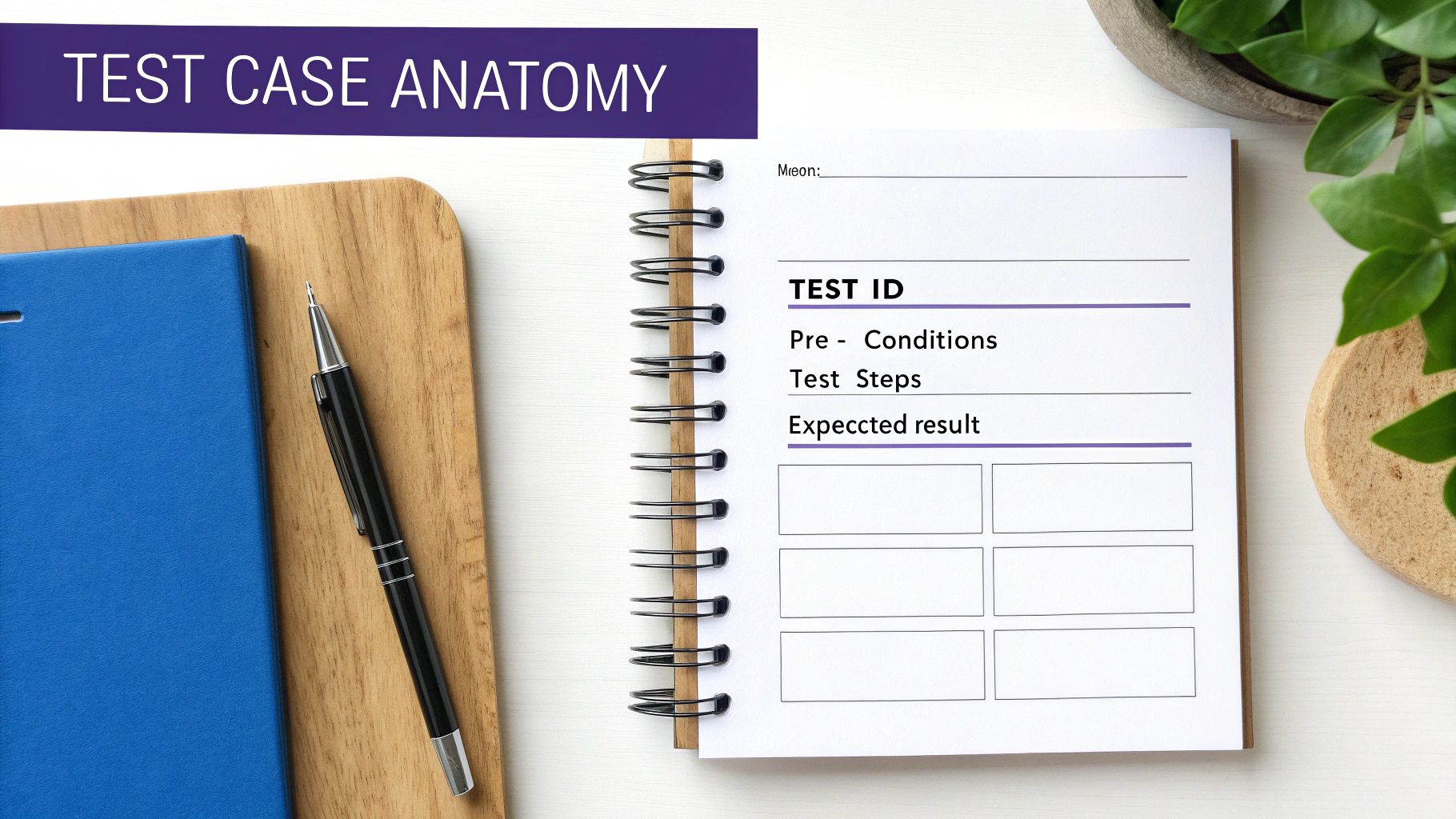
To really understand what a test case is, we need to get beyond the high-level definition and look under the bonnet. A great test case isn't just a vague instruction; it's a meticulously structured document, a precise script for your quality assurance team to follow.
Think of it like assembling flat-pack furniture. You wouldn't just get a box of screws and a picture of the finished bookcase. You need a list of parts, a clear starting point, step-by-step instructions, and a final diagram showing exactly what it should look like. That's the level of clarity an effective test case provides for your app's features.
Let's break down the core components that make a test case work, using a familiar example from a Flutter app: the user login screen.
The Core Components Explained
A truly robust test case is built on a foundation of several key elements. Skip any of these, and you're inviting confusion, inconsistent testing, and bugs slipping through the cracks. Each part answers a crucial question about the test being performed.
These components are universal, whether you're testing a simple button or a complex payment gateway. They provide the necessary structure for anyone—from a junior tester to a senior developer—to run the test accurately and get the same, reliable result.
Here are the essential building blocks:
- Test Case ID: This is a unique identifier, like
LOGIN_001, used to track the test case. It makes referencing it in bug reports and team chats simple and clear, preventing confusion when you have hundreds of tests. - Test Description: A brief, clear summary of what the test is designed to verify. Something like, "Verify successful login with valid user credentials." This gives anyone immediate context.
- Pre-conditions: These are the specific conditions that absolutely must be met before the test can even begin. It sets the stage. For our login example, a key pre-condition would be, "User is on the login screen and is not currently logged in."
- Test Steps: This is the heart of the test case—a sequence of clear, concise actions the tester has to perform. Each step should be a single, distinct action to avoid any guesswork.
- Test Data: The specific data used to carry out the test steps. This includes inputs like usernames, passwords, or search terms. For a successful login test, this would be a valid, registered email address and its corresponding correct password.
- Expected Result: This part defines exactly what should happen after the test steps are completed successfully. It’s the benchmark for success. For instance, "User is successfully authenticated and redirected to the home screen."
- Actual Result: After running the test, the tester records what actually happened here. This is then compared directly against the Expected Result.
- Status (Pass/Fail): The final verdict. If the Actual Result matches the Expected Result, the test passes. If it doesn't, it fails, and a bug report is usually created.
A great test case leaves no room for interpretation. It ensures that a feature is tested the same way, every single time, by every single person, creating a reliable benchmark for quality.
Putting It All Together: A Login Example
Let's see how these components come together in a practical example for a Flutter e-commerce app.
| Component | Example for a Successful Login Test |
|---|---|
| Test Case ID | TC-LOGIN-001 |
| Description | Verify successful user login with valid credentials. |
| Pre-conditions | 1. App is installed and launched. 2. User is on the login screen. |
| Test Steps | 1. Enter a valid email in the email field. 2. Enter the corresponding valid password in the password field. 3. Tap the 'Login' button. |
| Test Data | Email: testuser@example.co.uk, Password: ValidPassword123 |
| Expected Result | User is redirected to the main dashboard screen, and a "Welcome back!" message is displayed. |
This detailed anatomy transforms a vague idea ("test the login") into a concrete, actionable, and measurable task. It ensures that testing isn't just a random activity but a disciplined engineering process—something that’s fundamental to building high-performance Flutter apps that UK businesses can rely on. This level of detail is simply non-negotiable for delivering a flawless user experience.
Key Test Case Types for Your Flutter App
Think of a builder's toolkit. You wouldn't use a hammer to cut a piece of wood or a saw to drive in a nail. In the same way, a development team needs a variety of test case types to build a solid, reliable app. Relying on just one kind of test is like trying to build a house with only a screwdriver—you're bound to miss critical weak spots.
Not all tests are designed to do the same job. Each one exists to target and neutralise specific business risks, ensuring your app is robust from every angle.
At App Developer UK, we know this variety is essential. The UK software testing market is set to hit £1.3 billion in 2025, with demanding sectors like financial services making up a massive £370.7 million slice. These industries depend on a diverse mix of test cases to navigate strict regulations—a challenge that 77% of UK firms believe is only going to get tougher.
Functional Testing: The Foundation of Reliability
Functional test cases are the bedrock of any solid quality assurance strategy. Their purpose is straightforward but absolutely vital: they confirm that every single feature in your app works exactly as intended. They answer the most basic question: "Does this button, form, or checkout process actually do what it's supposed to?"
For a Flutter e-commerce app, a functional test might check that adding an item to the basket correctly updates the subtotal. It couldn't care less about the button's colour or how fast the page animates. Its only concern is whether the core logic is sound. This is your first and most important line of defence against bugs that shatter user journeys.
User Interface (UI) and Usability Testing: Crafting the Experience
While functional tests ensure the engine is running properly, UI and usability tests are all about the look and feel—the parts of your app that users actually see and touch. An app can be perfectly functional under the hood but still fail miserably if it's confusing or visually broken.
- UI Test Cases are all about visual perfection. They make sure layouts, fonts, colours, and images look right across different screen sizes and devices. This is a particular strength for Flutter, which is designed to deliver a consistent UI from a single codebase.
- Usability Test Cases take it a step further. They measure how intuitive and easy the app is to navigate. Can a brand-new user figure out how to reset their password without needing a user manual? These tests are what stand between a smooth experience and a frustrated user hitting 'uninstall'.
To really nail the visual side of things, many teams use specialised visual regression testing tools which can automatically spot tiny, unintended visual changes that a human tester might miss.
Performance and Security Testing: Protecting Your App and Users
Finally, we have performance and security tests. These are non-negotiable for building trust, protecting your users, and maintaining a professional reputation. They safeguard your app against the pressures and threats of the real world.
An app that is slow or insecure is an app that will be deleted. Performance and security are not features; they are fundamental user expectations that directly impact your brand's credibility.
Performance testing ensures your Flutter app stays fast, responsive, and stable, even when lots of people are using it at once. We know Flutter is built for performance, and these tests are how you prove it. They measure things like loading times, battery drain, and how the app behaves on a weak Wi-Fi signal.
Security testing, on the other hand, is your app's digital locksmith. These test cases proactively hunt for vulnerabilities that could expose sensitive user data. By simulating attacks and probing for weaknesses, you ensure your app is a fortress for customer information, building that all-important foundation of trust. Digging into a developer's guide to the basics of testing in Flutter can offer more detailed strategies for setting up these crucial checks.
How to Write a Great Test Case Step by Step
Knowing the theory is one thing, but actually putting it into practice is where you build real confidence. So, let's get our hands dirty and walk through writing a test case from scratch. This guide will turn those abstract concepts into practical skills you can start using right away.
We'll focus on a classic scenario from a Flutter e-commerce app: the ‘Add to Basket’ feature. This is a make-or-break part of the user journey where even a tiny bug can mean lost sales, making it the perfect candidate for a really solid test.
Step 1: Start with a Clear Objective
Before you type a single word, you need to know what you're trying to achieve. A test case without a clear goal is like a road trip without a destination – you’ll go nowhere fast. Your objective needs to be specific, measurable, and zeroed in on one piece of functionality.
For our example, a solid objective would be: “Verify that a user can successfully add an available product to their shopping basket from the product details page.” That simple sentence gives us all the direction we need.
Step 2: Define the Pre-Conditions
Next, you need to set the stage. Pre-conditions are the things that must be true before the test can even begin. If they aren’t met, the test is a non-starter, and any results would be meaningless. Think of it like getting all your ingredients ready before you start cooking.
For our ‘Add to Basket’ test, the pre-conditions are:
- The user is logged into their account.
- The user is on the product details page for an item that is in stock.
- The user's shopping basket is currently empty.
These conditions make sure the test kicks off from a clean, predictable state every single time.
Step 3: Write Clear and Concise Test Steps
This is the heart of your test case. The steps should be a series of simple, unambiguous actions that anyone—a developer, a QA analyst, or even a project manager—could follow without needing to ask questions. A crucial tip: never combine multiple actions into one step. Clarity is everything.
Here are the test steps for our scenario:
- Locate the 'Add to Basket' button on the product details page.
- Tap the 'Add to Basket' button once.
- Navigate to the shopping basket screen.
Each instruction is a distinct action, which makes the test dead simple to run and repeat.
Step 4: Specify the Expected Result
The Expected Result is your definition of success. It’s a precise description of what should happen if the feature is working perfectly after the test steps are done. This is the yardstick you'll measure the actual outcome against.
For our Flutter app, the expected result is:
The product is displayed in the shopping basket with the correct name, price, and a quantity of 1. The basket subtotal is updated to reflect the price of the added item.
This level of detail leaves no room for ambiguity. The test either passes or it fails based on whether this exact outcome happens. For developers who are serious about levelling up their testing game, getting to grips with the TDD Red Green Refactor cycle is a brilliant way to build effective testing habits from the ground up.
Creating Positive and Negative Test Cases
So far, we've built a positive test case—a test that checks if the feature works under normal, happy-path conditions. But what happens when things don't go to plan? That's where negative test cases come into play. These are designed to make sure your app handles errors and unexpected inputs gracefully, without crashing or confusing the user.
For instance, a negative test case for our feature might look like this:
- Objective: Verify the app stops a user from adding an out-of-stock item to the basket.
- Pre-condition: The user is on the product page for an item marked 'Out of Stock'.
- Test Step: Tap the 'Add to Basket' button.
- Expected Result: An error message, "This item is currently out of stock," is shown, and the basket remains empty.
Writing good test cases is absolutely vital, especially in a market where 44% of UK IT firms automate half their tests and 73% are aiming for a smart mix of manual and automated approaches. And with 90% of Brits using mobile banking in 2023, the demand for flawless apps has never been higher. This makes robust test cases non-negotiable for industries like FinTech, which are growing at a blistering 16.4% CAGR.
The process flow below shows the key types of tests that come together to form a comprehensive quality assurance strategy.
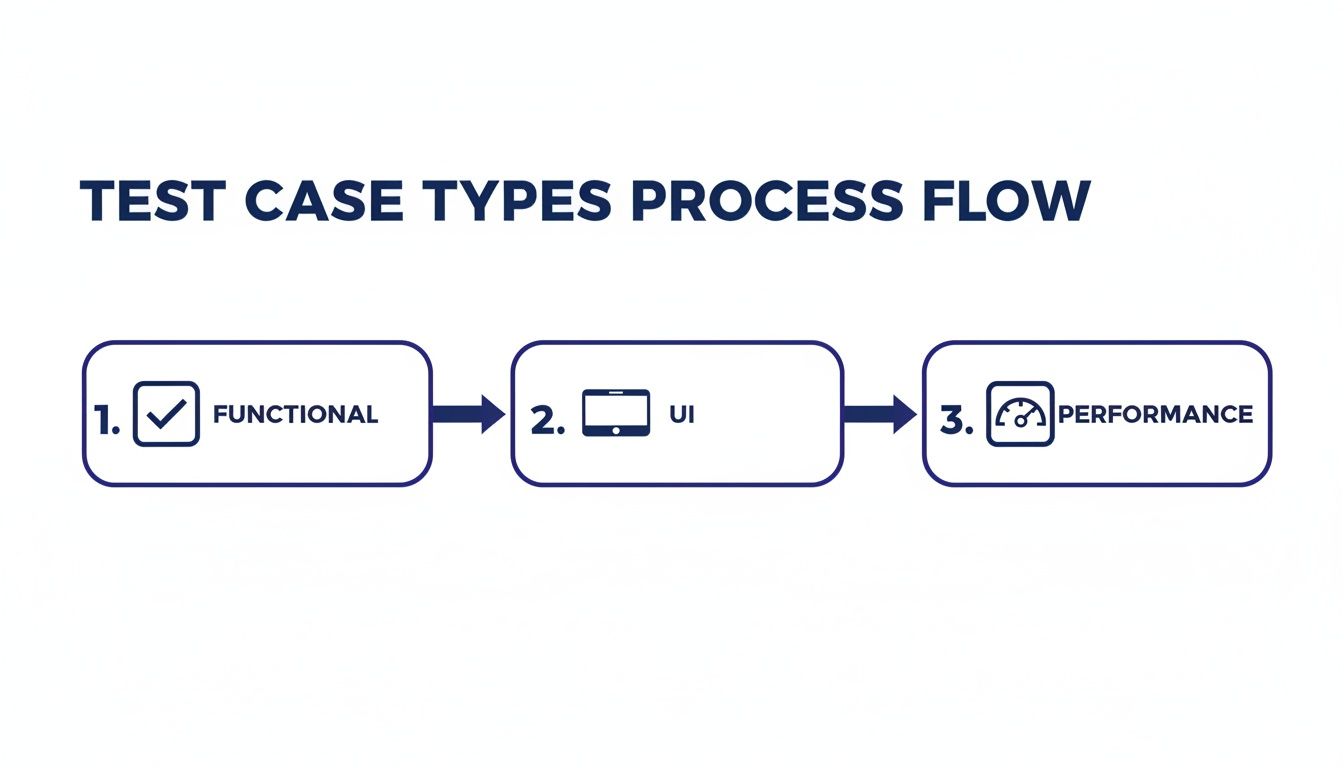
This visual helps illustrate how functional, UI, and performance tests all work in concert to ensure an app is reliable, easy to use, and responsive.
Best Practices for Test Case Management
Writing a single test case is one thing, but the real art—and where you build genuine quality—is in managing a whole library of them. As your Flutter app evolves from a simple idea into a feature-packed powerhouse, your test case collection can explode from a handful to hundreds, or even thousands. Without a solid management strategy, this treasure trove of quality checks can quickly turn into a disorganised, outdated mess.
Here at App Developer UK, we don't just write tests; we build sustainable quality assurance frameworks. A well-managed test library isn't about hitting a target for launch day. It’s about creating a consistent standard of quality that grows and adapts right alongside your product.
Keep Test Cases Atomic and Focused
The golden rule of test case management? Make every test case atomic. This just means it should test one specific thing, and one thing only. A single test case should never pull double duty by trying to verify multiple features at once. For instance, instead of a massive "User Profile Update" test, you'd be better off with separate, laser-focused tests for changing a username, updating a password, and uploading a new profile picture.
This approach pays off in several huge ways:
- Clearer Failure Analysis: When a focused test fails, you know exactly what broke. No guesswork needed. This cuts down debugging time dramatically.
- Greater Reusability: Small, modular test cases are like building blocks. You can easily mix and match them into larger test suites for different jobs, like regression or smoke testing.
- Easier Maintenance: When a small part of your app’s UI changes, you only have to update a couple of atomic tests, not wrestle with rewriting a huge, complicated one.
Use Unambiguous Language and Naming Conventions
Clarity is everything. A test case is useless if another person can't pick it up and run it without getting confused. Vague instructions like "check if it works" are a fast track to inconsistent testing and missed bugs.
A great test case should read like a precise set of instructions for a person who has never seen your app before. Every step, input, and expected outcome must be crystal clear and leave no room for interpretation.
A simple way to enforce this is by establishing a consistent naming convention. A good habit is to name tests based on the feature and the specific condition you're testing, something like TC-LOGIN-001_ValidCredentials or TC-PAYMENT-002_InvalidCVV. This simple trick makes your entire test library searchable, organised, and a breeze to navigate.
Organise Tests into Logical Suites
As your test library grows, you need a filing system to keep it from spiralling into chaos. Grouping individual test cases into logical test suites is the solution. Think of a test suite as a playlist—a collection of individual tests bundled together for a specific purpose.
Common ways to organise these suites include:
- By Feature: A "User Authentication" suite would hold all your login, logout, and registration tests.
- By Test Type: A "Regression" suite is a big one, containing tests for all critical app features that you run before every single release.
- By Priority: A "Smoke Test" suite is your first line of defence. It’s a small set of high-priority tests to quickly check that the most basic, essential features are still standing.
This structure turns a chaotic jumble of tests into a strategic asset that neatly supports your entire development workflow.
Integrate with Your Development Workflow
Finally, your test case library can't live on an island. To be truly effective, it has to be woven directly into your development process. This is where modern practices like Continuous Integration (CI) really shine. By setting up your test suites to run automatically, you create a powerful, instant feedback loop. We know that recent benchmarks confirm Flutter's top-tier performance, and automated testing is how you prove it, every single time. To see how this works, it’s worth learning more about what continuous integration is for Flutter apps and how it ensures every code change gets verified on the fly. Don't forget peer reviews, either—having another set of eyes on new test cases ensures they meet the team's quality standards before they officially join the library.
Why Great Test Cases Are Your Business's Safety Net
We’ve covered a lot of ground in this guide, from what a test case is to the best ways of writing and managing them. Now, let’s bring it all home. A test case isn't just a technical to-do list for developers; it’s a crucial safety net for your business, protecting your investment and your brand.
Think about it this way: every feature you ship without proper testing is a gamble. A single bug in your checkout flow could cause carts to be abandoned, costing you real revenue. A crash on the startup screen might lead to a flood of one-star reviews, sinking your app’s reputation before it even gets a chance to swim. Well-written test cases are your first and best line of defence against these kinds of preventable disasters.
Putting time and effort into a solid quality assurance process is a direct investment in customer loyalty. It’s how you guarantee the final product is stable, reliable, and delivers the kind of slick user experience that keeps people coming back for more. This commitment to quality is at the very heart of what we do.
Build Your Flutter App with Confidence
At App Developer UK, we don’t just build Flutter apps; we build exceptionally reliable, high-performance Flutter apps. We know that recent benchmarks prove Flutter is a top-tier performer, and our meticulous testing process is designed to ensure your app lives up to that promise. Our approach isn’t simply about squashing bugs—it’s about building confidence.
We’re here to safeguard your revenue, protect your reputation, and deliver an app that just works, flawlessly, from the moment it launches.
A great app is built on great code, but it’s proven by great testing. Launching without a comprehensive test plan is a risk your business can’t afford to take.
Ready to build a Flutter app that stands out for its quality and reliability? Let’s have a chat about how our rigorous testing and development process can help you launch with total confidence.
Frequently Asked Questions
When you're diving into app development, it’s natural for questions to pop up, especially around quality assurance. We often hear from business owners and startups wanting to get a better handle on test cases and why they're so crucial for a smooth launch. Let’s clear up a few common ones.
How Many Test Cases Does My App Need?
There's really no magic number. The right amount of test cases is directly tied to your app's complexity. A simple, single-function utility app might be perfectly fine with a few dozen tests. On the other hand, a complex fintech or e-commerce platform could easily require thousands to properly cover every feature and user journey.
The goal isn't to hit an arbitrary count; it's to achieve solid test coverage for everything that matters. We focus on the most critical functions first using a risk-based approach. This ensures your app's most important business features are completely stable and reliable right from day one.
What Is the Difference Between a Test Case and a Test Scenario?
Let's use a travel analogy. A test scenario is the high-level goal, like "Verify a user can log in." It's the big-picture destination you're aiming for.
A test case, however, is the detailed, turn-by-turn itinerary for that trip. For the "Verify user login" scenario, you'd have several distinct test cases: one for a successful login with the correct details, another for a failed login with the wrong password, and maybe a third for trying to log in with an email that isn't registered. The scenario is the "what," and the test cases are the specific "hows."
A test scenario outlines a feature to be tested, while a test case provides the exact steps to check a small piece of that feature, complete with specific inputs and expected results.
How Do Test Cases Relate to Flutter App Performance?
While test cases don't magically write faster code, they are absolutely essential for proving and maintaining it. We design specific performance test cases to measure and validate your app's speed, responsiveness, and how it uses resources under different conditions.
By running these specialised tests, our Flutter developers can pinpoint performance bottlenecks with precision and squash them. This whole process is what guarantees your app delivers that smooth, high-performance feel users expect from a natively compiled application. Recent benchmarks have shown Flutter is a top performer, and rigorous testing is how we make sure your app lives up to that reputation.
Ready to build a high-performance Flutter app backed by a rock-solid testing strategy? Contact App Developer UK today to discuss how we can bring your vision to life with an unwavering commitment to quality. Find out more at https://app-developer.uk.