A UK Business Guide to Developing iPhone Apps
A UK Business Guide to Developing iPhone Apps
Look, a killer app idea is a great start, but it’s just that—a start. The real magic, the thing that separates a chart-topper from an app that vanishes without a trace, happens long before anyone writes a single line of code. It all boils down to strategy.
Without a solid plan, you’re just guessing. You risk building something nobody actually wants, chasing the wrong customers, or getting stuck in a nightmare loop of endless changes. We’ve all seen it happen; it’s called scope creep, and it can sink a project fast.
For any business aiming to make a mark in the UK, this planning phase needs to be grounded in local reality. How people use their phones, what they’re willing to pay for, and who you’re up against can be wildly different here compared to, say, the US. A sharp, well-defined strategy is your compass, guiding every decision you make from here on out.
Crafting a Winning App Strategy for the UK Market
Before you even think about the tech, you need to prove there’s a real, genuine demand for what you want to build. This isn’t about hunches; it’s about rolling up your sleeves and digging into the data.
Start by spending some serious time on the UK App Store. See what’s trending, what’s getting featured, and what apps are really connecting with people. You’re looking for gaps—the problems that existing apps are either ignoring or solving badly.
Pinpointing Your Niche with UK Market Research
Your research needs to be focused and ruthless. Here’s where I always tell clients to start:
- Competitor Deep-Dive: Don't just glance at your competitors; become their power user. Download the top apps in your space, sign up, and use them relentlessly. What do they do well? And, more importantly, where do they fall short? Scour their user reviews. The one-star ratings are a goldmine of opportunities and a clear signal of what not to do.
- Keyword Intelligence: Get inside your customers' heads. Use an App Store Optimisation (ASO) tool to uncover the actual search terms people in the UK are using. This tells you what they need, in their own words, and helps you position your app from day one.
- Market Viability Check: Is the problem you're solving a big enough deal? You need to be honest about the potential size of your audience in the UK. A cool idea for a niche of 1,000 people is a hobby, not a business. Make sure there’s a real path to growth and, ultimately, profit.
The single biggest mistake I see is teams building an app based on pure assumption. Good market research swaps that guesswork for hard evidence. It’s the best way to de-risk your investment before you’ve spent a penny on development.
Defining Your Target Audience with User Personas
Let’s get one thing straight: you cannot build an app for "everyone." The most successful apps are laser-focused on a specific group of people. The best way to get this focus is by creating user personas.
A user persona is basically a detailed profile of your ideal customer. Give them a name, a job, goals, and frustrations. For instance, if you're building a meal-planning app for busy parents in Manchester, you might create "Sarah, a 38-year-old project manager with two young kids who finds weekday dinners stressful and time-consuming."
Suddenly, your team isn't building abstract features; they're solving Sarah's problems. This keeps everyone, from designers to developers, aligned and focused on what truly matters.
From there, you can map out Sarah's user journey. Visualise every step she'll take, from spotting your app on the App Store to successfully planning her family's weekly meals. This exercise is brilliant for spotting potential roadblocks and making the entire experience feel smooth and intuitive.
Creating Your Project Blueprint
Okay, you’ve done your homework. Now it's time to put it all down on paper in a project specification document. Think of this as the architectural blueprint for your app. It nails everything down, preventing costly misunderstandings and feature bloat later on.
Your blueprint must clearly define:
- Core Purpose: One or two sentences. What does your app do, and why should anyone care?
- Feature List: This is critical. List every feature and then brutally categorise them: "must-have," "should-have," and "nice-to-have." Your first version should only be the must-haves. This is your Minimum Viable Product (MVP).
- Unique Selling Proposition (USP): What makes your app stand out in a crowded App Store? Is it a killer feature, a ridiculously simple user experience, or a unique pricing model? Define it.
This strategic foundation is absolutely non-negotiable. It’s the difference between launching an app that thrives and one that gets lost in the noise.
Choosing Your Tech Stack: Flutter vs. Native iOS
Right, so you’ve got your strategy nailed down. The next decision is a big one, and it happens behind the scenes: how are we actually going to build this thing? You’re essentially looking at two main paths: going native with Apple’s own language, Swift, or using a modern cross-platform framework like Flutter.
This isn't just tech jargon for developers to argue over. This choice will directly impact your budget, how quickly you can launch, and what your long-term maintenance looks like. It’s a crucial business decision.
As a UK-based agency that lives and breathes Flutter, we’ve seen first-hand how it can completely change the game for a project. The real question isn’t about which is "better" in theory, but which is the smartest, most practical choice for your business. For a surprising number of businesses we work with, the answer is Flutter, hands down.
Before you get too deep into the tech, it’s worth asking if your app idea itself is on the right track. Does it solve a genuine problem, or does it serve a clear niche audience? Getting this right is the foundation for everything that follows.
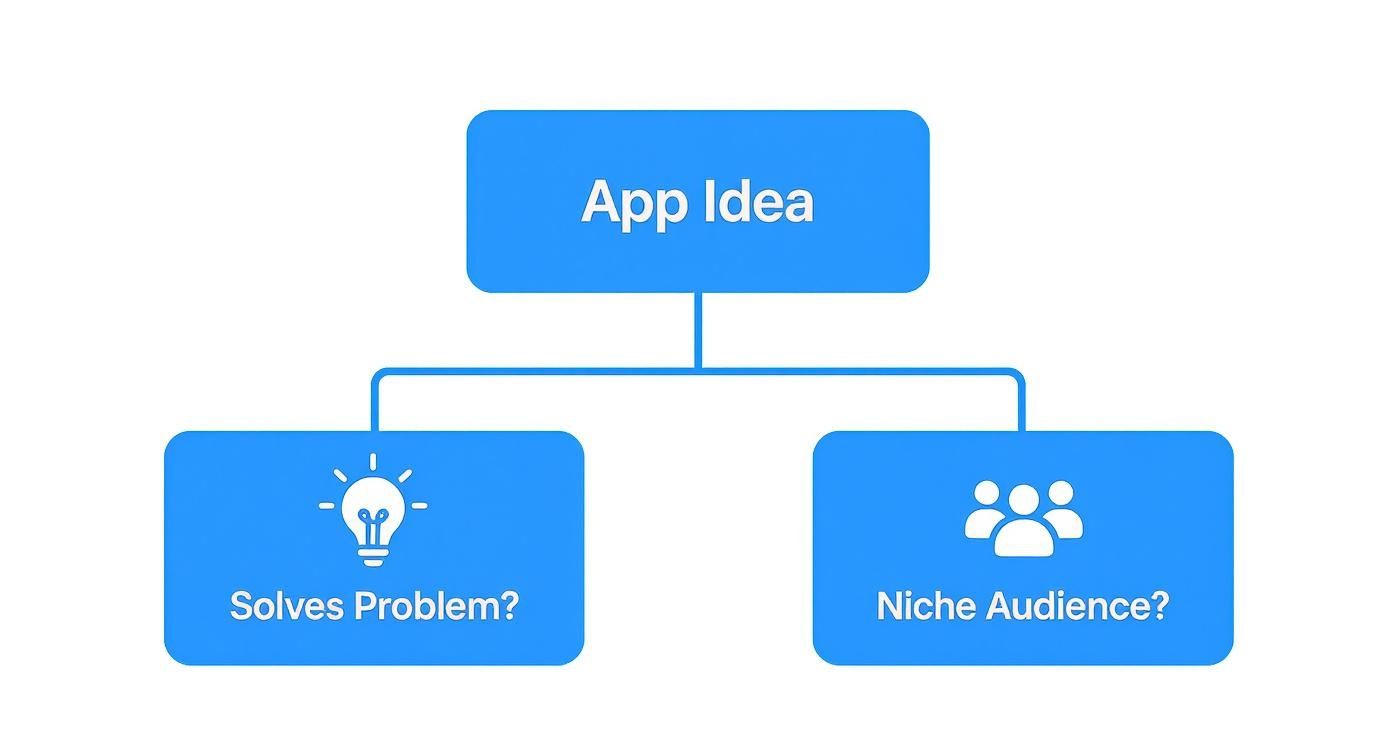
A successful app starts with a clear purpose. Once you have that, you can pick the technology that gets you to market in the most efficient way possible.
The Native iOS Approach Using Swift
Going native is the traditional route. It means building your app exclusively for Apple's world using their own programming language, Swift. For years, this was seen as the only way to guarantee top-tier quality. Swift is powerful, modern, and built from the ground up to make the most of iOS, giving developers direct access to every bell and whistle on an iPhone.
The biggest win here is performance and getting first dibs on new iOS features. When Apple drops a new update, native apps can support its new tricks from day one. This is a massive plus for apps that lean heavily on the latest hardware, like advanced augmented reality features or specific HealthKit integrations.
But there’s a major catch. When you build native, you’re building an app only for the iPhone. If you decide you want to tap into the Android market later on, you have to start all over again. That means a completely separate app, a separate team, and pretty much double the cost and time.
The Flutter Advantage: A Single Codebase
This is where a tool like Flutter completely rewrites the rulebook. Developed by Google, Flutter lets us build stunning, high-performance apps for iOS, Android, and even the web, all from a single codebase. Forget those old, clunky cross-platform solutions that were basically just websites in a wrapper. Flutter compiles directly to native ARM code, talking to the device's hardware just like a native app would.
The result? An app that looks, feels, and performs beautifully. The old idea that cross-platform means you have to compromise on quality is just flat-out wrong today.
We’ve seen benchmarks where Flutter not only matches but sometimes even outperforms native apps, especially with complex animations and UI. It delivers that buttery-smooth, responsive experience users expect. It's genuinely indistinguishable from an app built with Swift.
Flutter vs. Native iOS: A Practical Comparison for UK Businesses
For a startup or SME in the UK, this choice has real-world consequences for your budget and how quickly you can grow. Let's break it down into a straightforward comparison of the factors that really matter.
| Factor | Flutter (Cross-Platform) | Native iOS (Swift) |
|---|---|---|
| Development Speed | Significantly faster. Write code once, deploy on both iOS and Android. Features like Hot Reload let us see UI changes instantly, making development and iteration incredibly quick. | Slower. Building the iOS app is one complete project. If you want to expand to Android, you're starting a second, full development cycle from scratch. |
| Development Cost | More cost-effective. One development team and one codebase means a lower initial investment. It also dramatically cuts your long-term maintenance costs. | Higher overall cost. You need dedicated iOS developers. If you add Android to the roadmap, you're essentially funding two parallel projects. |
| Performance | Excellent. New benchmarks have placed Flutter at the top for performance. Because it compiles to native code, you get performance that is on par with, and often better than, native apps, especially for complex user interfaces. | Excellent. There's no denying it. Direct access to native APIs guarantees top-tier performance and optimisation for the iOS platform. |
| User Interface | Highly flexible and consistent. Flutter’s widget-based system allows for beautiful, bespoke designs that look pixel-perfect and identical on every single device. | Platform-specific look and feel. Naturally adheres to Apple's Human Interface Guidelines, which gives users that familiar, expected iOS experience. |
| Future Scalability | High. Your app is ready for the entire Android market from day one. This gives you instant access to a much larger user base without a single extra line of code. | Limited to iOS. Scaling to other platforms isn't really scaling; it's starting a brand new, resource-intensive project. |
For most businesses aiming to develop an iPhone app that’s also ready for the future, Flutter just makes more sense. It lowers your financial risk, gets you to market faster, and doesn't force you to sacrifice the quality your users deserve.
To get a feel for how this works in practice, check out our guide to develop an iOS application with Flutter step-by-step. The strategic advantage of building for two platforms at once is something native development simply can’t offer.
The Development Journey: Building Your iPhone App
Right, you've got your strategy nailed down and you've decided on your tech. Now for the exciting bit: turning that brilliant idea into something real and tangible. This is the core development phase, where we meticulously translate blueprints and designs into clean, functional code. It's a journey that demands precision, a rock-solid structure, and a relentless focus on the person who will actually be using the app.
Building a successful iPhone app is about more than just writing code that works. It’s about creating a foundation that is stable, scalable, and easy to look after long after it’s launched. This means making smart architectural choices from day one to avoid the headache of costly rewrites down the line.
Setting Up a Productive Development Environment
Before we can even think about building the first feature, we have to lay the groundwork. A properly configured development environment is absolutely essential for keeping things efficient and collaborative. For Flutter development aimed at iOS, this means getting a specific set of tools in order.
First off, you need a Mac. There's no getting around it, as Apple's Xcode is a non-negotiable requirement for building and compiling anything for iOS. Once that's sorted, we install the core toolkit, which usually includes:
- Flutter SDK: This is the heart of it all. It contains the Dart framework, the rendering engine, and all the command-line tools we need.
- Xcode: Apple’s own integrated development environment (IDE) is critical for handling native iOS integrations, managing certificates, and the final submission to the App Store.
- A Code Editor: While Xcode is a must-have, the day-to-day coding in Flutter typically happens in an editor like Visual Studio Code, which has fantastic Flutter support and extensions.
- Version Control: Using Git from the word "go" is crucial. It lets the team track every single change, work together on the code, and roll back to a previous version if something goes pear-shaped.
Getting this setup right ensures a smooth workflow. It also unlocks Flutter's killer feature: Hot Reload. This lets developers see UI changes in real-time without having to recompile the entire app, dramatically speeding up the whole development cycle.
Choosing the Right Architecture for Scalability
How you structure your app’s code is one of the most critical technical decisions you'll make. Good architecture makes an app easier to test, debug, and expand. A bad one? You end up with "spaghetti code" that quickly becomes a nightmare to manage.
In the Flutter world, there are a few popular architectural patterns, but one that really stands out for its clarity and scalability is BLoC (Business Logic Component). The BLoC pattern neatly separates the user interface from the business logic, creating a data flow that’s clear and predictable.
BLoC works by using streams to manage your application's state. When a user interacts with the UI, an event is sent to the BLoC. The BLoC processes this, applies the business logic, and then emits a new state. The UI simply rebuilds itself to reflect that change.
This separation of concerns is a complete game-changer. It makes the code highly testable because the business logic isn't tangled up with the UI widgets. It also makes it far easier for multiple developers to work on the project at the same time without tripping over each other.
Crafting an Intuitive UI and UX for UK Users
A powerful app with a confusing interface is, quite simply, a failed app. The User Interface (UI) and User Experience (UX) are the bridge between your users and the powerful code running underneath. For the UK market, this means creating an experience that feels familiar, intuitive, and trustworthy.
UI is what you see—the buttons, the colours, the fonts. UX is the overall feeling a user gets when they interact with your app. A truly great UX is often invisible; things just work exactly as people expect them to.
Here are a few key principles we always stick to:
- Clarity and Simplicity: Avoid clutter at all costs. Every single element on the screen needs to have a clear purpose.
- Familiarity: While it's tempting to reinvent the wheel, people appreciate familiar navigation patterns. A tab bar at the bottom for the main sections is a standard for a reason—it works.
- Feedback: The app must always communicate what’s happening. If data is loading, show a spinner. If a button is tapped, give a visual response.
These principles ensure your app feels professional and reliable, which is absolutely vital for building user trust. You can see how all these stages fit into the bigger picture by exploring the UK mobile app development process explained in more detail.
Optimising for Performance and Battery Life
Finally, remember that performance is a feature, not an afterthought. An iPhone app that’s slow, jerky, or chews through battery life will be deleted in a heartbeat. Performance optimisation is something we bake into the process from start to finish.
Small choices can make a huge difference. For instance, loading large, uncompressed images can lead to sluggish scrolling and high memory use. Inefficient database queries can make the whole app feel unresponsive.
With Flutter, developers have a huge amount of control over performance. We can use tools like the Flutter DevTools to profile the app, hunt down performance bottlenecks, and check for any unnecessary screen redraws. The goal is to consistently hit a silky-smooth 60 frames per second (or 120 on ProMotion displays). This creates that fluid, high-quality feel that users associate with the iPhone and, crucially, it respects their device's battery life—a small detail that users really appreciate.
Navigating the App Store Submission Process
Building a killer iPhone app is a massive win, but it’s only half the battle. The final, and arguably most crucial, step is getting it into the hands of real users. That means navigating Apple's notoriously strict App Store submission process. This isn't just a tick-box exercise; it's a gatekeeper that ensures every single app meets a high bar for quality, security, and user experience.
Think of the submission process as your app's final exam. It demands meticulous preparation, a keen eye for detail, and a solid understanding of the rules. A rushed or sloppy submission can lead to frustrating rejections, pushing back your launch and wasting precious time and money. Getting it right the first time is the secret to a smooth release.
Preparing for Submission in App Store Connect
Before you can even think about hitting 'submit', you need to get everything in order on App Store Connect, Apple’s central hub for managing your apps. The first step is enrolling in the Apple Developer Program, which will set you back £79 per year for an individual or organisation account.
Once you’re in, you’ll create a new record for your app. This is where you’ll upload all the metadata and marketing assets that form your app’s public-facing shop window. It's much more than filling out forms—this information is what convinces users to download and what gets you past the review team.
Here's your essential prep list:
- App Icons: You need a complete set of icons in various sizes. They'll be used everywhere from the Home Screen to Spotlight search, so they need to look sharp.
- Screenshots & App Previews: These are your most powerful marketing tools. High-quality screenshots (and optional short videos) have to accurately show off what your app does and how it feels to use.
- Compelling Metadata: This covers your app's name, subtitle, and a detailed description. These elements need to be engaging for potential users while also being optimised with the right keywords for discovery.
Nailing this stage makes a strong first impression on both your future customers and the Apple review team.
The Art of App Store Optimisation
App Store Optimisation (ASO) is the ongoing process of making your app more visible within the App Store. In such a fiercely competitive market, just launching your app and hoping for the best is a recipe for disaster. You have to actively help people find it. With over 1.96 million live apps on the store, and a massive number coming from UK-based teams, standing out is non-negotiable.
Here in the UK, gaming and utility apps alone make up a combined 51% of all apps on the platform. That stat alone shows why you need a smart ASO strategy to cut through the noise. You can find more UK app market insights on sqmagazine.co.uk.
Key ASO factors you need to get right include:
- Keyword Strategy: Researching and choosing the right keywords for your app name, subtitle, and the dedicated keyword field is absolutely fundamental.
- Visual Appeal: Your icon and screenshots have to be professional and enticing enough to make someone stop scrolling and take a closer look.
- Ratings and Reviews: Positive reviews heavily influence both your app's ranking and a user's decision to download. You need a plan to encourage happy users to leave feedback right from launch day.
Avoiding Common App Store Rejections
Apple’s review process is famously thorough, and rejections are common, especially for developers submitting their first app. Knowing the most frequent reasons for failure is the best way to avoid them. The review team scrutinises everything from technical bugs to tiny guideline violations.
We always tell our clients to treat Apple's Human Interface Guidelines not as suggestions, but as the rulebook for getting approved. Violating core UI/UX principles is one of the fastest ways to get your app rejected.
Based on our experience, here are the most common rejection pitfalls we see:
- Crashes and Bugs: This is an instant 'no'. Your app has to be stable and free from obvious glitches. Test, test, and test again.
- Incomplete Information: If your app has a login, you must provide demo account details. If you have complex features, you need to explain them in the review notes.
- Privacy Policy Issues: Your app must have a clear, easy-to-find privacy policy, particularly if it collects any kind of user data.
- Inaccurate Metadata: Your screenshots, descriptions, and previews must be an honest reflection of the app's functionality. Trying to mislead users is a cardinal sin.
- Broken Links: Every single link in your app—to your support page, terms of service, or privacy policy—must work perfectly.
By methodically checking your app against these common stumbling blocks, you dramatically improve your chances of getting approved on the first try and set yourself up for a successful launch.
Budgeting Your iPhone App Development in the UK
Let's talk about the money. Figuring out the investment for your iPhone app is one of the first, and most important, steps. A clear budget isn't just about the final number; it's the financial map that steers your entire project, from that initial idea all the way through to launch and keeping it running smoothly.
The final cost can swing wildly. It all boils down to your app's complexity, the slickness of its design, and the tech stack you choose to build it on.
Core Factors That Shape Your App's Cost
A few key things directly bump up the price tag. Getting your head around these helps you decide where to put your money for the biggest bang for your buck.
Here are the main cost drivers you need to watch:
- Feature Complexity: This is the big one. An app with user logins, a database, and links to other services (APIs) is a completely different project than a simple calculator. Every single feature, animation, and screen adds to the development time, and that means it adds to the cost.
- UI/UX Design: A completely custom, bespoke user interface with fancy animations is going to take a lot more design and coding hours. A clean, functional design using standard iOS building blocks will be much kinder on your wallet.
- Development Technology: As we've touched on, picking a framework like Flutter can often be a more cost-effective route. You get a single codebase for both iOS and Android, which can seriously cut down on the initial build costs and long-term maintenance compared to paying for two separate native apps.
Realistic Cost Brackets in the UK Market
Trying to put an exact figure on an app without a detailed spec is like asking "how long is a piece of string?". But, we can look at some typical cost ranges here in the UK to give you a realistic starting point for your budget.
On average, the cost to develop a native iPhone app in the UK usually lands somewhere between £30,000 and £125,000, all depending on what it needs to do. For instance, a medium-complexity app like a taxi booking service might cost between £21,000 and £52,000. Something more advanced using AI could easily shoot past £76,000.
This chart gives a rough idea of how different app types stack up against budget levels.
As you can see, 'simple' apps are obviously more affordable. Once you get into 'complex' or 'database-driven' territory, the investment climbs steeply because of all the backend work and tricky logic involved.
Beyond the Initial Build: Ongoing Costs
Your spending doesn't stop the day your app hits the App Store. Factoring in post-launch costs is absolutely vital for your financial planning. This is what keeps your app secure, working properly, and valuable to your users long-term.
As a rule of thumb, it's wise to budget around 15-20% of the initial development cost for annual maintenance. This covers everything from essential updates for new iOS versions to bug fixes and small tweaks.
These ongoing costs typically include:
- Server and Hosting: The monthly or yearly fees for the servers that run your app's backend and keep user data safe.
- Third-Party Services: Any subscriptions you have for tools like analytics platforms, push notification services, or payment gateways.
- Apple Developer Fee: The annual £79 fee just to keep your app listed on the App Store.
Thinking about these running costs from day one means no nasty financial surprises down the line. To really get into the weeds and plan your finances properly, take a look at our complete UK app pricing guide for a much deeper dive into the numbers.
Your Questions About iPhone App Development Answered
We get asked a lot of questions by UK businesses looking to build their first iPhone app. To help you get a clearer picture, I've put together some straightforward answers to the most common queries we hear.
How Long Does It Really Take to Develop an iPhone App?
This is the big one, and the honest answer is: it depends entirely on the complexity.
For a relatively simple app with a few core screens and standard features, you're typically looking at a 3-4 month timeline from our first chat to launch day. This is for something solid and professional, but not overly complicated.
If you’re thinking bigger, like a social media platform or a full-blown e-commerce app with all the bells and whistles, the timeline naturally stretches. For these more complex projects, we usually estimate around 5-9 months. And for the really advanced stuff—think custom AI features, complex animations, or heavy-duty backend systems—it’s not uncommon for development to push past the nine-month mark. The key is to map everything out in a detailed discovery phase first, so you get a realistic timeline without any nasty surprises down the road.
Why Do You Recommend Flutter Over Native Swift?
Look, native Swift is a brilliant technology for building iOS apps. We've used it and we respect it. But for most of our clients, Flutter just makes more sense from a business perspective. The main advantage is that we can build for both iOS and Android from a single codebase. That’s a massive win right away, as it drastically cuts down on development time and, therefore, the overall cost.
But what about performance? That's the killer feature. New benchmarks have put Flutter at the top for performance, as it compiles directly to native code, delivering a smooth, top-tier experience. It also has a 'hot reload' feature that lets us see changes instantly, which means we can build, test, and polish your app much, much faster.
What Are the Ongoing Costs After Launch?
Getting your app on the App Store is just the beginning. It's crucial to budget for the running costs to keep everything smooth and secure for your users.
There are a few recurring expenses you need to plan for:
- Apple Developer Program Fee: This is a non-negotiable £79 annual fee to Apple to keep your app listed on the App Store.
- Server and Hosting: These costs depend on how many users you have. More traffic means higher costs for backend services and data storage.
- Third-Party Services: You'll likely use other tools for things like analytics, push notifications, or payment processing, and these often come with their own monthly or yearly subscriptions.
Beyond these, the most important ongoing investment is maintenance. Think of it like servicing your car. You'll need to budget for updates to support new iOS versions, fix any bugs that pop up, and maybe add small feature enhancements. As a rule of thumb, we advise clients to set aside around 15-20% of the initial development cost each year. This ensures your app stays modern, secure, and working perfectly.
How Important Is a UK-Based Development Team?
For businesses targeting the UK market, working with a local team makes a huge difference. For starters, communication is just easier. Being in the same time zone means we can jump on a call or reply to an email without a day's delay, which keeps the project moving efficiently.
More importantly, a UK-based team has an innate understanding of the local market. We know what UK users expect, how they behave, and we’re fully up to speed on regulations like GDPR. This local insight is vital for creating an app that doesn't just work well, but actually resonates with your target audience. It just simplifies the whole process and helps build a much stronger partnership in the long run.
Ready to turn your idea into a high-performance app that users will love? At App Developer UK, we specialise in building exceptional Flutter apps that deliver real business results. Let's have a chat about your project. Start your app journey with us today.