What is a test case in software testing? A practical guide
What is a test case in software testing? A practical guide
Think of a test case as a recipe. A very, very specific recipe. It’s a detailed script that tells a QA tester exactly what steps to follow, what ingredients (data) to use, and—most importantly—what the finished dish (the outcome) should look like. It’s the single source of truth for checking if a piece of your software actually works the way it’s supposed to.
What Is a Test Case and Why Does It Matter?
Imagine you're building a house. You wouldn't just give a builder a pile of bricks and hope for the best, would you? Of course not. You'd hand them a detailed blueprint specifying every single measurement, material, and connection.
In the world of software development, a test case is that blueprint. It’s what turns testing from a random, "let's just click around and see what happens" activity into a structured, repeatable, and reliable process.
This methodical approach is the absolute backbone of any serious quality assurance (QA) effort. Without it, testing becomes a free-for-all. Different testers check different things, critical functions get missed, and bugs slip through the cracks. A well-written test case guarantees that every time a feature is tested, it’s done the exact same way, giving you results you can actually trust.

The Blueprint for Software Quality
So, what is a test case in software testing when you get down to it? It’s a formal document, a checklist that captures everything needed to perform one single, focused test. This systematic approach is crucial for building solid, dependable applications—especially for complex, high-performance mobile apps built with frameworks like Flutter.
To put it into perspective, here's a quick look at what a test case brings to the table.
Quick Answer: A Test Case at a Glance
| Aspect | Description |
|---|---|
| Purpose | To verify a specific function or feature of the software. |
| Audience | Primarily for QA testers, but also useful for developers and product managers. |
| Core Components | Test steps, test data, expected result, and actual result. |
| Key Benefit | Ensures testing is repeatable, consistent, and thorough. |
| Analogy | A detailed blueprint for a builder or a recipe for a chef. |
This simple structure is what makes test cases so powerful. They bring clarity and discipline to the entire QA process.
Well-defined test cases help you to:
- Prevent Bugs: By systematically checking every little piece of functionality, you can catch defects much earlier in the development cycle. That's when they're cheapest and easiest to fix.
- Ensure Consistency: They act as a standardised script. Every tester on the team follows the same steps, which means your quality checks are uniform and thorough. No more "it works on my machine."
- Improve Efficiency: A clear test case cuts out all the guesswork. Testers don't waste precious time trying to figure out how a feature is meant to behave; they just follow the instructions.
At its core, a test case answers three simple questions: What am I testing? How do I test it? And what should happen when I do? This clarity is what makes it an indispensable tool in modern software development.
Ultimately, test cases become a form of living documentation for your app. They are a vital communication tool, getting developers, testers, and product managers on the same page about what the software is supposed to do. More than that, they provide the proof that it actually delivers on its promises.
The Anatomy of an Effective Test Case
To really get what a test case is in software testing, you need to look under the bonnet and see what it’s made of. It’s far more than a simple checklist. A well-crafted test case is a structured document where every single part has a job to do. Think of it less like a to-do list and more like a detailed scientific experiment, designed to be crystal clear, repeatable, and completely unambiguous for any tester who picks it up.
Each component works in harmony to create a script that guides the entire verification process. From the unique ID that helps track its journey to the final pass/fail status that signals if a feature is ready, these elements provide the backbone for solid quality assurance.
This diagram breaks down the fundamental role a test case plays, showing how it connects a series of actions to a clear goal and provides real structural benefits to the whole process.
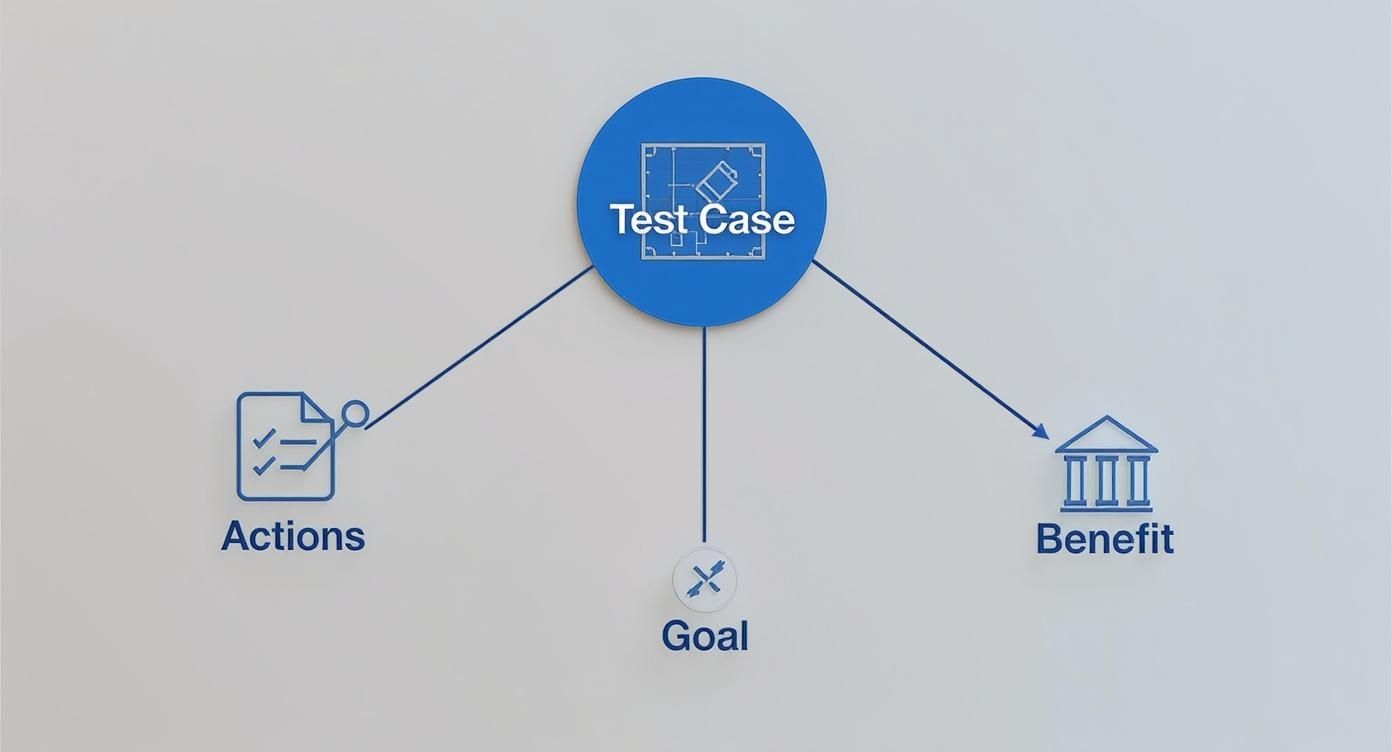
As you can see, the test case is the blueprint that turns a quality goal into precise, repeatable actions. It’s what brings order and consistency to testing, which is absolutely essential for shipping reliable software that users can trust.
Key Components of a Test Case
While the exact layout can differ from team to team, most professional test cases contain a standard set of fields. Here in the UK, getting this structure right is a big deal. In fact, nearly 56% of QA teams struggle with unclear test cases, which inevitably leads to missed bugs and costly rework down the line. A standard format is the best defence against this chaos, ensuring everything is clear and complete. If you want to dive deeper, Browserstack has a great guide on writing effective test cases.
A well-structured test case provides a clear roadmap for anyone on the team, removing guesswork and promoting consistency. Let's break down the essential components that make a test case robust and reliable.
| Essential Test Case Components Explained |
| :--- | :--- |
| Component | Purpose and Importance |
| Test Case ID | A unique code (e.g., LOGIN_001) that acts as a fingerprint for the test. It's crucial for tracking, reporting, and linking the test to requirements and defects, creating a clear audit trail. |
| Test Scenario/Description | A quick, one-line summary of what you're trying to prove. For instance: "Verify successful user login with valid credentials." It sets the context straight away. |
| Prerequisites | These are the "must-haves" before you even start the test. Think of conditions like, "User must have an active account," or "The app must be on the login screen." It ensures the starting line is the same every time. |
| Test Steps | A numbered list of exact, bite-sized actions for the tester to follow. Each step should be a single, clear instruction, like "1. Enter a valid email in the email field." No ambiguity allowed. |
| Test Data | The specific information used to run the test, such as usernames, passwords, or search terms. This data is vital for accurately mimicking real-world user interactions. |
| Expected Result | This is the pre-defined "right answer." It describes exactly what should happen if the software is working perfectly after the steps are completed. |
| Actual Result | A simple field where the tester records what really happened. This objective observation is compared directly against the expected result. |
| Status | The final verdict: Pass, Fail, or Blocked. This provides a clear-cut conclusion to the test and dictates the next steps, like raising a bug report. |
These components work together to form a complete, self-contained instruction manual for verifying one specific piece of functionality.
A great test case leaves no room for interpretation. It provides the tester with everything they need—the setup, the steps, and the data—to execute the test consistently, every single time.
The Deciding Factor: Expected vs. Actual Results
This is where the magic really happens. The Expected Result is your benchmark for success; it describes the perfect outcome if the software behaves exactly as it should.
After following the steps, the tester records the Actual Result—what the system actually did. Comparing these two outcomes is the moment of truth that determines the final verdict.
Finally, the Status field (Pass/Fail/Blocked) delivers that clear conclusion. If the Actual Result matches the Expected Result, the test passes. If there’s a mismatch, it fails, and a defect report is usually the next step. This straightforward comparison is the foundation of effective bug hunting.
Understanding the Different Types of Test Cases
Just as a mechanic uses different tools for different parts of an engine, a QA tester needs various types of test cases to examine an application from every conceivable angle. Knowing what a test case is in software testing is just the start; the real skill is recognising that not all tests are created equal. A truly solid testing strategy depends on a diverse toolkit of test cases, each designed to answer a specific question about your software's quality.
Some test cases are simple: they just check if a button works as expected. Others are more mischievous, deliberately trying to break the system with unexpected inputs. Some measure speed and stability under pressure, while others ensure the design looks pixel-perfect on every screen. This variety is what builds a comprehensive quality net, catching all sorts of potential issues before they ever reach your users.
Here in the UK, the evolution of these testing methods has been massively shaped by the rise of agile and DevOps. These practices demand faster, more frequent, and often automated testing cycles to keep up. It's no surprise that the UK software testing market is now valued at a hefty £1.3 billion; this reflects just how complex modern apps have become and how critical this kind of in-depth test coverage is. You can read more about the UK software testing industry's growth on ibisworld.com.
Functional vs Non-Functional Test Cases
At the highest level, you can split test cases into two main families: functional and non-functional. The easiest way to think about it is testing what the app does versus how well the app does it.
- Functional Test Cases: These are your bread and butter. They verify that a specific feature behaves exactly as required. For instance, a functional test would confirm that tapping the "Add to Basket" button in an e-commerce app actually, well, adds the item to the basket. It’s a direct check against the business requirements. Simple as that.
- Non-Functional Test Cases: These are all about the application's performance, usability, security, and reliability. Instead of testing a specific feature, they test an attribute. A non-functional test might measure how long it takes for search results to load, or check if the app keels over under a heavy user load.
Positive vs Negative Test Cases
Digging a little deeper into functional testing, there's another crucial split: testing for success and testing for failure. You absolutely need both to build a resilient app that can handle the chaos of the real world.
A robust application isn't just one that works when everything goes right. It's one that remains stable, secure, and user-friendly even when things go wrong. That's why negative testing is just as important as positive testing.
Here’s how they differ:
- Positive Test Cases: These are your "happy path" tests. They use valid data and expected user behaviour to confirm a feature works correctly under totally normal conditions. A classic example is testing a login form with a correct username and password, expecting to be logged in successfully.
- Negative Test Cases: Think of these as the "unhappy path" tests. They are designed purely to see how the system handles errors and invalid inputs. For instance, a negative test would involve chucking an incorrect password or a badly formatted email address into a login form. The goal isn't to get in; it's to make sure the app displays a clear error message and, most importantly, doesn't crash.
By mixing and matching these different types, you create a balanced test suite. This is how you ensure your Flutter app not only delivers the features you promised but also provides a smooth, secure, and reliable experience for every single user.
Writing Test Cases for a Modern Flutter App
Theory is great, but seeing how test cases work in the real world is where it all starts to make sense. Let's move from concepts to concrete examples, specifically for a modern Flutter application. As a UK-based agency that lives and breathes Flutter, we know its performance is a massive selling point. Rigorous testing is how you prove that performance isn't just a promise, but a reality.
Below, we’ll walk through three distinct examples: a positive test for a standard user login, a negative test for handling bad credentials, and a UI test to check for visual consistency. Each one uses a standard template, pulling together all the components we’ve talked about to give you a clear blueprint for your own mobile projects.
Example 1: Positive Test Case for User Login
This test follows the “happy path.” It’s a simple but vital check to confirm the core login feature works exactly as expected with valid user details. For any app with user accounts, this is ground zero.
| Component | Details |
|---|---|
| Test Case ID | LOGIN_TC_001 |
| Description | Verify successful user login with valid email and password. |
| Prerequisites | User account test@example.com exists and is active. App is launched and on the login screen. |
| Test Steps | 1. Tap on the "Email" input field. 2. Enter test@example.com. 3. Tap on the "Password" input field. 4. Enter Password123. 5. Tap the "Log In" button. |
| Expected Result | User is successfully authenticated and navigated to the app's home screen. A "Welcome back!" message is displayed. |
| Actual Result | To be filled in by the tester |
| Status | Pass/Fail |
This positive test case might seem basic, but it's absolutely essential. It sets the baseline for user authentication and is usually one of the first tests to be automated in a development pipeline. To see how this fits into the bigger picture, check out our guide on what continuous integration is for Flutter apps, where these kinds of tests are run automatically.
Example 2: Negative Test Case for Invalid Password
Right, now let's try to break something. This negative test case is all about checking how the app behaves when a user gets their password wrong. The goal is to ensure it gives clear feedback without falling over.
An app's quality is defined just as much by how it handles errors as by how it handles success. A graceful failure is always better than an unexpected crash.
- Test Case ID:
LOGIN_TC_002 - Description: Verify that an appropriate error message is shown for an incorrect password.
- Prerequisites: User account
test@example.comexists. App is on the login screen. - Test Steps:
- Enter
test@example.cominto the "Email" field. - Enter
WrongPasswordinto the "Password" field. - Tap the "Log In" button.
- Enter
- Expected Result: An error message appears below the password field stating, "Invalid email or password. Please try again." The user remains on the login screen.
Example 3: UI Test Case for Layout Consistency
One of Flutter's superpowers is creating consistent UIs across different devices. This UI test verifies that the login screen looks and feels right, whether you're holding a phone or a tablet.
- Test Case ID:
LOGIN_UI_001 - Description: Verify the login screen layout renders correctly on both a standard phone and a larger tablet device.
- Prerequisites: App is installed on both a phone (e.g., Pixel 7) and a tablet (e.g., Pixel Tablet).
- Test Steps:
- Launch the app on the phone and navigate to the login screen.
- Observe the layout of all elements (logo, input fields, button).
- Launch the app on the tablet and navigate to the login screen.
- Observe the layout again.
- Expected Result: On both devices, the logo is centred, input fields are stacked vertically, and the "Log In" button spans the width of the central column without any visual overlap or clipping.
Best Practices for Writing and Managing Test Cases
Knowing what a test case is and actually writing a good one are two very different things. It’s a skill, and like any skill, it gets better with practice. Following a few best practices can transform your testing from a simple box-ticking exercise into a powerful quality assurance engine that catches bugs before they ever reach your users.
Great test cases don't just happen by accident. They’re the result of a disciplined approach that values clarity, precision, and reusability. By sticking to a few core principles, you can create a test suite that anyone—from a junior tester to a senior developer—can pick up and run without a single moment of confusion.
Principles for Writing Excellent Test Cases
To create test cases that genuinely add value, your main goal should be to make them incredibly clear and focused. Ambiguity is the enemy here; it leads to inconsistent results, wasted time, and, worst of all, missed bugs.
Here are a few principles I always stick to:
- Keep It Atomic: Every test case should check one single thing. Seriously, just one. If you find yourself writing "and" in the description (like, "Verify user can log in and update their profile"), stop right there. Split it into two separate tests. This makes it so much easier to figure out what broke when a test fails.
- Write with Absolute Clarity: Use simple, direct language. Ditch the jargon and technical slang. Imagine you’re writing for someone who has zero prior knowledge of the feature. The steps should read like a straightforward recipe, not a dense technical manual.
- Be Specific and Unambiguous: Vague instructions are a recipe for disaster. Instead of saying, "Enter a valid email," tell the tester exactly what to type: "Enter
testuser@example.com." This removes all the guesswork and ensures the test is run the same way, every single time. - Make Them Reusable: Always write with the future in mind. A solid test case for a core feature like user login is worth its weight in gold. You’ll reuse it for regression testing sprint after sprint, saving a massive amount of time down the line.
A great test case is a communication tool first and a technical script second. Its primary job is to clearly communicate the intent, actions, and expected outcome to another human being.
Strategies for Managing Your Test Suite
Okay, so you’ve written a batch of excellent test cases. That’s only half the battle. As your app grows, so does your collection of tests. Without a solid strategy, managing hundreds—or even thousands—of them can quickly descend into chaos. Getting organised is absolutely key to keeping things efficient and under control.
Effective management is also about weaving testing right into your development workflow. You can get a deeper understanding of this by exploring our guide on what is automated testing, which is a fantastic complement to these manual strategies.
Here are a few management techniques that work wonders:
- Use Consistent Naming Conventions: Get a clear naming system in place for your Test Case IDs and stick to it. Something like
FEATURE-TYPE-001(for instance,LOGIN-NEGATIVE-001) makes it incredibly easy to find, group, and understand tests just by looking at the name. - Organise into Test Suites: Don’t just dump all your tests into one giant folder. Group related test cases into logical collections, or test suites. You might have a suite for "User Authentication," another for the "Shopping Basket," and one for "Performance Benchmarks." This makes running targeted regression tests a breeze.
- Link Test Cases to Requirements: This is a big one for traceability. Link every single test case back to the user story or requirement it’s supposed to validate. This not only confirms you have full test coverage but also helps product managers see exactly how their requested features are being checked.
Common Questions About Test Cases
Even with a solid grasp of test cases in software testing, a few questions always seem to come up. Think of this as a quick FAQ, here to clear up any lingering confusion and give you straightforward answers for the practical side of quality assurance.
These questions usually dig into the subtle but important differences between related terms and the realities of fitting test case creation into a hectic development schedule. Let's tackle them one by one.
What Is the Difference Between a Test Case, Test Scenario, and Test Script?
It's easy to see why these three get mixed up, as people often use them interchangeably. But they actually represent different levels of detail in the testing process, and getting the distinction right is key to keeping your QA efforts organised.
Let’s try a road trip analogy.
- Test Scenario: This is your high-level goal. Think "Drive from London to Manchester." It tells you what you want to achieve, but none of the specifics. In testing, a scenario would be something like, "Verify user login functionality."
- Test Case: This is your detailed, turn-by-turn navigation. It’s the specific recipe with step-by-step instructions: "1. Get on the M1 heading north. 2. Continue for 180 miles. 3. Take exit 19..." In testing, this is the structured document we've been talking about, complete with prerequisites, steps, data, and expected results.
- Test Script: This is the automated version of your directions—like programming the route into your Sat Nav. It’s a piece of code, maybe in Python or Dart, that executes the steps of a test case automatically.
So, you start with a broad scenario, break it down into one or more detailed test cases, and then you might decide to automate some of those test cases by writing test scripts.
When Should You Start Writing Test Cases?
A classic question, and the ideal answer is always: as early as possible. Too many teams make the classic mistake of waiting until the development work is nearly done. By that point, it’s often too late. Misunderstandings are already baked into the code, and fixing them becomes massively expensive.
The best practice, particularly in an agile world, is to start writing test cases right after the feature requirements or user stories are finalised, but before a single line of code is written.
Writing test cases early forces you and your team to think through every possible user interaction and edge case. It acts as a requirements validation tool, often uncovering ambiguities or logical gaps before they become costly bugs.
This approach, sometimes called Acceptance Test-Driven Development (ATDD), makes sure that developers, testers, and product owners are all on the same page about what "done" actually looks like. It shifts testing from a reactive, bug-hunting activity into a proactive, quality-building process. For teams looking to sharpen their skills here, exploring the top courses for testing software can provide a significant boost to your capabilities.
Does Automation Make Manual Test Cases Obsolete?
Absolutely not. That’s a common misconception. Automated and manual testing aren't competitors; they’re partners, and they excel at completely different things.
- Automated Testing is perfect for repetitive, predictable, and data-heavy tasks. Think regression tests, performance checks, and API validation. It's fast, tireless, and brilliant at catching when an update breaks existing features.
- Manual Testing leans on human intelligence, curiosity, and intuition. It’s essential for things like exploratory testing, usability checks, and verifying complex user journeys where context is everything. A human can spot a visual glitch or a confusing workflow that an automated script would sail right past.
For high-performance Flutter apps, a balanced strategy is crucial. You automate the stable, core functionalities to make sure they never break. This frees up your human testers to focus their valuable time on exploring new features and making sure the user experience is genuinely brilliant. New benchmarks consistently show Flutter at the top for performance, and this dual testing approach is exactly how you protect and prove that advantage.
At App Developer UK, we build high-quality, high-performance Flutter applications backed by a rigorous and intelligent testing strategy. If you're looking for a development partner who prioritises quality from day one, get in touch with our expert team today.